How it works

From idea to sold out — in five simple steps.

EventPassHero handles tickets, seating, payments, and check-in so your team can focus on the moment. Here's exactly how it works, start to finish.

Free to get started No monthly fees or contracts Daily payouts through Stripe

Most organizers go live in about 15 minutes.

The five steps

1 Sign up

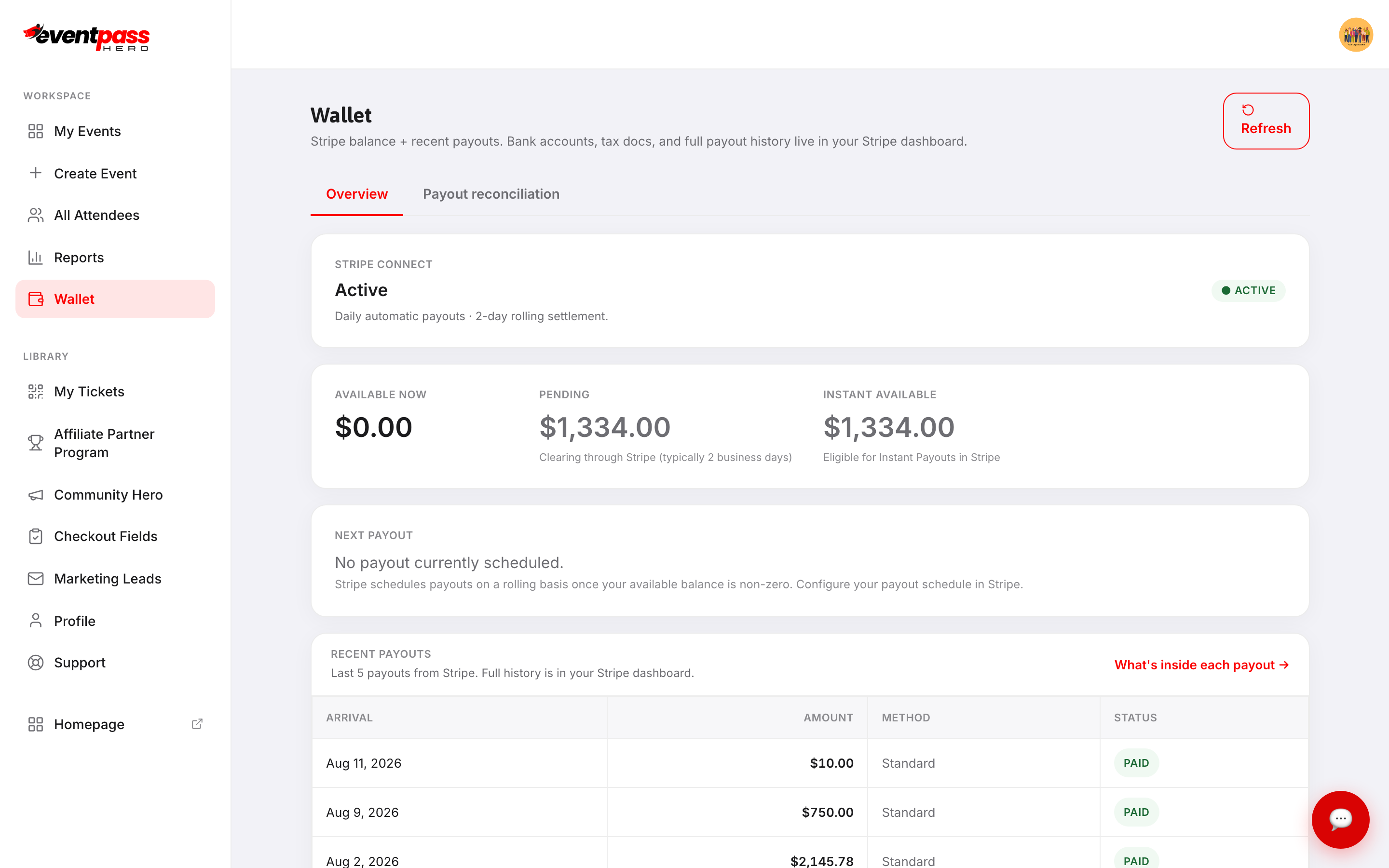
Create your free account and connect Stripe.

Sign up in a minute — no contracts, no setup fees. Then connect Stripe from your Wallet so ticket money goes straight to your organization's bank account.
  • Already buy tickets with us? Becoming an organizer is one click.
  • Stripe onboarding takes a few minutes — you can build your event first.
  • Free events don't need Stripe at all.
Organizer Wallet with Stripe connected Stripe connected
2 Build your event

Build a beautiful event page — tickets, tables and all.

A guided three-step setup gets your event drafted: the basics, when & where, then review. Add a banner and gallery, then set up exactly the tickets you need.
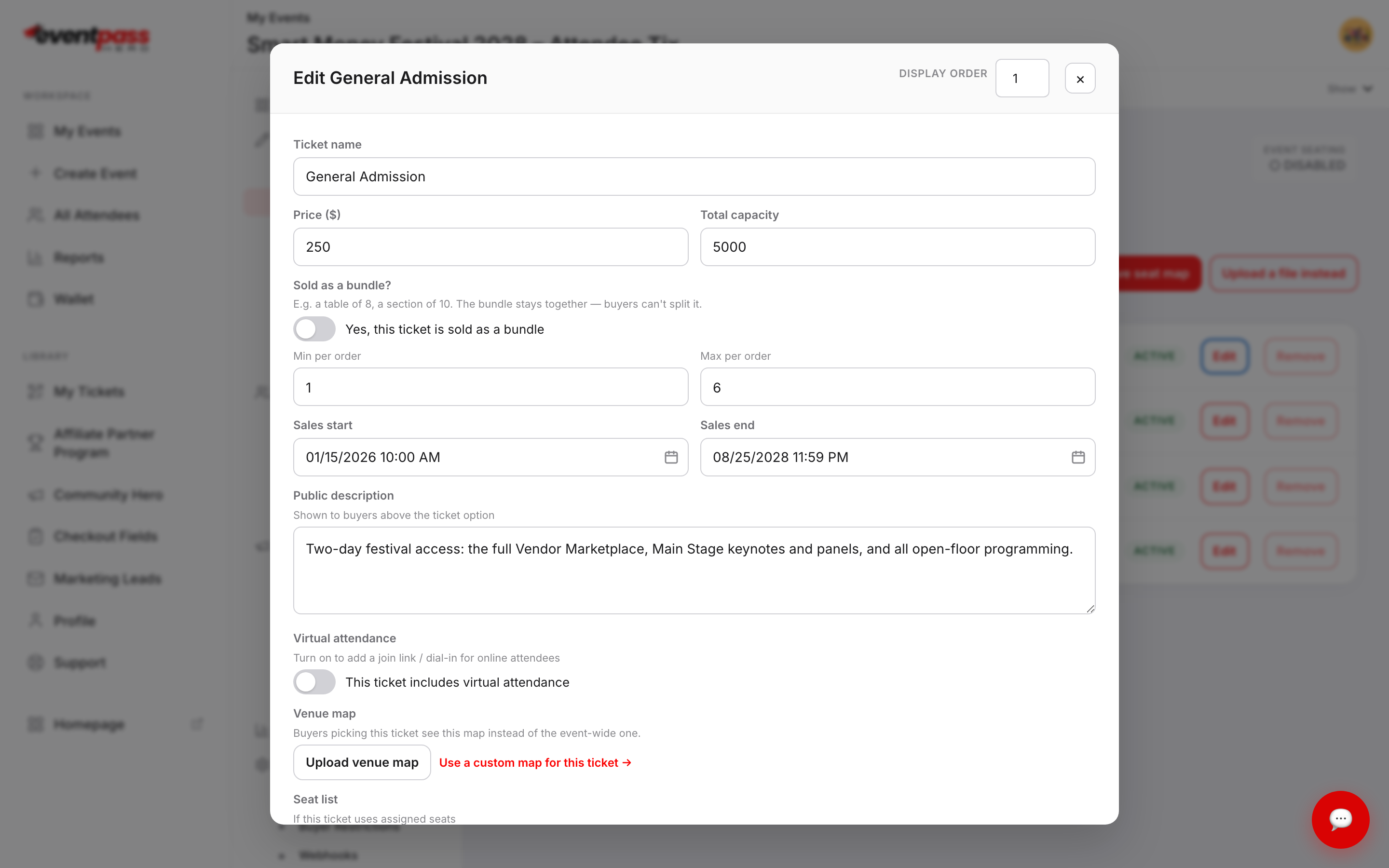
  • General admission, VIP tiers, early-bird windows and add-ons
  • Tables, sections and interactive seat maps your guests pick from
  • Donations, coupons, buyer restrictions and custom checkout questions
  • Shortcuts: start from your flyer, or import events from Eventbrite
Ticket type editor Ticket editor
3 Spread the word

Turn your members into your sales team.

Every member gets a personal sales link, and you see exactly who's selling — no spreadsheets. Share your event page, embed tickets on your own website, and email your audience right from your dashboard.
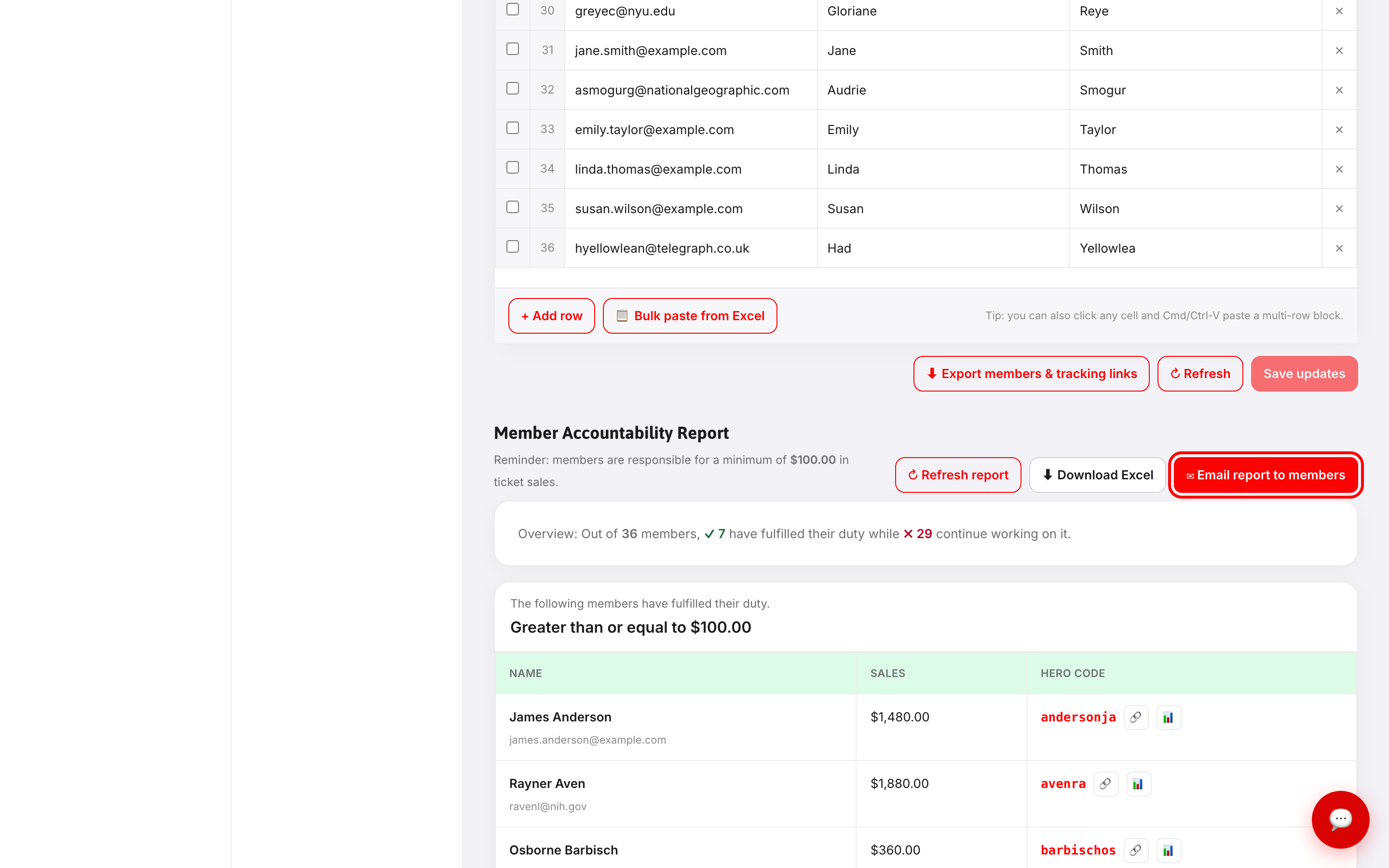
  • Member Accountability: goals, rosters and a live leaderboard
  • Track affiliates and promoters down to the individual sale
  • Built-in email marketing — no add-ons to buy
  • Embed a ticket widget on your site
Member Accountability sales report Who's selling, live
4 Sell & get paid

Guests check out in seconds. You get paid every day.

A fast, mobile-friendly checkout with card, Apple Pay and Google Pay. Payouts run daily through Stripe — each sale lands in your bank 2–3 business days after it happens. No waiting until the event is over.
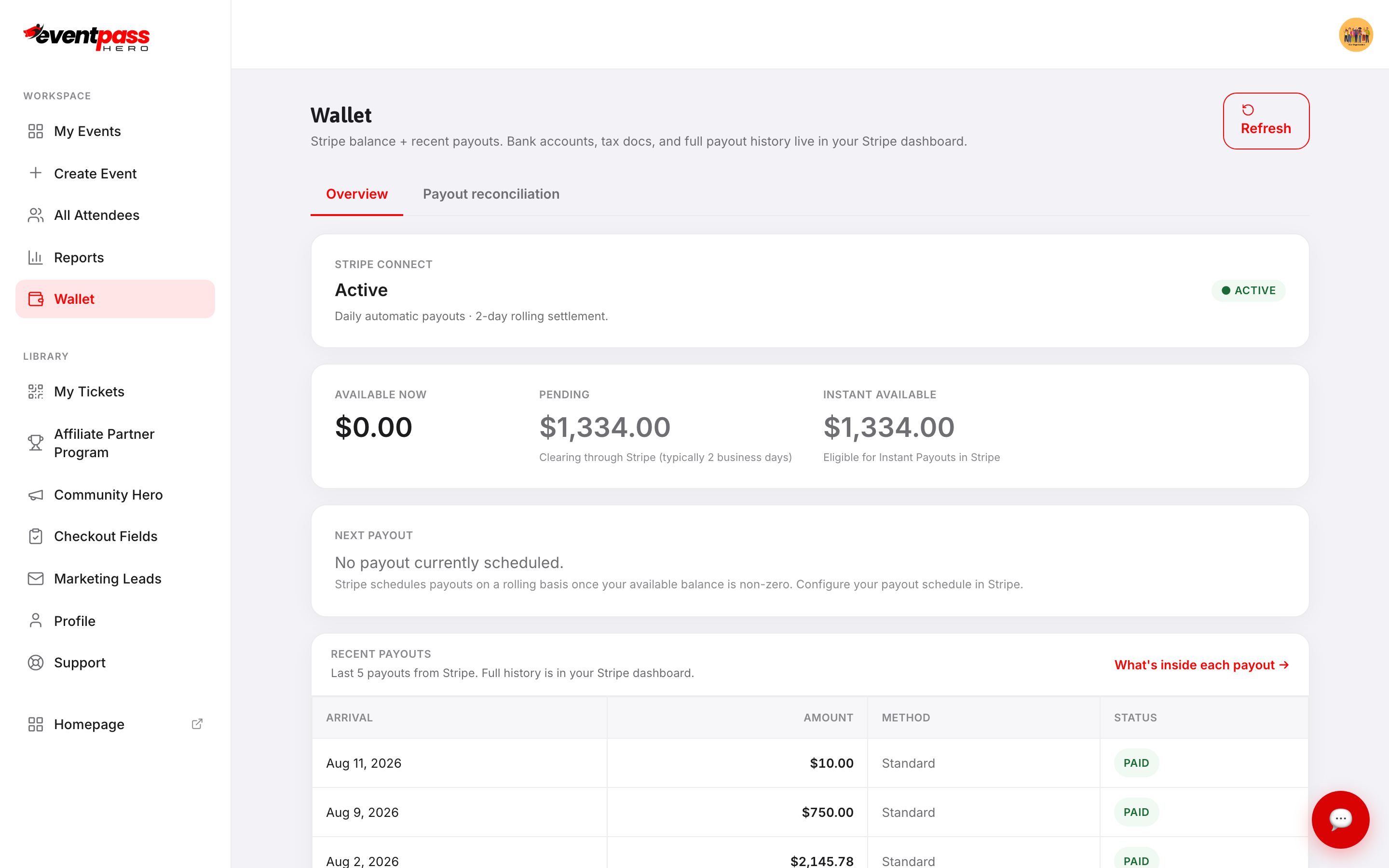
  • Daily automatic payouts — no minimums, no payout requests
  • Your Wallet shows every sale, fee and deposit
  • Sales reports, exports and refunds in one place
Organizer Wallet overview Paid out daily
5 Welcome guests

A smooth entry your guests will notice.

Tickets arrive by email and save to Apple Wallet or Google Wallet. At the door, your team scans QR codes with the EventPassHero app — and every device stays in sync.
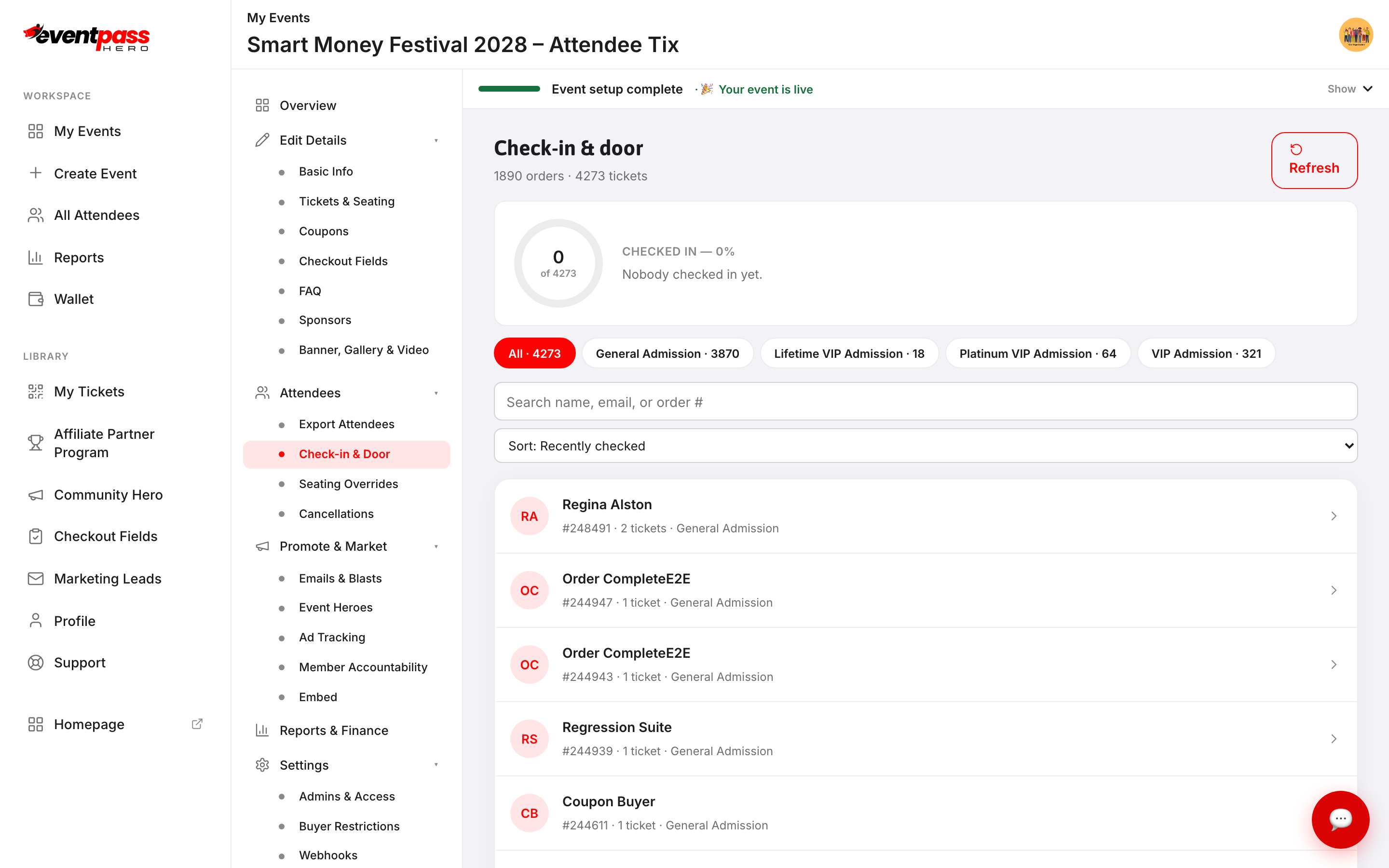
  • Add admins and door staff — run your event as a team
  • Live check-in counts on your dashboard
  • Guests can transfer tickets to friends
Check-in and door screen Check-in & door
For your guests

What your attendees experience

A polished experience from the first click to the front door — so your event looks as good as it feels.

Quick, simple checkout

Pick tickets — or their exact seat — and pay with card, Apple Pay or Google Pay. No account required.

Tickets in their pocket

Tickets by email, saved to Apple Wallet or Google Wallet, and always available in My Tickets.

Easy entry

One scan at the door and they're in. Plans changed? They can transfer a ticket in a couple of taps.

Simple pricing

Free for organizers. One low fee per ticket.

No monthly fees, no setup fees and no contracts. Your buyers cover the ticket fee by default — or you can absorb it for any event. Every feature is included.

See full pricing
Platform fee2.75% + $1.49 /ticket
Stripe processing2.9% + $0.30
Monthly fees & contracts$0
Free events$0

Payouts run daily through Stripe; each sale lands 2–3 business days after the transaction.

Watch & learn

See it in action

Short video walkthroughs of every step — watch at your own pace.

All video tutorials
Questions

Getting started FAQ

How long does it take to launch an event?
Most organizers go live in about 15 minutes. The guided setup drafts your event in three steps, and a checklist shows what's left before you publish.
Do I need a website or technical skills?
No. Your event gets its own page you can share anywhere. If you do have a website, you can embed your tickets right on it.
When do I get paid?
Payouts run daily through Stripe. Each sale lands in your bank account 2–3 business days after the transaction — there's no hold until the event ends and no payout request to file.
What does it cost?
Creating events is free. Paid tickets carry a 2.75% + $1.49 platform fee plus Stripe's 2.9% + $0.30 processing — your buyers cover it by default, or you can absorb it. Free events cost $0.
Can my chapter members sell tickets for us?
Yes. Member Accountability gives every member a personal sales link and shows you exactly who's selling, against the goals you set.
Ready when you are

Raise More Money With Less Stress.

Create your event in minutes — it's free for organizers. Prefer a walkthrough? Our team will set it up with you.


Create Event Tutorials