

Who Pays the Fees — Absorb or Pass On
By default, EventPassHero's platform fee and the card processing fee are added on top of your ticket price at checkout, so the buyer pays them. If you'd rather your buyers see a clean, round price, turn on Absorb processing & platform fees (organizer pays) — buyers then pay only the ticket price plus any applicable tax, and the fees come out of your payout instead. It's a per-event setting, and you can change it whenever you like.
Step-by-step
- 1. Open your event and go to Edit Details → Basic Info.
- 2. Scroll down to the Buyer experience section and find the Toggles block.
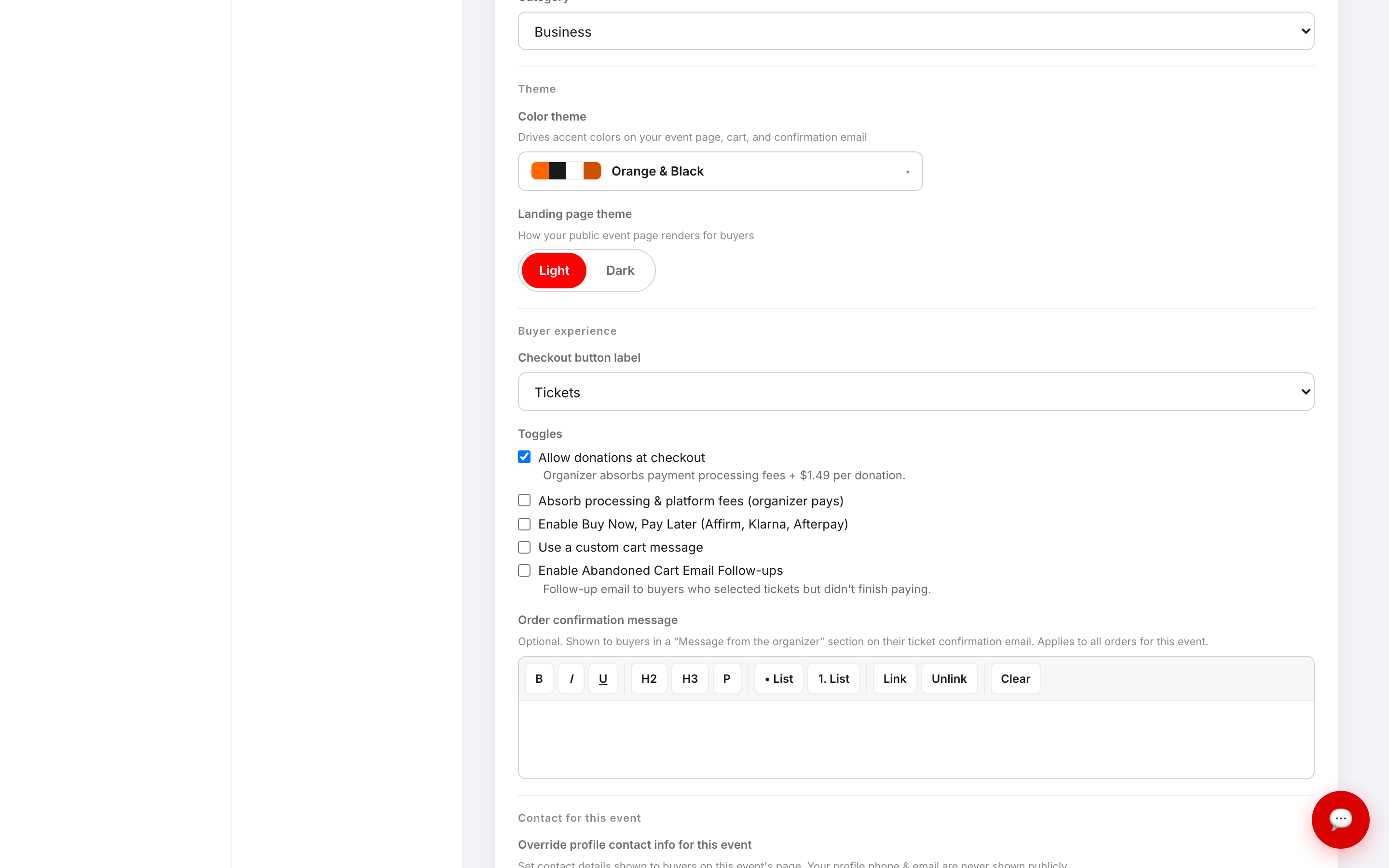
- 3. Tick Absorb processing & platform fees (organizer pays).
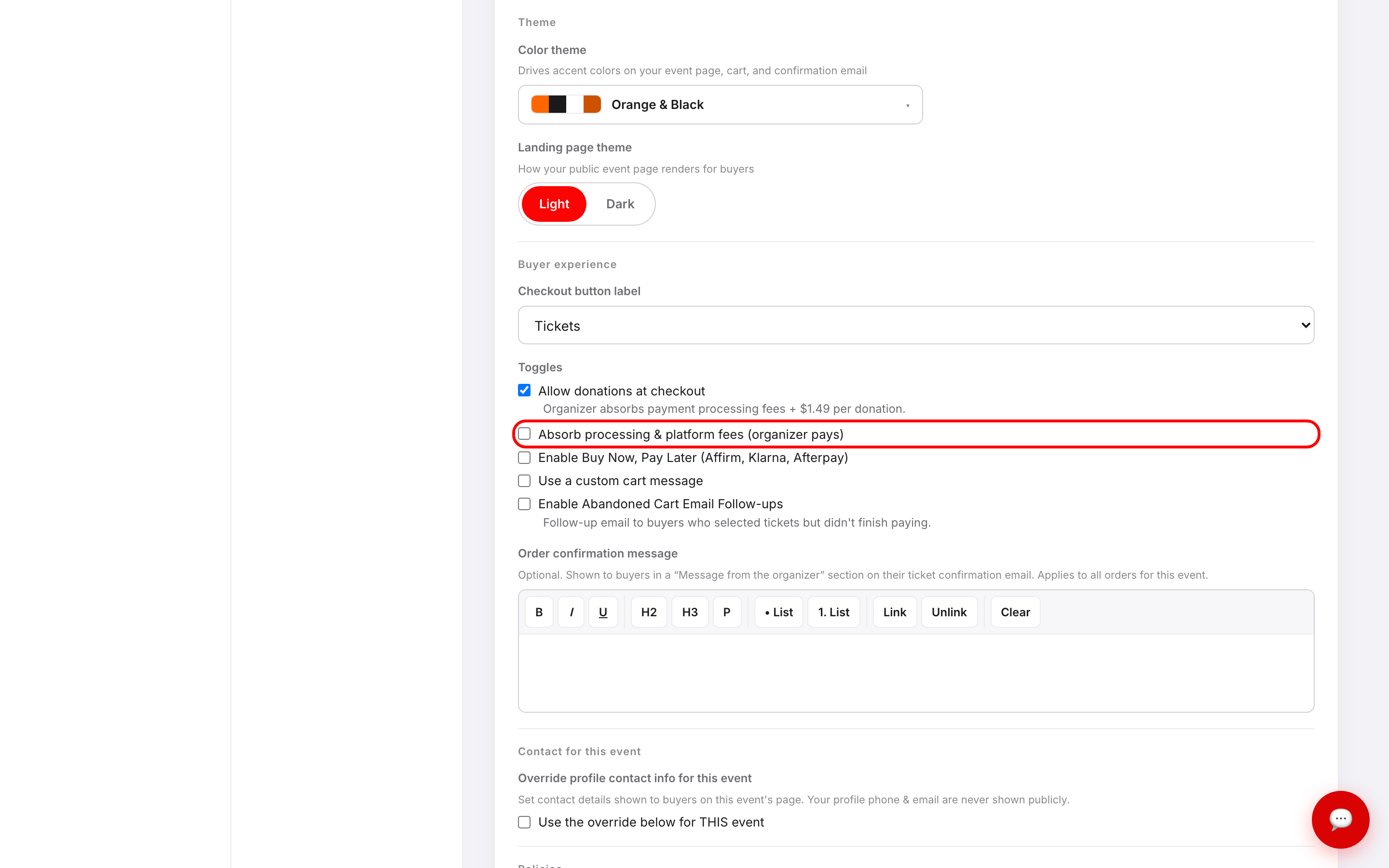
- 4. A confirmation dialog opens showing exactly which fees you'll be covering. Read it, tick the acknowledgement box, then click Confirm & absorb fees.
- 5. Click Save changes at the bottom of the screen. Nothing is applied until you save.
What the confirmation dialog tells you
Absorbing fees changes what lands in your bank account, so it asks you to confirm in writing first.
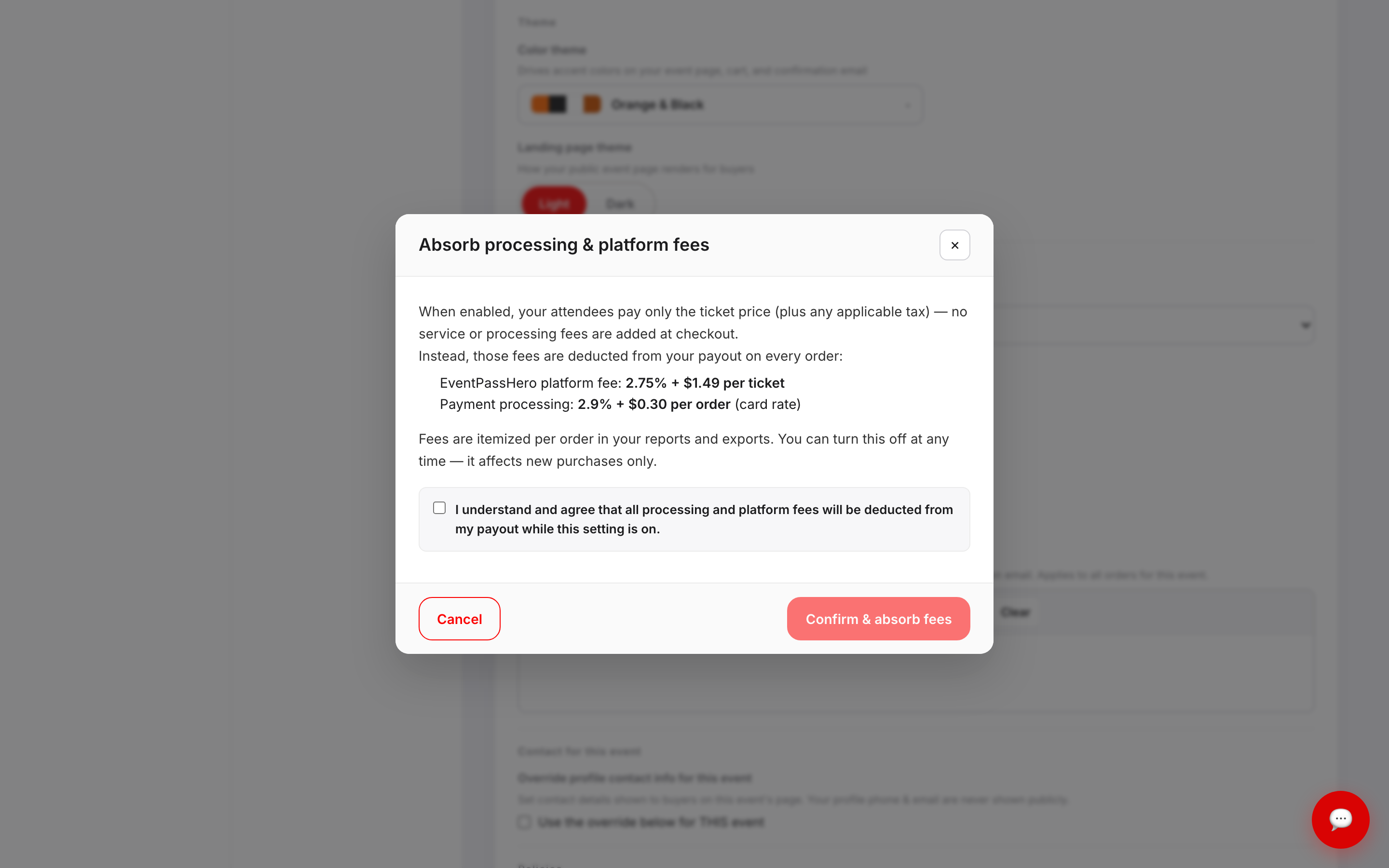
The dialog breaks the cost into two parts — the EventPassHero platform fee and payment processing — and shows the exact rates that apply to your event. Rates can differ between accounts, so always read the figures in your own dialog rather than assuming. Fees are itemized per order in your reports and exports, and the setting affects new purchases only: orders already placed keep whatever treatment was in effect when they were bought.
Turning absorption back off doesn't open a dialog. Untick the box and click Save changes.
Where absorbed fees show up
Your event's Reports & Finance screen tracks both sides.
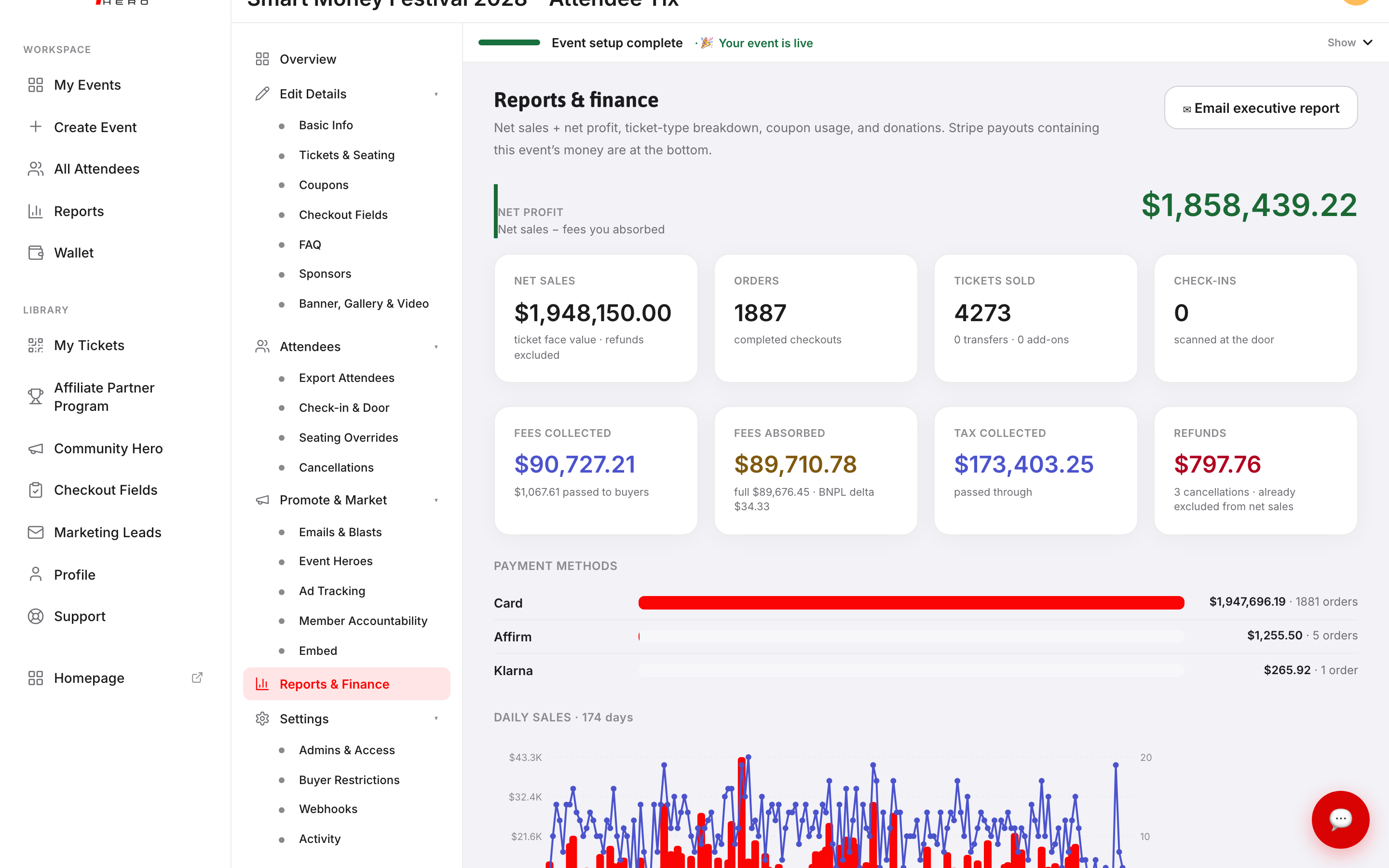
FEES COLLECTED is what buyers paid on top of the ticket price. FEES ABSORBED is what came out of your side. If you switched the setting partway through selling, both cards will show figures — one for the orders placed under each setting.
Troubleshooting
- The toggle didn't stick — two steps are required: confirm the dialog, then click Save changes. If you clicked Cancel in the dialog, the box clears itself and nothing is saved.
- My payout is smaller than my ticket sales — that's absorption working as intended. Compare NET SALES with FEES ABSORBED on Reports & Finance to see the difference, and check your reports export for the per-order breakdown.
- FEES ABSORBED shows a "BNPL delta" — when Buy Now, Pay Later is enabled and fees are passed to buyers, the buyer covers the standard card-rate fee and you cover the extra cost of the BNPL method. That difference is the BNPL delta.
- Donations are still costing me fees — donations are handled separately from this toggle. The organizer always covers processing on donations, as noted under Allow donations at checkout.
- Does this change tax? — no. Tax is calculated from your venue address and passes through to you regardless of this setting.
Last updated 2026-08-15 · All FAQs & video tutorials