

Understand Your Wallet and Payouts
Your Wallet (in the workspace sidebar) is your money at a glance: what's available now, what's still clearing through Stripe, when your next payout lands, and the last deposits that hit your bank. Payouts are daily and automatic — funds typically clear in about two business days after each sale, with no event-end hold, no minimum threshold, and no manual payout request.
What each number means
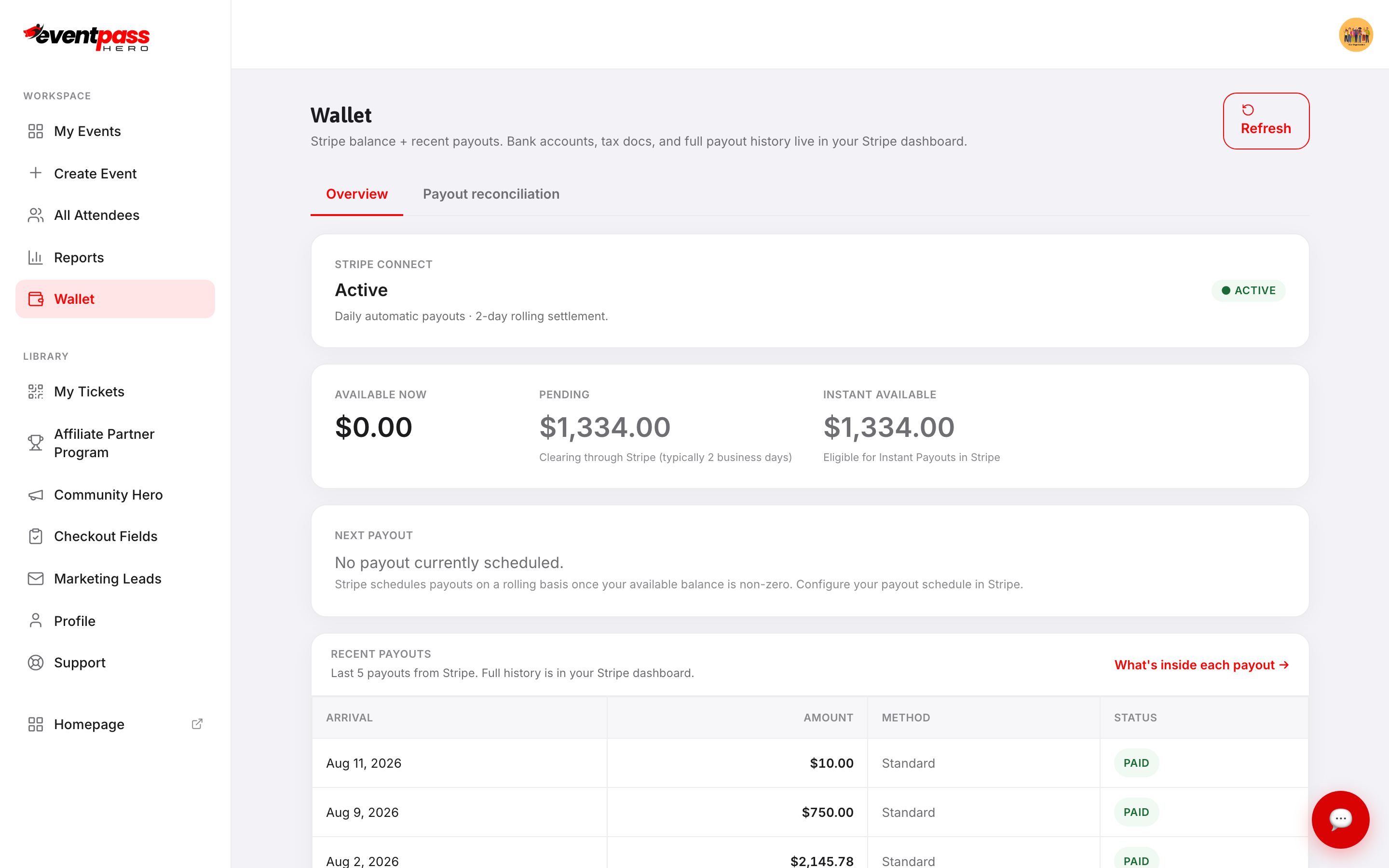
- Stripe Connect — your account status. Active means buyers can pay and payouts flow; anything still needed by Stripe is listed here.
- Available now — money cleared and ready to pay out.
- Pending — sales still clearing through Stripe, typically 2 business days. This is the normal state of recent sales, not a problem.
- Instant available — the portion eligible for Stripe's Instant Payouts if you don't want to wait for the daily cycle.
- Next payout — what's scheduled next. Stripe schedules payouts on a rolling basis whenever your available balance is non-zero.
Recent payouts
Recent payouts — the section at the bottom of the Wallet screen above — lists your last deposits with arrival date, amount, and status. To see exactly which events and orders are inside any deposit, click What's inside each payout → — that's the Payout reconciliation tab, covered in its own article below.
Bank accounts, tax documents, and payout schedule
The Manage in Stripe links at the bottom of the Wallet open your Stripe Express dashboard in a new tab — that's where you change bank accounts, download tax forms (1099-K), and adjust your payout schedule. Stripe holds your banking and identity details; EventPassHero never sees or stores them.
Closing out an event
After your event wraps, nothing special is required to get paid — sales have been paying out daily all along. Give it about two business days after the final sale for the last pending funds to clear, then reconcile the deposits against your bank statement using Payout reconciliation and the report exports.
Troubleshooting
- "Available now" is $0 right after big sales — that money is in Pending, clearing through Stripe (typically 2 business days). It pays out automatically once it clears.
- No payout is scheduled — normal when your available balance is zero. Stripe schedules the next payout as soon as cleared funds exist.
- A deposit doesn't match your sales math — deposits are net of fees and any refund clawbacks, and can combine several events. Open Payout reconciliation for the exact contents.
Last updated 2026-08-14 · All FAQs & video tutorials