

Include Add-Ons With a Ticket Type
Add-ons let you bundle extras into a ticket type — a drink voucher, a wristband, a swag bag, a parking pass. Buyers don't choose them and don't pay extra for them; they come automatically with the ticket. Each add-on is issued as its own scannable ticket, so your door or bar staff can redeem it independently of the main admission.
You can configure up to three add-ons per ticket type.
Step-by-step
- 1. Open your event and go to Edit Details → Tickets & Seating.
- 2. Click Edit on the ticket type you want to bundle extras into.
- 3. Scroll down to the Add-ons section.
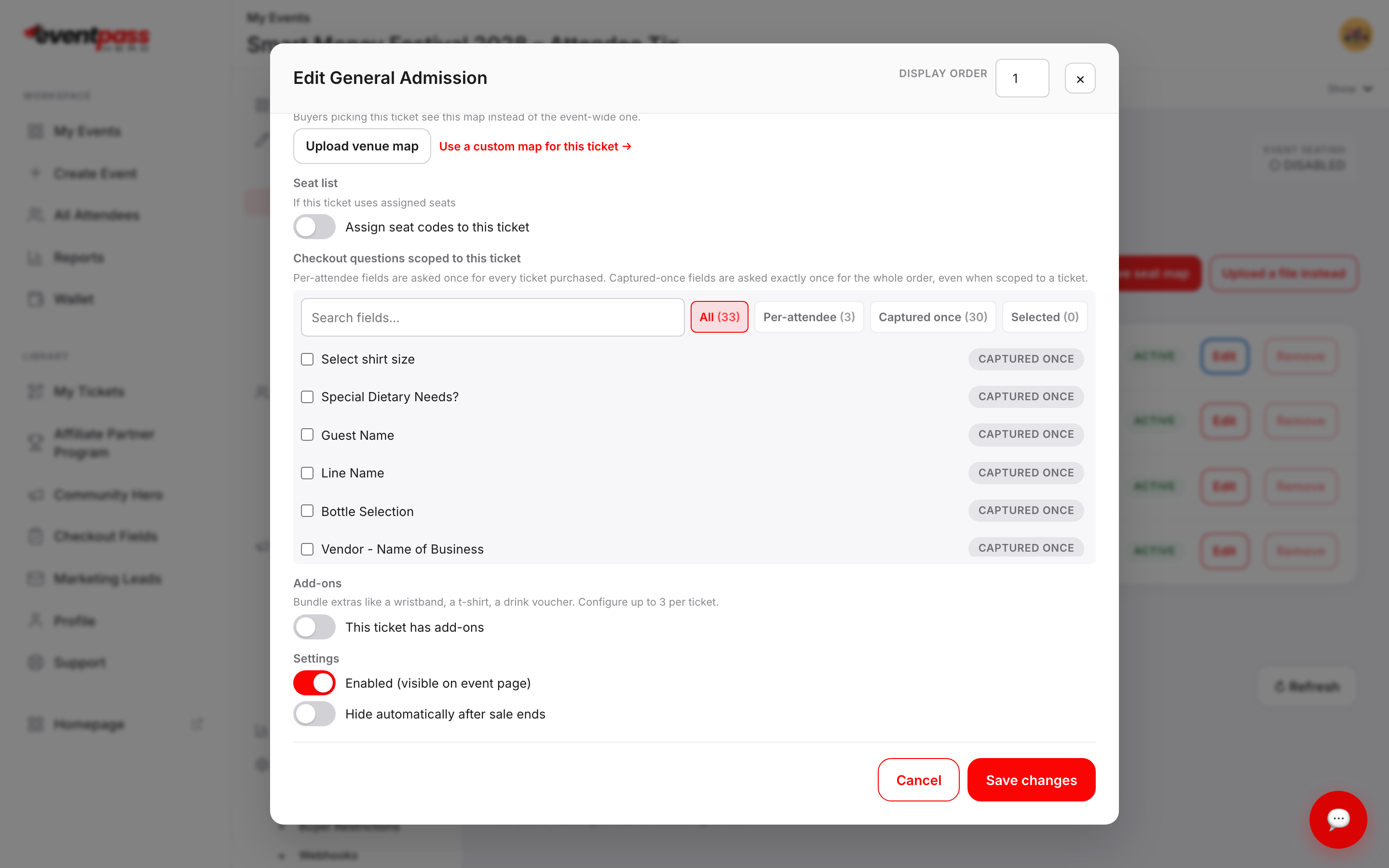
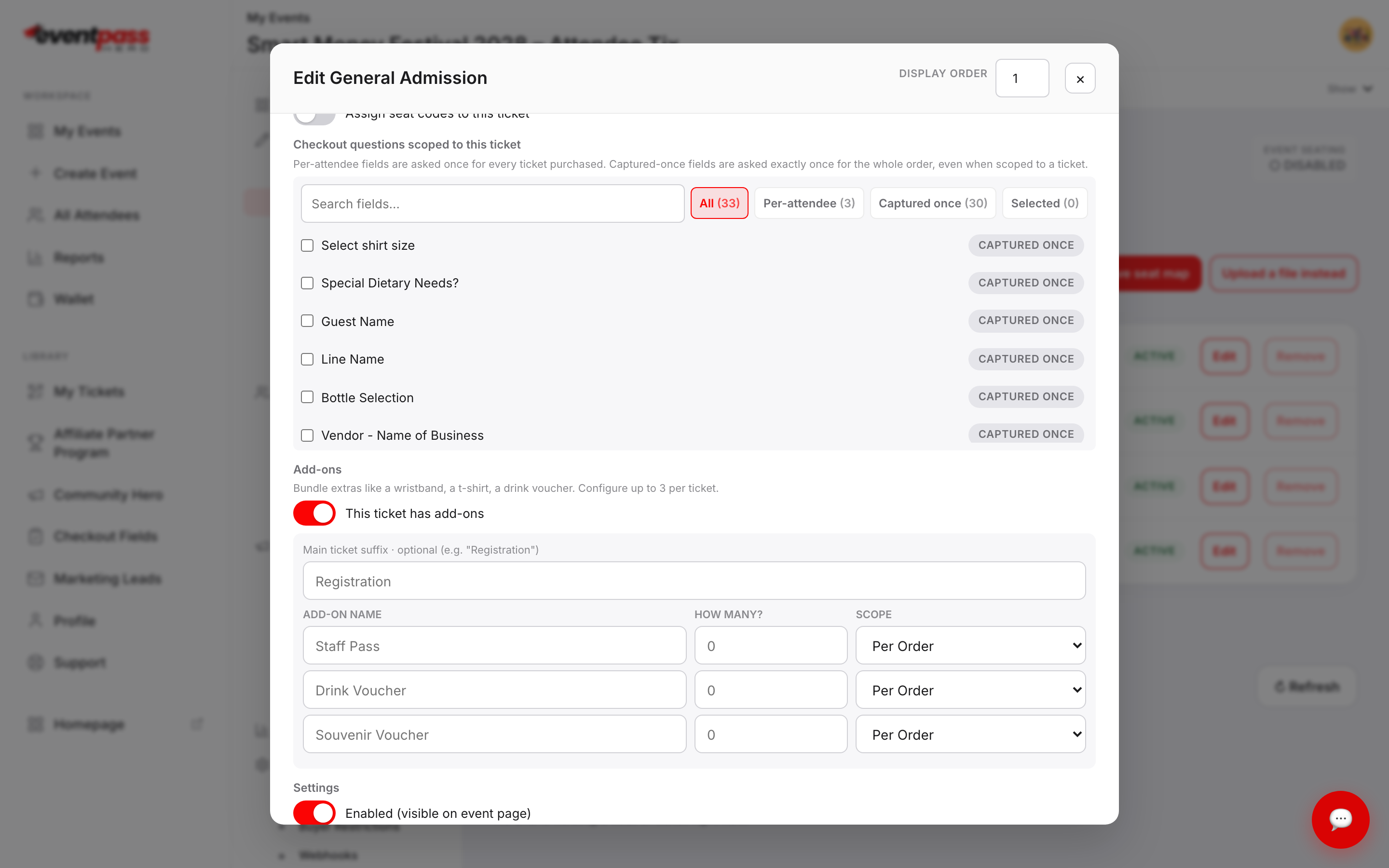
- 4. Turn on This ticket has add-ons. A grid appears with three rows.
- 5. Fill in each add-on you want to include.
- 6. Click Save changes.
Filling in the grid
- ADD-ON NAME — what the extra is called. This becomes the title of the issued ticket, prefixed with Add-On (so "Drink Voucher" is issued as Add-On - Drink Voucher).
- HOW MANY? — how many of that extra to issue.
- SCOPE — Per Order issues that quantity once for the whole order, no matter how many tickets were bought. Per Ticket issues that quantity for every ticket in the order. Someone buying four tickets with one Per Ticket drink voucher gets four vouchers; with Per Order, they get one.
Main ticket suffix is optional. Whatever you type there is appended to the main ticket's own name, which helps distinguish the admission ticket from its add-ons at the door — for example, adding "Registration" turns General Admission into General Admission Registration.
Add-ons are free — here's how to sell an extra
There's no price field, and that's by design. Add-ons are inclusions, not upsells: they're issued at no charge alongside the ticket.
If you want to sell an extra, create a separate ticket type for it with its own price and capacity, and put it in a ticket group so it reads clearly on your event page. That's the usual pattern for paid beverage vouchers, merchandise, or parking.
At the door
Every add-on arrives as its own ticket with its own QR code, so scanning an add-on doesn't check the guest in and checking a guest in doesn't burn their voucher. Add-ons also show up as their own rows in your attendee export and on the check-in screen.
Troubleshooting
- I need more than three extras — three is the per-ticket-type limit. Create additional ticket types for the rest.
- Buyers say they only got one voucher — check the SCOPE column. Per Order issues a flat quantity regardless of how many tickets were bought.
- The add-on grid disappeared — the switch got turned back off. Turning it off clears the rows, so re-enter them before saving.
- Add-ons aren't counted in my ticket capacity — correct. Capacity limits apply to the ticket type, not to the extras issued with it.
Last updated 2026-08-15 · All FAQs & video tutorials