

Check In Attendees with the Scanner App
On event day you have two door tools that stay in sync: the EventPassHero Check-In App on iPhone and Android for scanning QR tickets at the door, and your event's Check-in & Door screen in the dashboard for live progress and manual check-ins. Every ticket has a unique QR code; once it's scanned, it can't be reused.
Get the app ready before doors
- 1. Open your event and click Admins & Access under Settings. The EventPassHero Check-In App card shows the app download link for iPhone and Android plus default event credentials any door volunteer can use.
- 2. Prefer personal logins? Add each helper under Event check-in staff — they sign in with their own account and can scan, but can't edit the event or see financials.
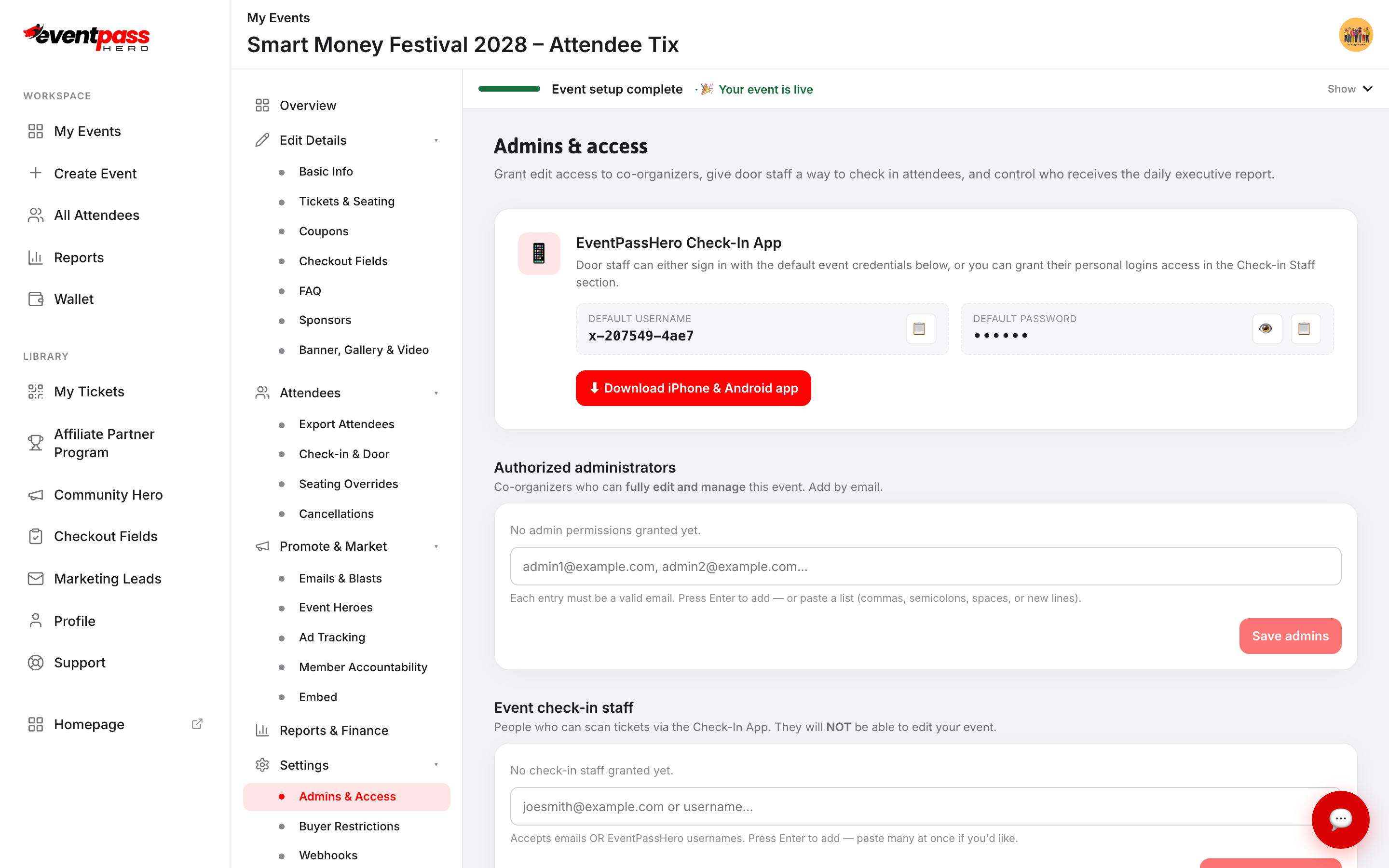
Staff sign in, pick the event, and scan each attendee's QR code — from a phone screen, an Apple/Google Wallet pass, or a printout. The app confirms each valid ticket, flags already-used ones, and also supports at-the-door ticket sales and live attendee lookup. It needs a live internet connection, so line up reliable venue Wi-Fi or a hotspot ahead of time.
Track progress on the Check-in & Door screen
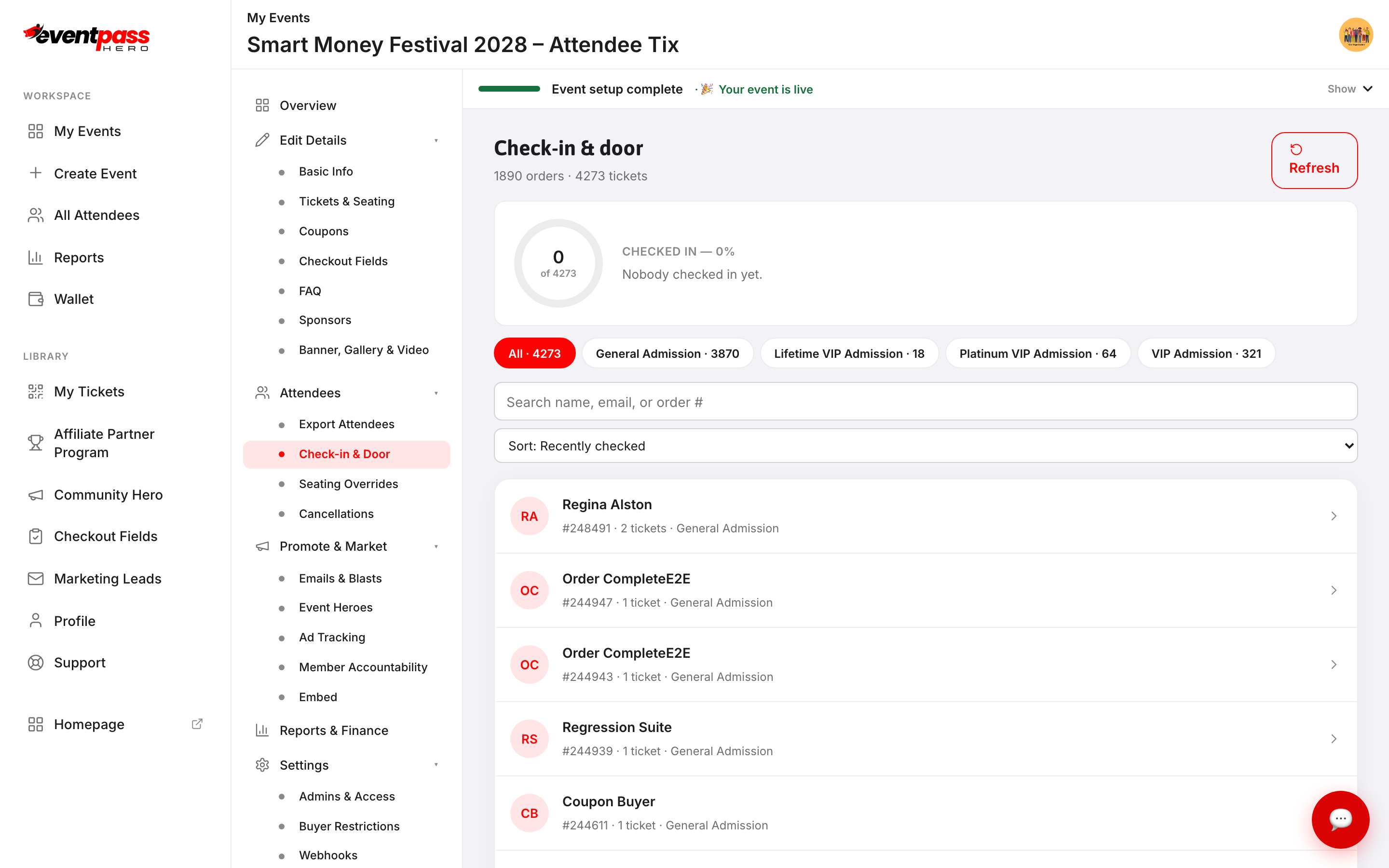
Click Check-in & Door in the event sidebar. You get a live counter (checked-in out of total tickets), the most recent check-in and how long ago it happened, filter chips per ticket type — useful for a separate VIP lane — search, and sort by recent check-ins, name, or order number.
The screen includes every ticket scanned in the EventPassHero Check-In App, so the app and the dashboard always show the same count. It refreshes itself every minute while it's open; click Refresh to update it right away.
Check someone in manually
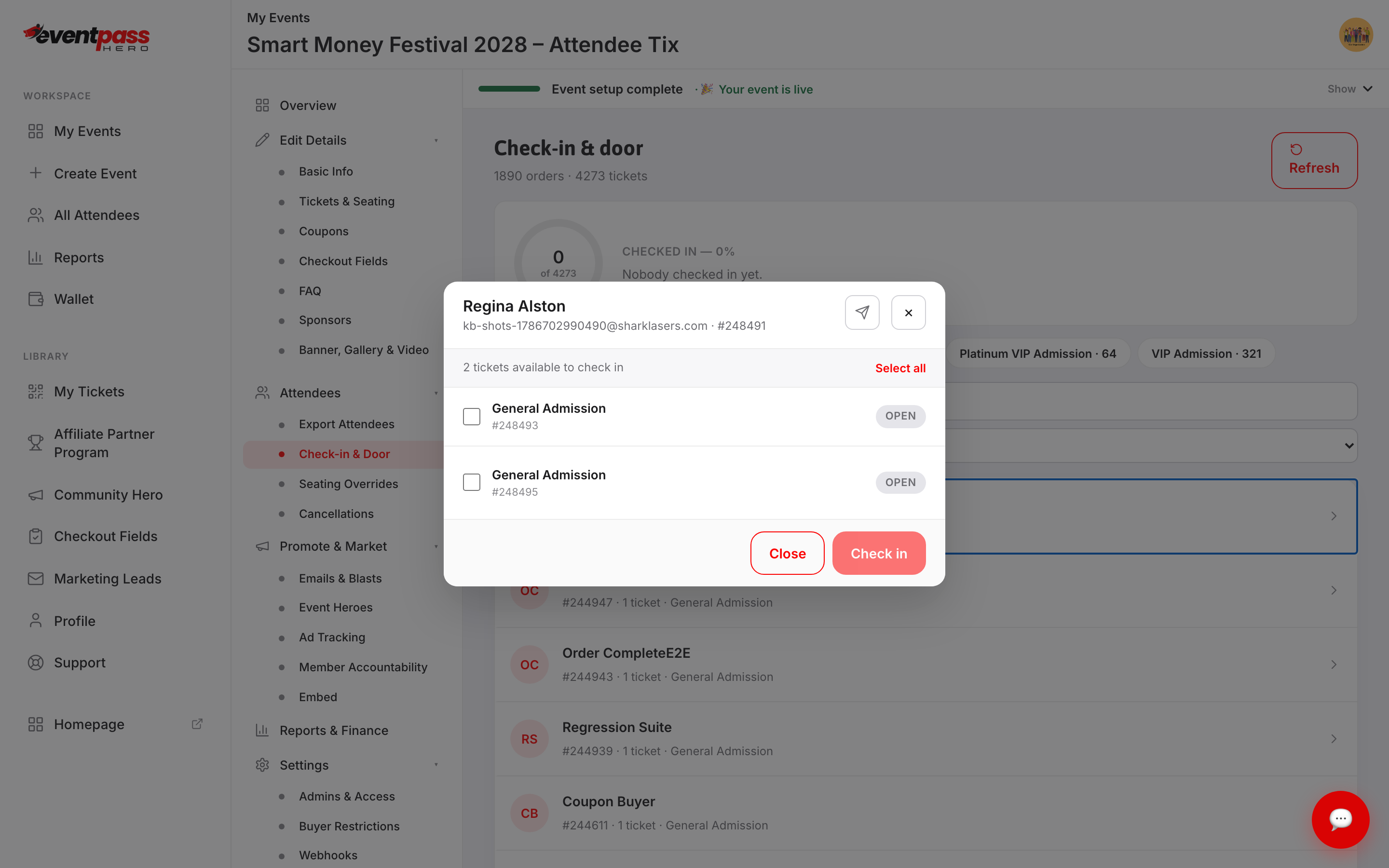
QR won't scan (dim screen, cracked phone, no email)? Look the attendee up and check them in by hand:
- 1. On Check-in & Door, search by name, email, or order number and click the order.
- 2. In the order dialog, tick the tickets to check in (or Select all) and click Check in.
Troubleshooting
- A QR code won't scan — usually a dim phone screen or a dirty camera lens. Raise the screen brightness, or fall back to manual lookup by name or email.
- A ticket shows as already used — each QR code checks in exactly once. If it's a legitimate mix-up (say, a forwarded email), find the order on Check-in & Door and verify which tickets on it are still open.
- Internet is shaky at the venue — check-in needs a live connection. Plan a phone hotspot or dedicated cellular device as backup and confirm venue connectivity in advance.
Last updated 2026-10-11 · All FAQs & video tutorials