

Import Your Events from Eventbrite
If you're moving over from Eventbrite, you don't have to retype anything. Paste a link to your Eventbrite event and EventPassHero reads the details, ticket types, and banner, then creates the event in your dashboard for you to review. It's a one-way copy: nothing on your Eventbrite account is changed, cancelled, or removed. Not on Eventbrite? Click Start from your flyer instead and upload the flyer you already made.
Step-by-step
- 1. Open My Events and click Import from Eventbrite in the top right.
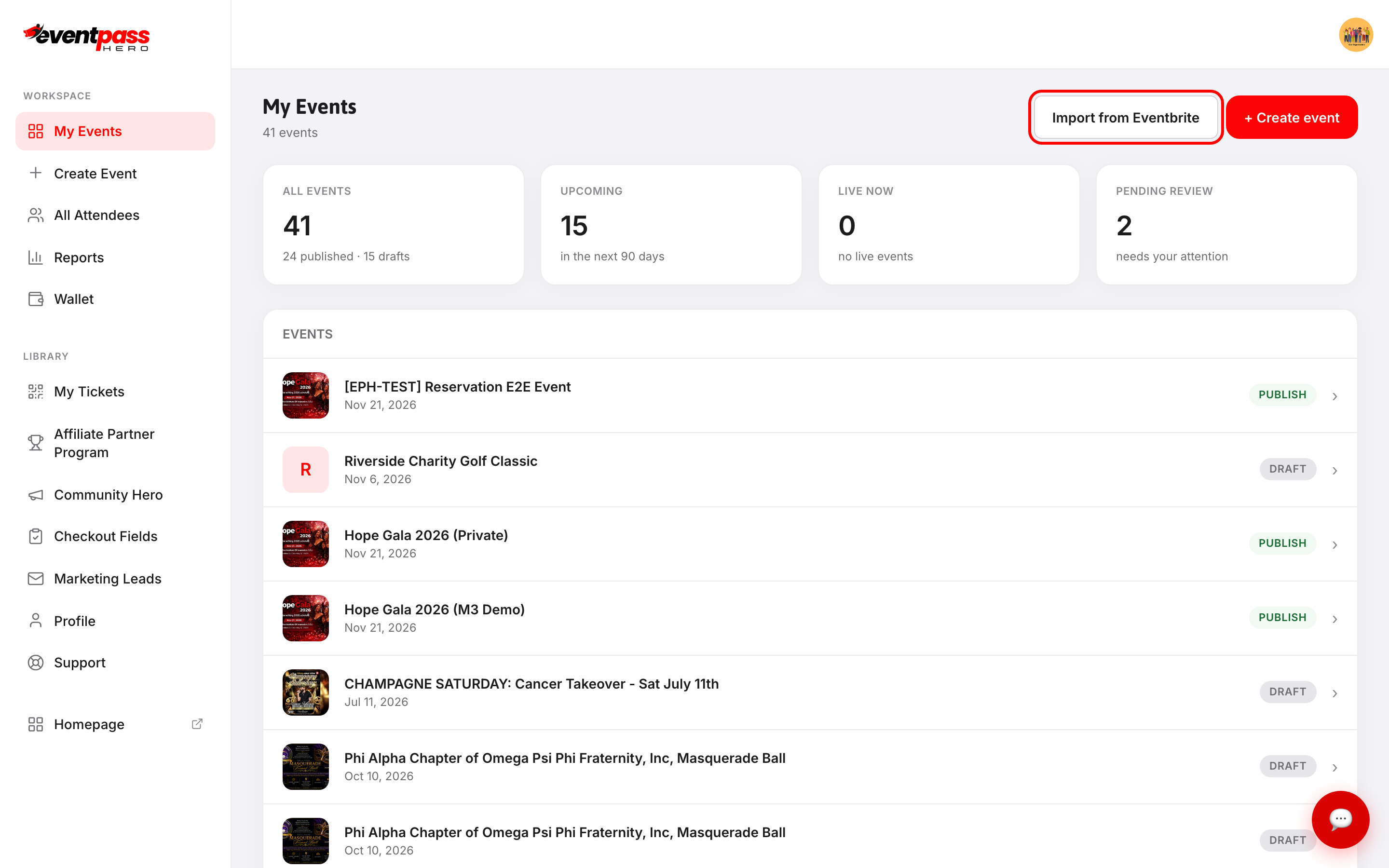
- 2. Paste your event's public Eventbrite address into Eventbrite event URL. It looks like
https://www.eventbrite.com/e/your-event-....
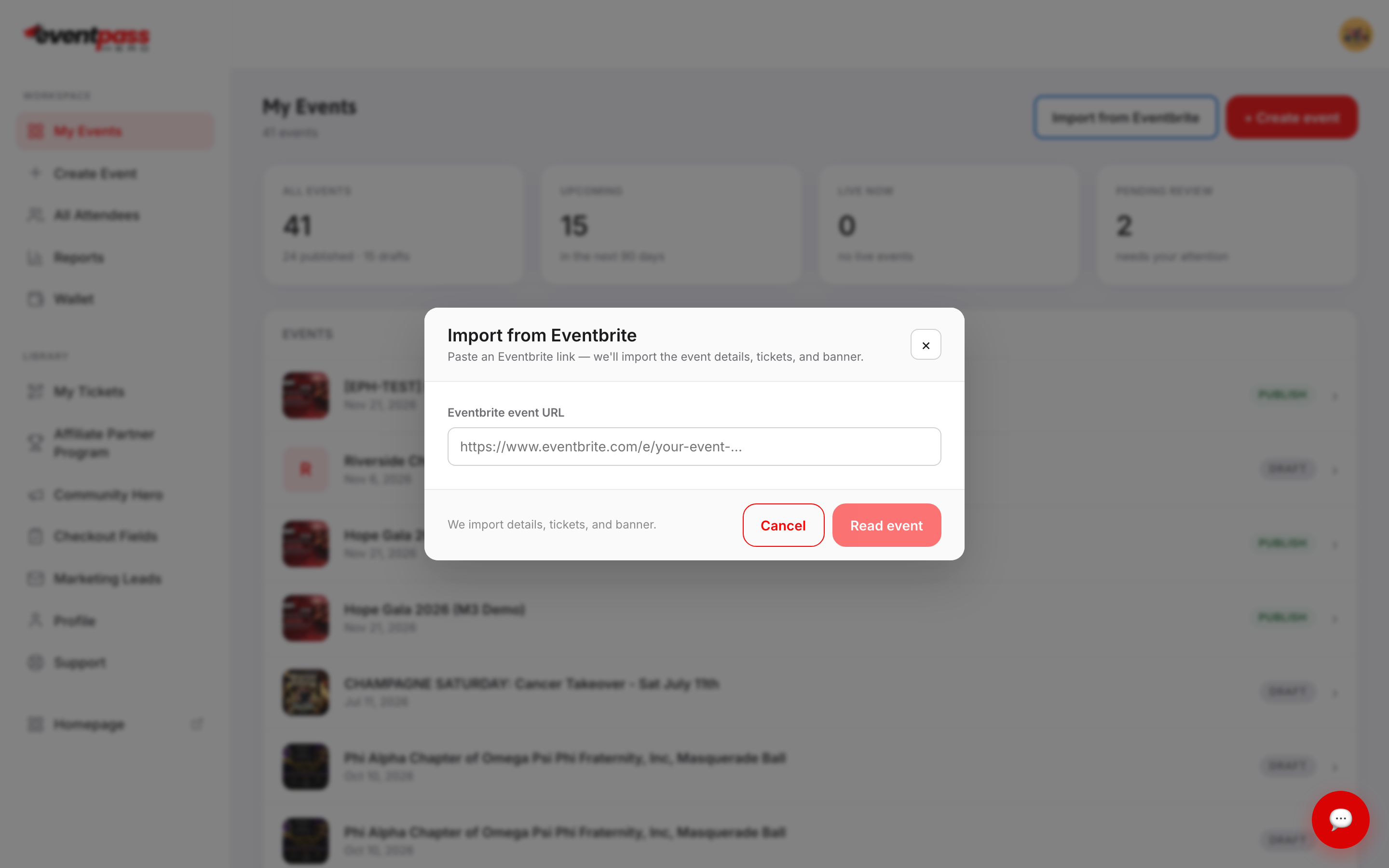
- 3. Click Read event. You'll see a preview of what was found: the event title, its start date and venue, how many ticket types came through, and whether a banner was included.
- 4. If the preview looks right, click Create event. You land straight on the new event's Basic Info screen.
Arriving from an EventPassHero email
If you clicked an EventPassHero link about moving your Eventbrite event, the Import from Eventbrite window opens on its own after you sign up or log in, already filled in with your event and reading it. Check the preview and click Create event, or click Cancel to skip it.
What gets imported
The import brings across your event details, your ticket types, and your banner image. Everything else is set up on the EventPassHero side afterward — that's where you connect Stripe, add coupons, set up seating, upload gallery photos, and add your FAQ and sponsors.
Treat the imported event as a solid first draft. Open each screen under Edit Details and confirm it reads the way you want before you publish.
Importing a past event
If the Eventbrite event has already ended, the import still works — it comes in as a draft with its tickets and details intact. Update the date and time on Basic Info before you publish. This is the fastest way to relaunch a recurring annual event without rebuilding it.
Troubleshooting
- "Could not read that Eventbrite link" — use the public event address, copied from your browser's address bar while viewing the live Eventbrite event page, rather than a link from your Eventbrite admin area. If the event isn't publicly viewable, there's nothing for the import to read.
- "Could not create the event" — the link was read but the event couldn't be built. Try again, and if it repeats, contact support with the Eventbrite URL you used.
- My ticket prices or dates look off — the import is a copy of what Eventbrite published. Correct anything you need on Basic Info and Tickets & Seating before publishing; your changes here never affect Eventbrite.
- The banner didn't come through — not every Eventbrite event exposes a usable image. Upload one on Banner, Gallery & Video.
- I don't see the Import from Eventbrite button — the button isn't available on every account. Contact support if you were expecting it.
- Do I have to cancel my Eventbrite event? — not for the import to work. It's a read-only copy. Whether you keep selling on both platforms is up to you.
Last updated 2026-10-11 · All FAQs & video tutorials