

Connect Webhooks to Your Systems
Exports are fine at the end of the night. Webhooks are for the moment it happens — a row landing in your CRM as the order completes, your own database staying in step without anyone pressing Download.
This is a developer feature: you'll need somewhere that can receive an HTTPS POST.
Adding an endpoint
- 1. Open your event and go to Settings → Webhooks.
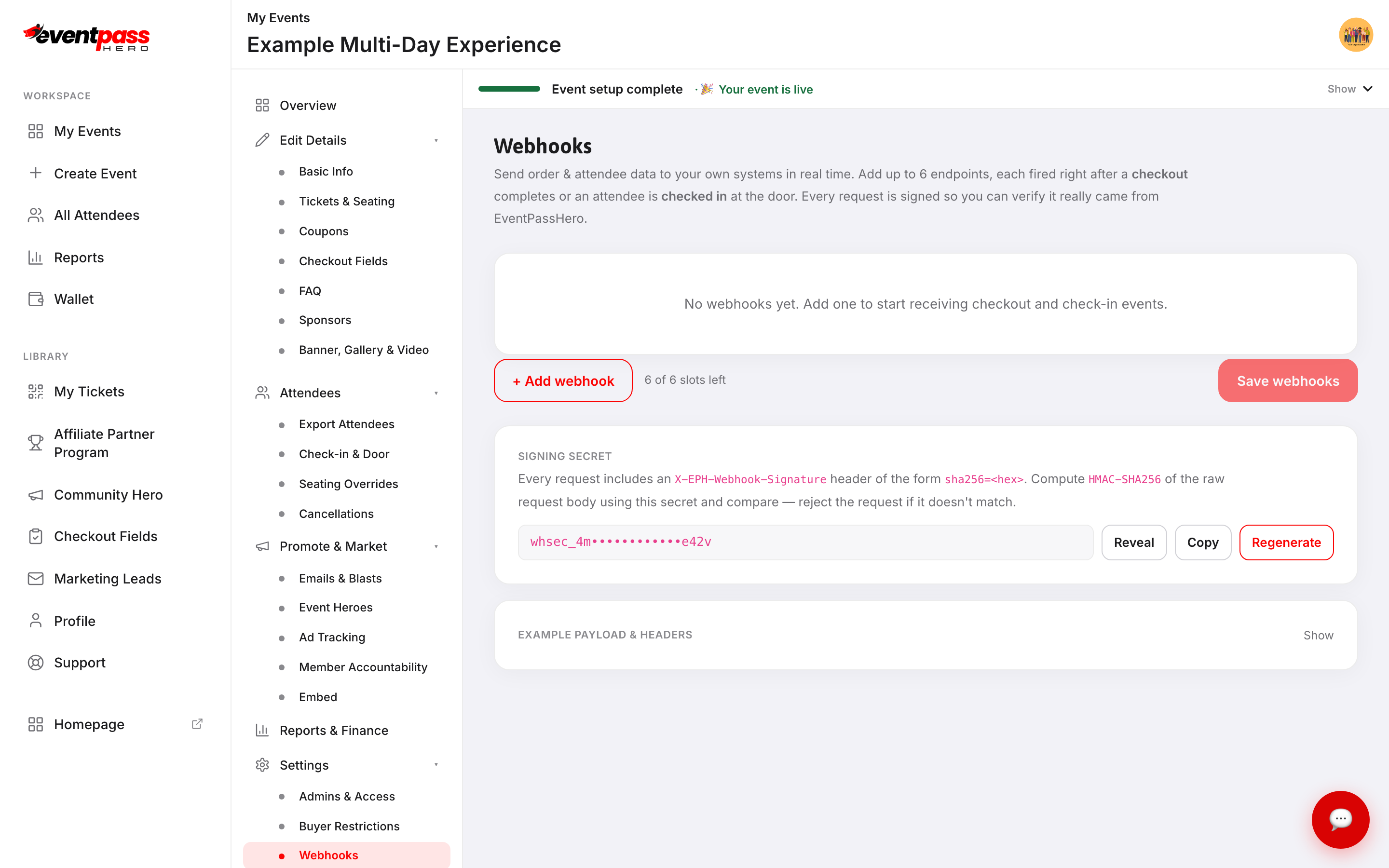
- 2. Click + Add webhook.
- 3. Paste your Endpoint URL.
- 4. Choose a Trigger — After Checkout or After Check-in.
- 5. Leave Enabled on.
- 6. Click Save webhooks.
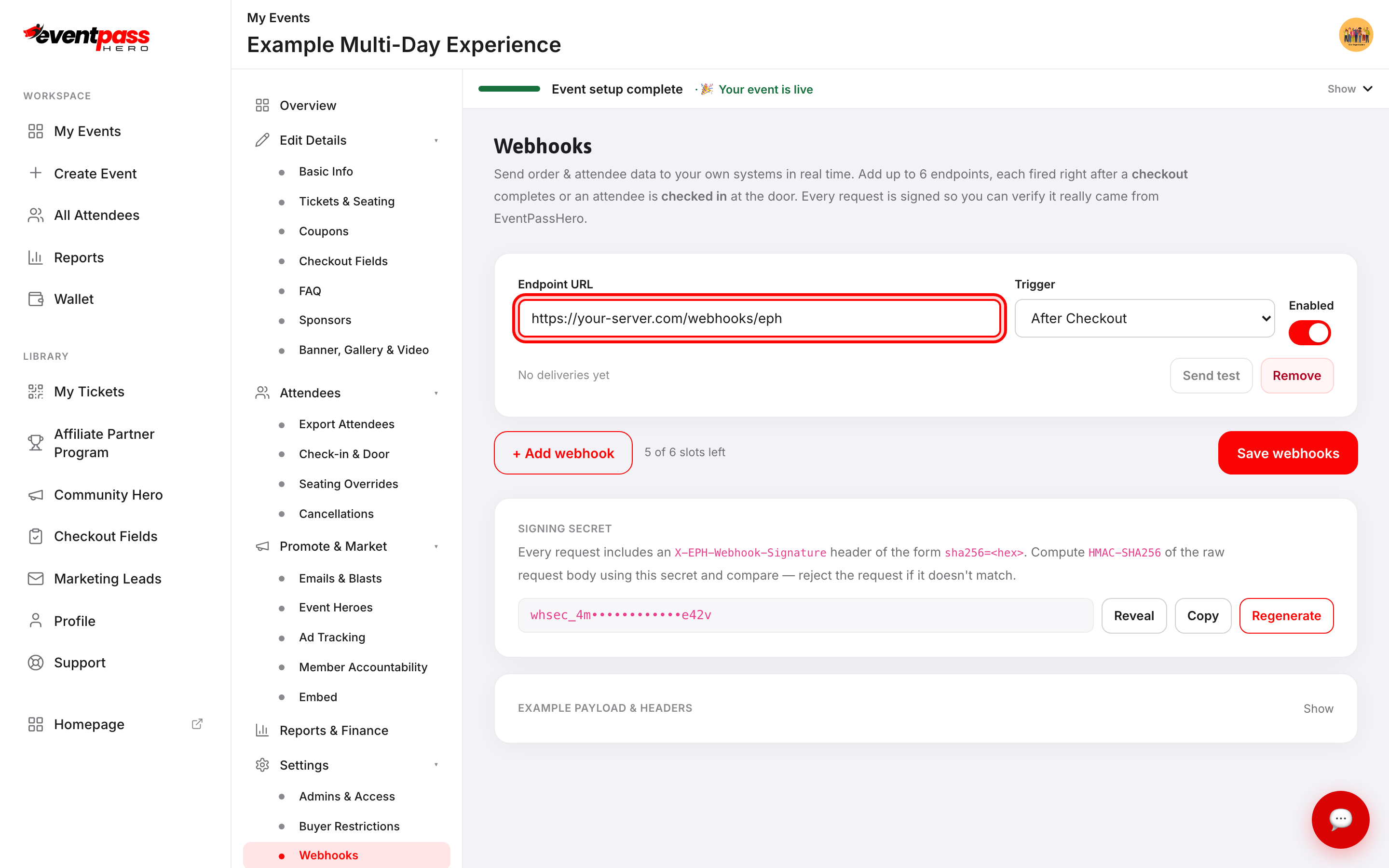
You get six endpoints per event — the counter beside + Add webhook shows the slots left. Each event has its own set; this is not an account-wide setting.
Send test posts a sample payload immediately, so you can confirm your receiver works before a real order depends on it. It only lights up once the webhook is saved.
The two triggers
After Checkout fires once per completed order, right after payment succeeds. After Check-in fires each time a ticket is scanned at the door. Both are delivered just after the event they describe rather than during checkout, so a slow endpoint of yours never slows a buyer down.
What gets sent
Each delivery is a POST with a JSON body. Expand EXAMPLE PAYLOAD & HEADERS on the screen to see the exact shape, filled in with your own event's details.
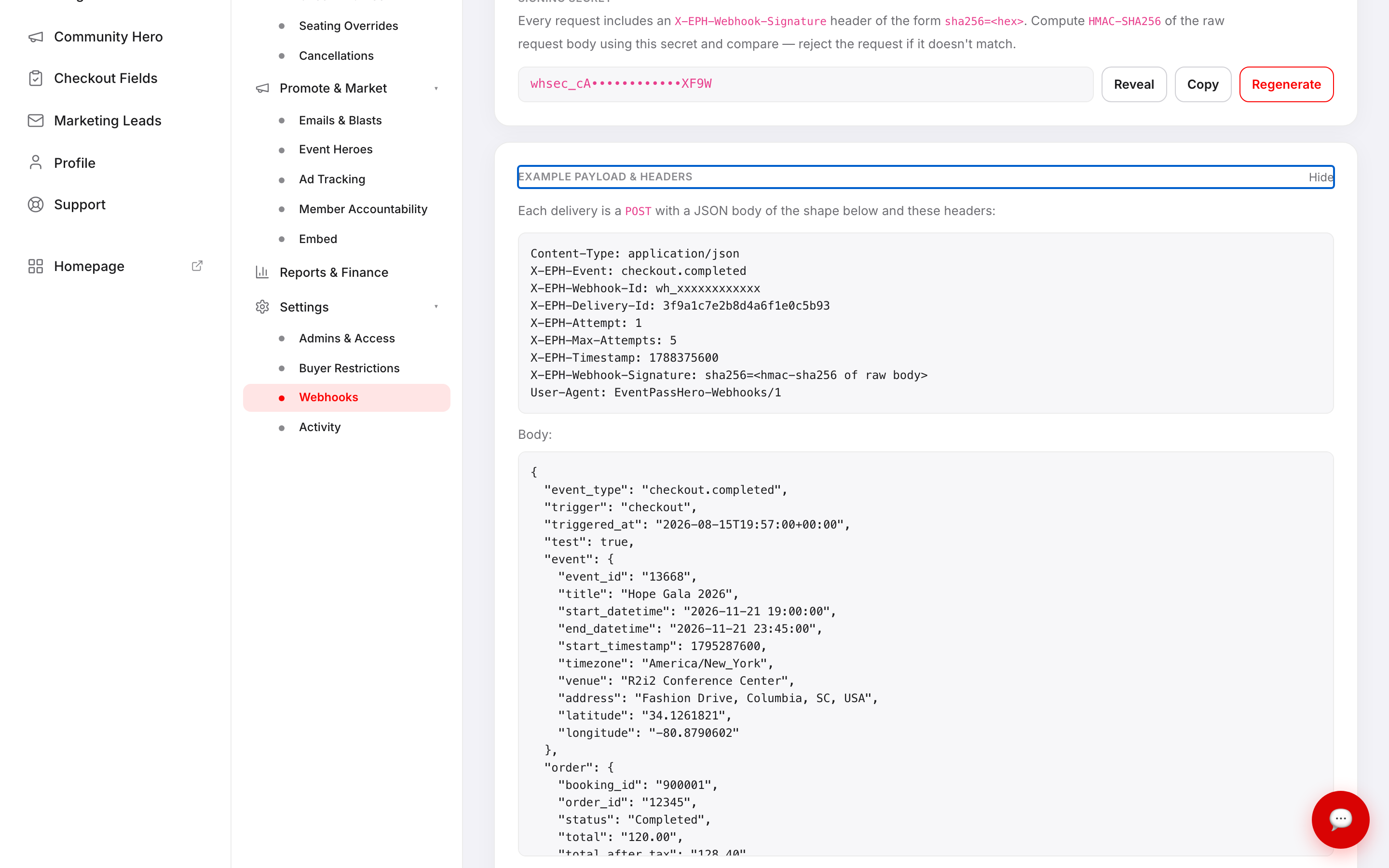
The body carries event_type, trigger and triggered_at, then blocks for event (id, title, start and end, timezone, venue, address, coordinates), order (booking and order ids, status, total, tax, system fee, payment method, line items), attendee (name, email, phone), checkout_fields (answers to your custom questions, order-level and per-ticket) and tickets (one entry each, with QR code, attendee name, seat, price, status and check-in time).
Check-in deliveries use event_type: "checkin" and add a top-level checkin object for the ticket just scanned.
Respond with a 2xx to acknowledge. Anything else counts as a failure.
Verifying the request is really from us
Your endpoint is a public URL, so anyone could post to it. Every delivery carries an X-EPH-Webhook-Signature header of the form sha256=<hex>. To verify, compute an HMAC-SHA256 of the raw request body using your signing secret and compare; reject the request if it doesn't match.
The secret sits on the same screen behind Reveal, with Copy to grab it. Treat it like a password — anyone holding it can forge deliveries that look genuine. Regenerate issues a new one and the old one stops working immediately, so update your receiver in the same sitting. Each event has its own secret.
Checking whether it worked
Each row shows the result of its most recent attempt: No deliveries yet before anything has fired, then one of
- Delivered — with the HTTP status and a timestamp.
- Retrying — the attempt failed but another is scheduled, shown as attempt 2 of 5.
- Failed — we've stopped trying, or your endpoint rejected the payload outright.
That's the last attempt only — it isn't a full delivery history. If you need a complete record, log deliveries on your own side as they arrive.
Retries
If we can't reach you, we try again — up to five attempts, after 1 minute, 5 minutes, 30 minutes and 2 hours. That spans two and a half hours, enough to ride out a deploy, a restart, or a rate limit.
Not every failure is retried. A timeout, a connection error or a 5xx might clear, so we try again. A 4xx means your endpoint understood the request and refused it, so retrying would only hammer a URL that will never accept it — those stop immediately.
Because retries exist, your endpoint can receive the same delivery twice, including when you processed it fine but the acknowledgement was lost coming back. Every attempt carries the same X-EPH-Delivery-Id — store it and ignore ids you've already seen. X-EPH-Attempt tells you which try you're on.
Two habits worth keeping: acknowledge fast, returning 2xx as soon as you've stored the payload and doing slow work afterwards (the timeout is 10 seconds); and treat webhooks as a live convenience rather than your source of truth, reconciling against an export before you rely on the numbers.
Troubleshooting
- Nothing arrives — check the webhook is Enabled and saved, then use Send test. A test that fails is a problem at your end.
- The badge says Failed with no code — we couldn't reach your URL at all. Check it's publicly resolvable over HTTPS and not behind a VPN or an IP allowlist.
- The badge says Retrying — nothing to do; another attempt is already scheduled. Fix your endpoint and it will most likely land on the next try.
- It says Failed straight away without retrying — your endpoint returned a
4xx. That's read as a deliberate rejection, so check what your receiver is responding with; a wrong auth check or a 404 route is the usual cause. - I got the same order twice — that's a retry. Dedupe on
X-EPH-Delivery-Id, which stays the same across every attempt of one delivery. - Signatures never match — hash the raw body exactly as received. Re-serialising the JSON changes the bytes and breaks the HMAC.
- Deliveries stopped after I regenerated the secret — your receiver is still checking against the old one. Update it.
- I want this for all my events — add it per event; there's no account-wide setting.
Last updated 2026-08-15 · All FAQs & video tutorials