

Block Seats From Sale
Not every seat should be for sale. You're holding the front row for sponsors, keeping an accessible pair by the aisle, comping the mayor, or killing four seats behind a lighting truss. Blocking takes those seat codes out of the buyable pool without deleting them from your map.
This applies to events with assigned seating. If your tickets aren't seat-coded, adjust capacity on the ticket type instead.
Step-by-step
- 1. Open your event and go to Edit Details → Tickets & Seating.
- 2. Click Block seats above the ticket list.
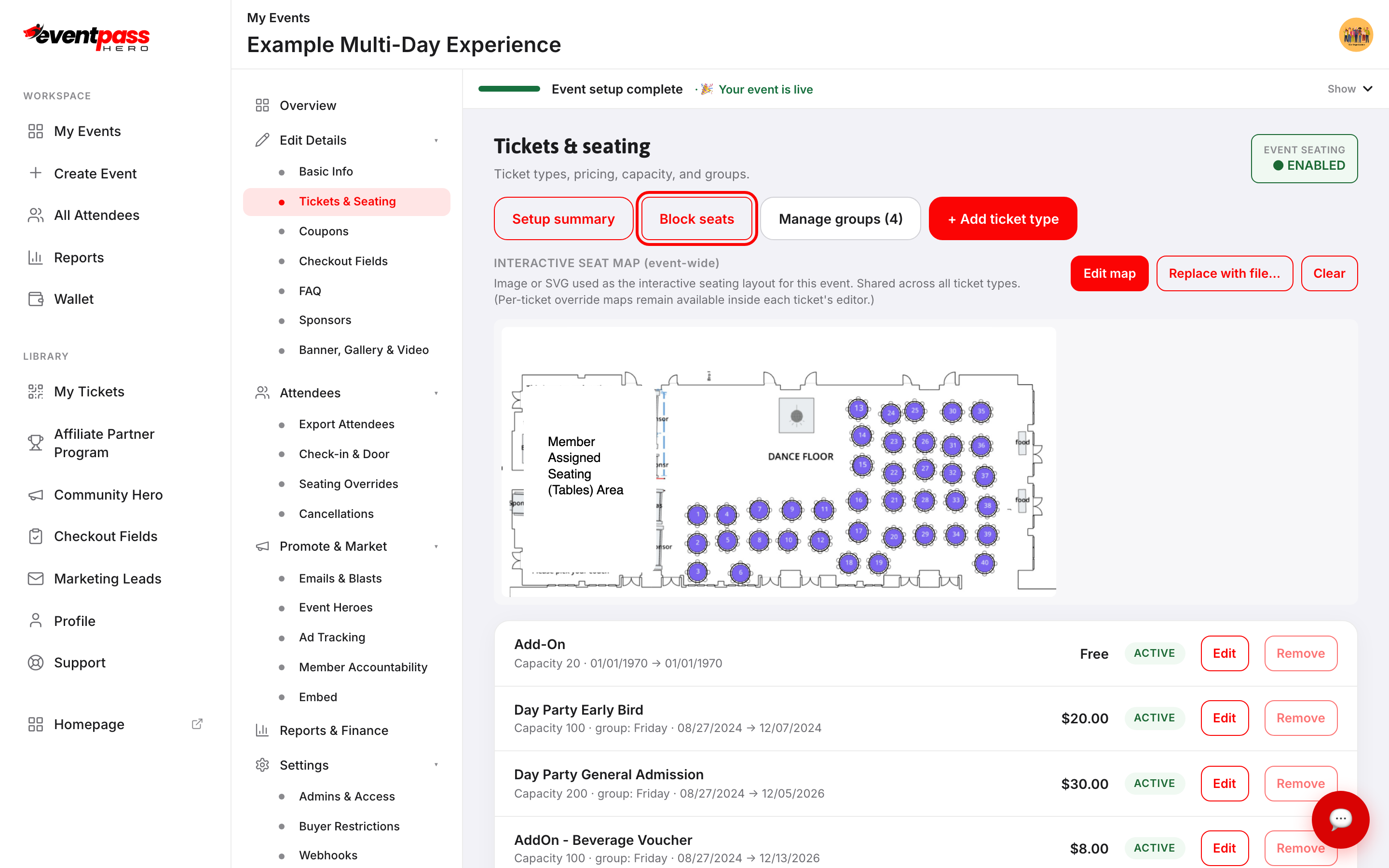
- 3. The Block (reserve) seat codes dialog lists every assigned seat in the event. Tick the seats you want to hold.
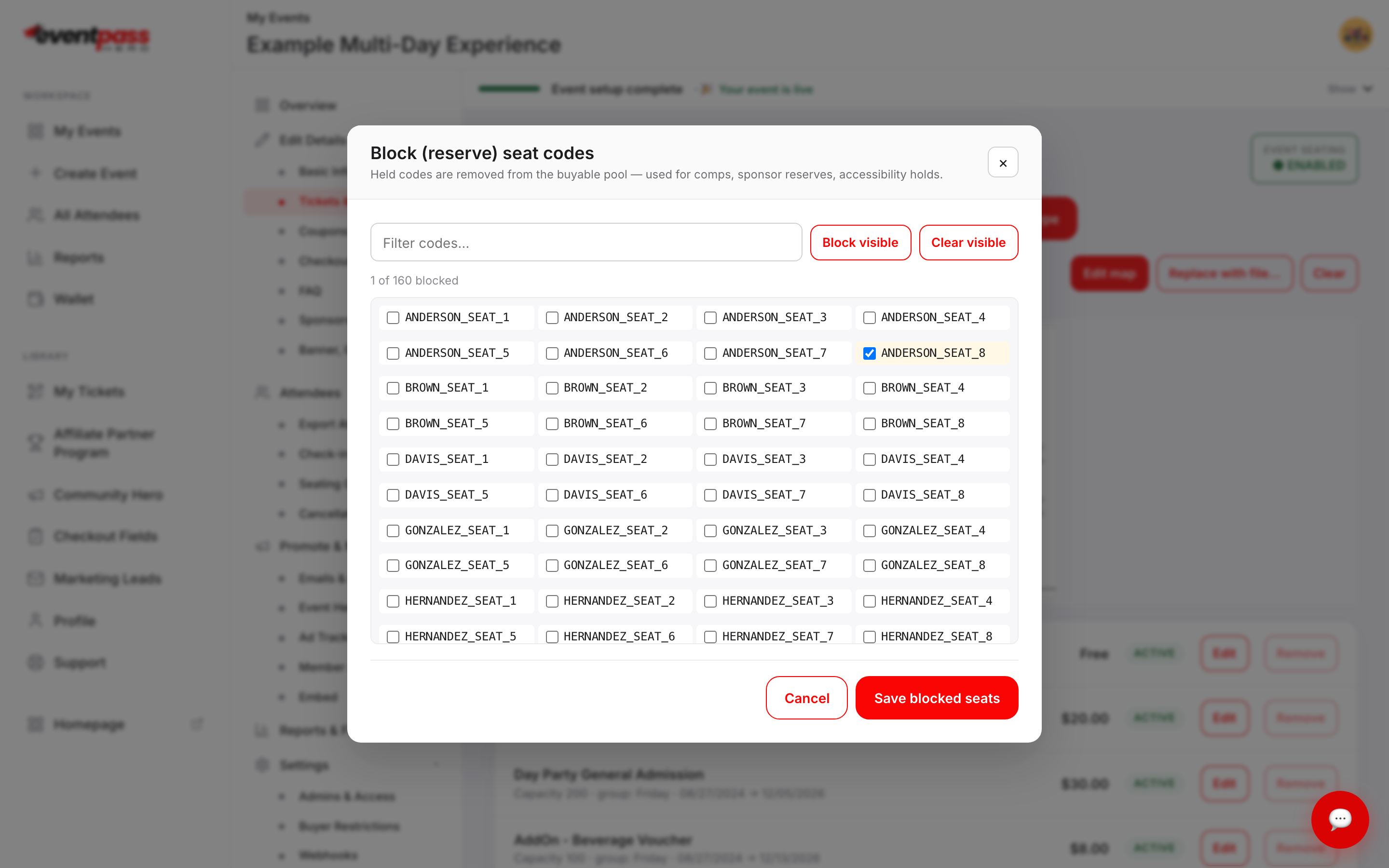
- 4. Click Save blocked seats.
Nothing changes until you save. Closing with Cancel leaves your existing blocks exactly as they were.
Working through a long list
A real venue has hundreds of codes, so the dialog gives you three tools:
- Filter codes… narrows the list as you type. Typing a section name shows only that section's seats.
- Block visible blocks everything currently showing — combine it with the filter to hold a whole section in one click.
- Clear visible unblocks everything currently showing.
Both bulk buttons act only on what the filter is showing. Seats hidden by the filter keep whatever state they already had, so filtering to one section and clicking Block visible will never quietly unblock the rest of the venue.
The running count at the top — 1 of 160 blocked — is your sanity check. Glance at it before saving.
What a blocked seat does
A blocked seat is removed from the list of available seats every buying surface receives — your event page, the cart, an embedded cart on your own site, and the kiosk all get the same filtered list, so the seat is never offered and no buyer can pick it.
It also stops counting as available. The "seats left" figure on your event page drops by one for each seat you block, and a section whose seats are all blocked reads as sold out.
Your ticket type's capacity is unaffected — you're taking specific seats off the board, not reducing the count.
Blocks show up in the LIVE RESERVATIONS card at the bottom of Tickets & Seating, alongside a live view of what buyers are currently holding.
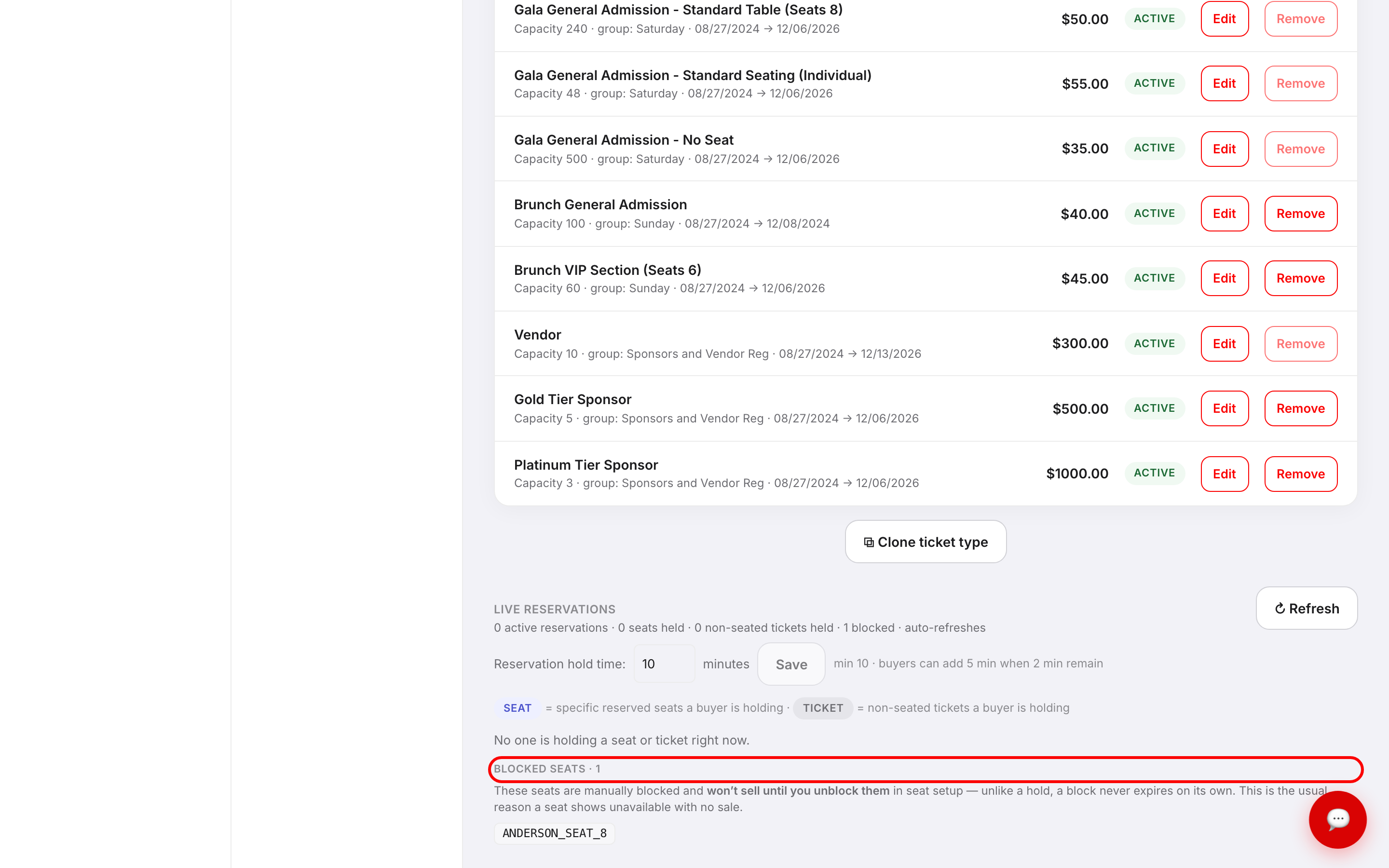
The card spells out the important difference: These seats are manually blocked and won't sell until you unblock them in seat setup — unlike a hold, a block never expires on its own. That's the distinction to keep straight:
- A hold is temporary. A buyer has a seat in their cart during checkout, and it releases automatically when their time runs out.
- A block is permanent until you remove it. Nothing expires it.
Because of that, the card notes this is the usual reason a seat shows unavailable with no sale. If a customer swears a seat is empty but the map says otherwise, check your blocks first.
Unblocking
Open Block seats again, untick the seats, and click Save blocked seats. They return to sale immediately.
Do a blocking review before you open sales and again a week out. Seats held in April for a sponsor who never confirmed are seats you didn't sell in June.
Selling a blocked seat anyway
Blocking stops public purchase; it doesn't stop you. To place someone in a blocked seat, unblock it, take the order, then block whatever else you need. If the seat is already sold and you simply need to move someone, that's a seat reassignment, not a block.
Troubleshooting
- The Block seats dialog is empty — it reads No assigned seats are configured yet. Use the seating wizard on a ticket type to generate seat codes first. Blocking works on seat codes, so set up seating before you can hold any.
- I blocked seats but they're still selling — check you clicked Save blocked seats rather than Cancel, then reload and confirm the count in the LIVE RESERVATIONS card.
- A seat shows unavailable and I can't find the order — it's almost certainly blocked. Open the dialog and filter for that seat code.
- I used Block visible and worried I'd wiped my other blocks — you didn't. Bulk actions only touch the filtered, visible seats.
- My blocked seats disappeared after I changed the seat map — regenerating seat codes can rename them. Re-check your blocks after any seating change.
- I want to reduce how many tickets are available, not hold particular seats — lower the capacity on the ticket type instead.
Last updated 2026-08-15 · All FAQs & video tutorials