

How to Buy Tickets to an Event
Buying tickets on EventPassHero takes a few minutes: open the event page, pick your tickets, enter your details, and pay. You don't need an account — your QR-code tickets arrive by email as soon as payment completes.
Step-by-step
- 1. Open the event page — the link the organizer shared with you, or the event's listing on EventPassHero.
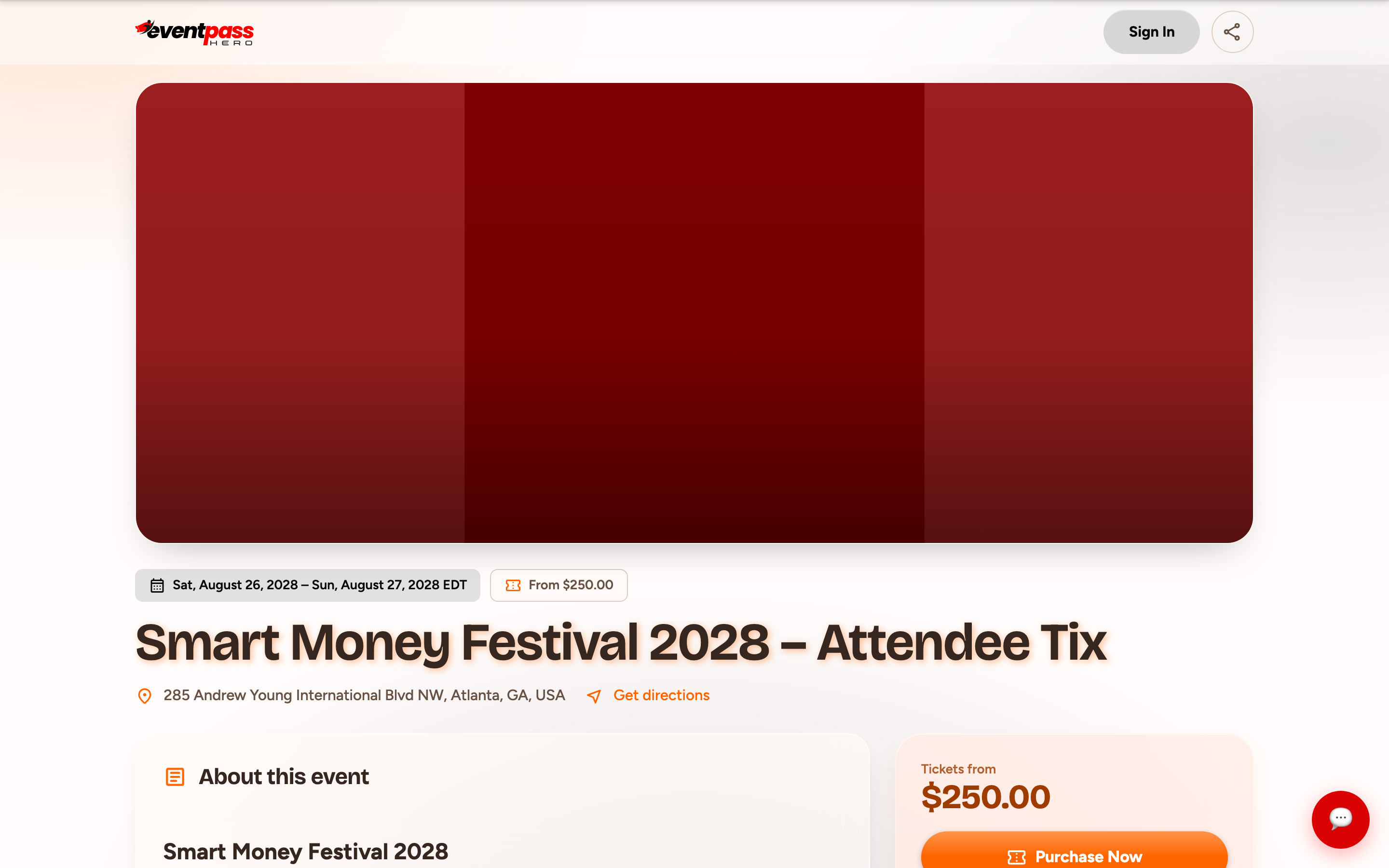
- 2. Click the Register (or Buy Tickets) button on the event page to open the cart.
- 3. Under Select Your Tickets, use the + button to choose how many of each ticket type you want. The order summary below updates with your subtotal, any tax, the processing fee, and your total.
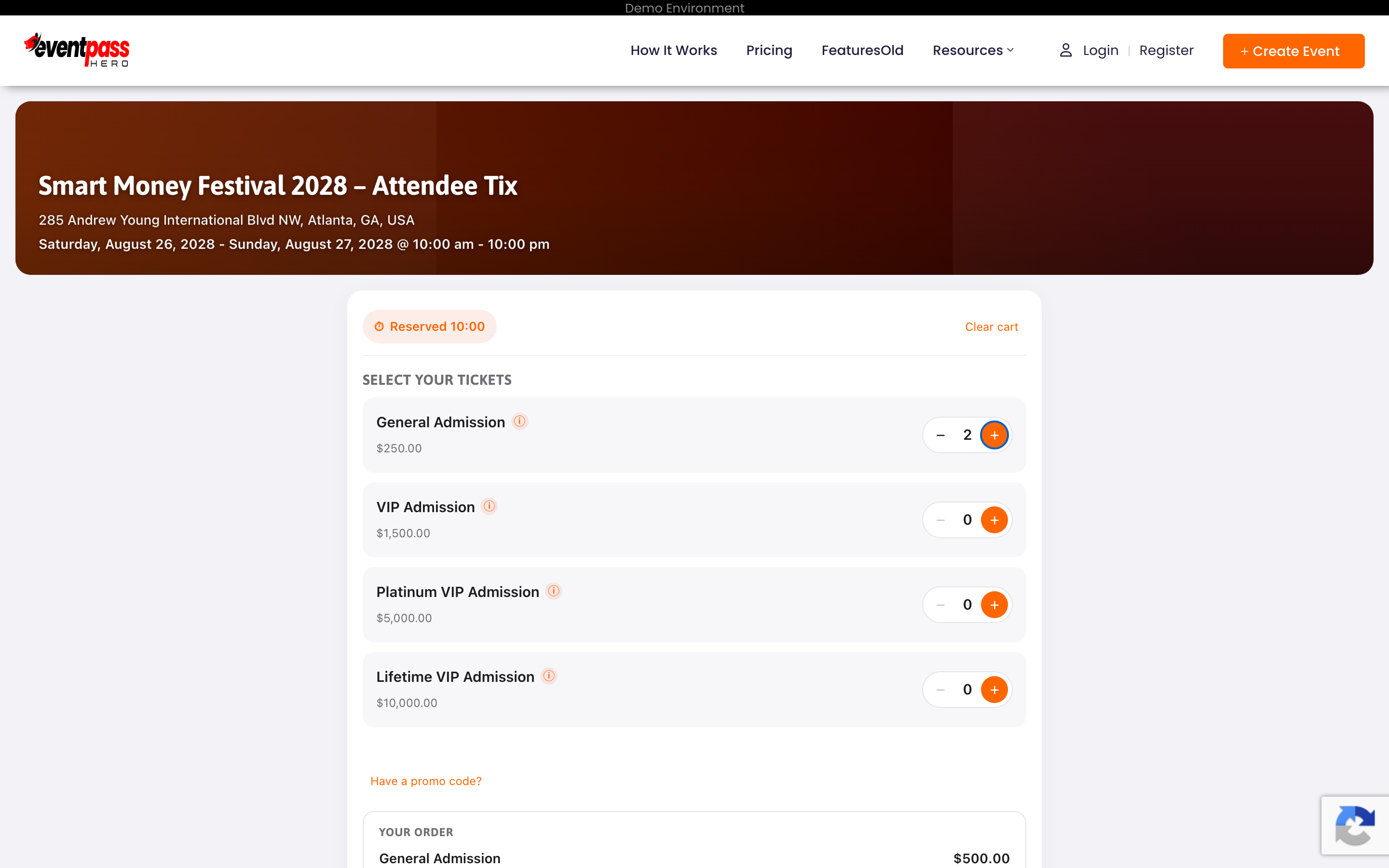
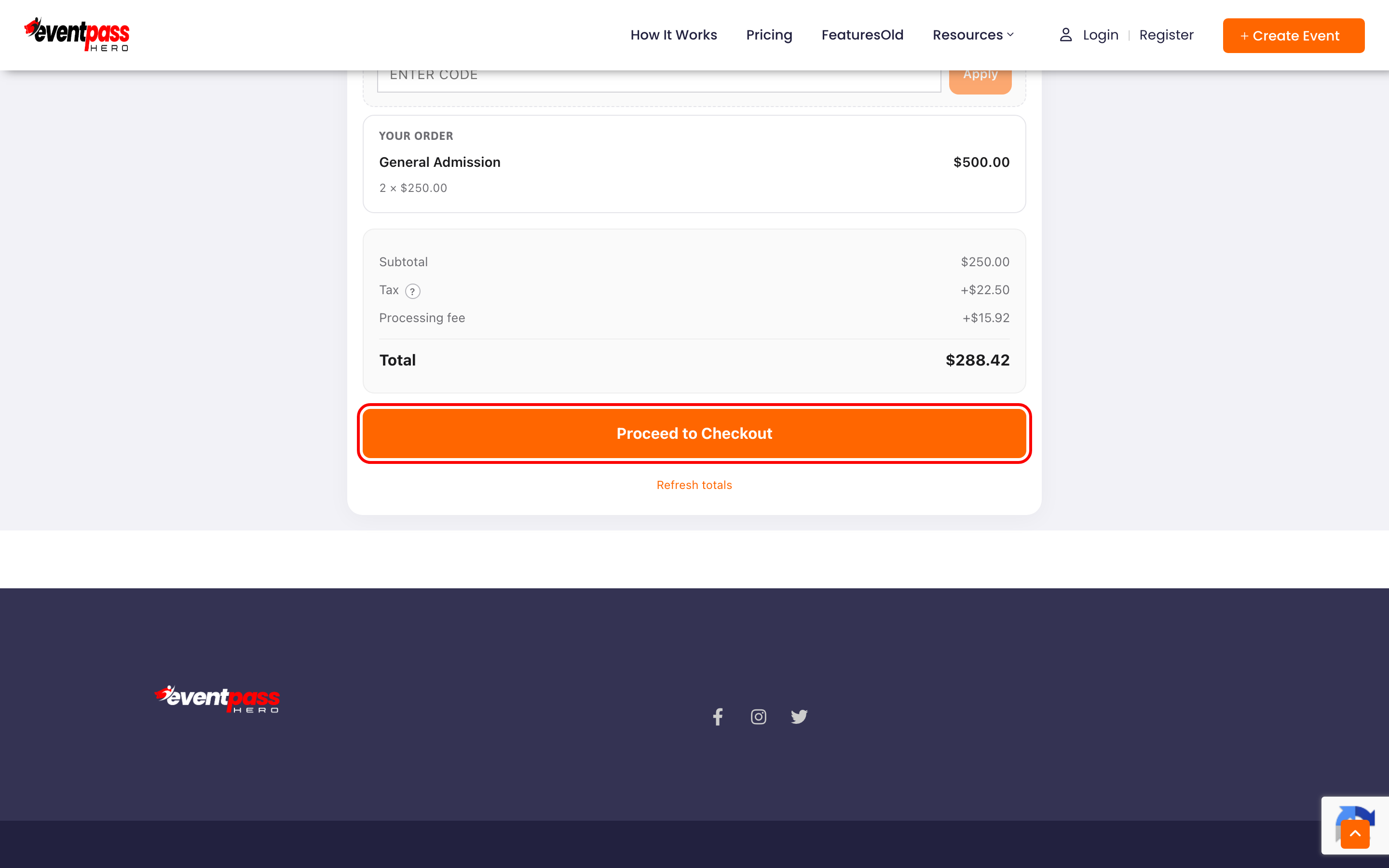
- 4. Click Proceed to Checkout.
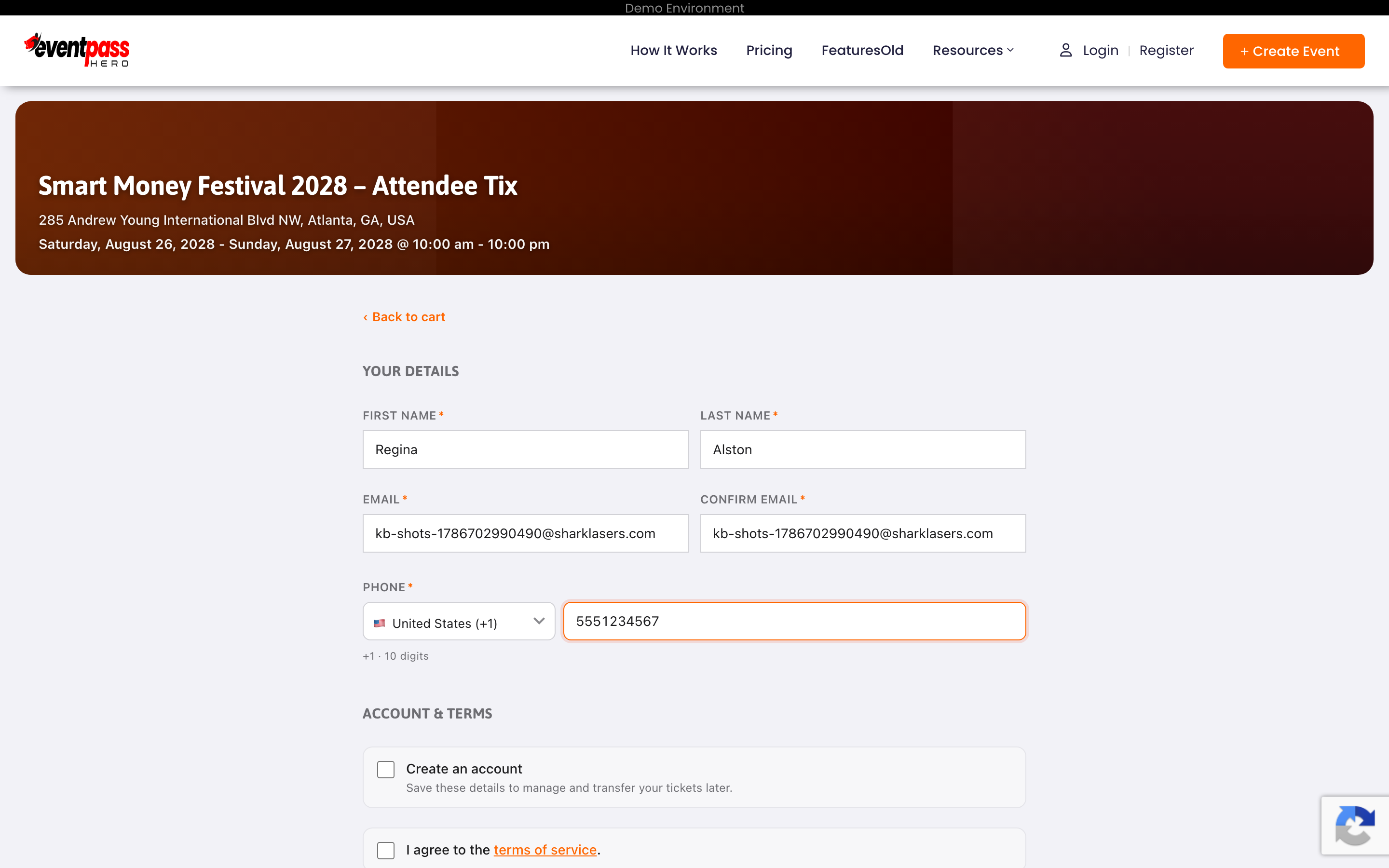
- 5. Under Your Details, enter your first name, last name, email (twice — tickets go to this address), and phone number. You can optionally check Create an account to save your details, which lets you manage and transfer your tickets later. Agree to the terms of service and click Continue to payment.
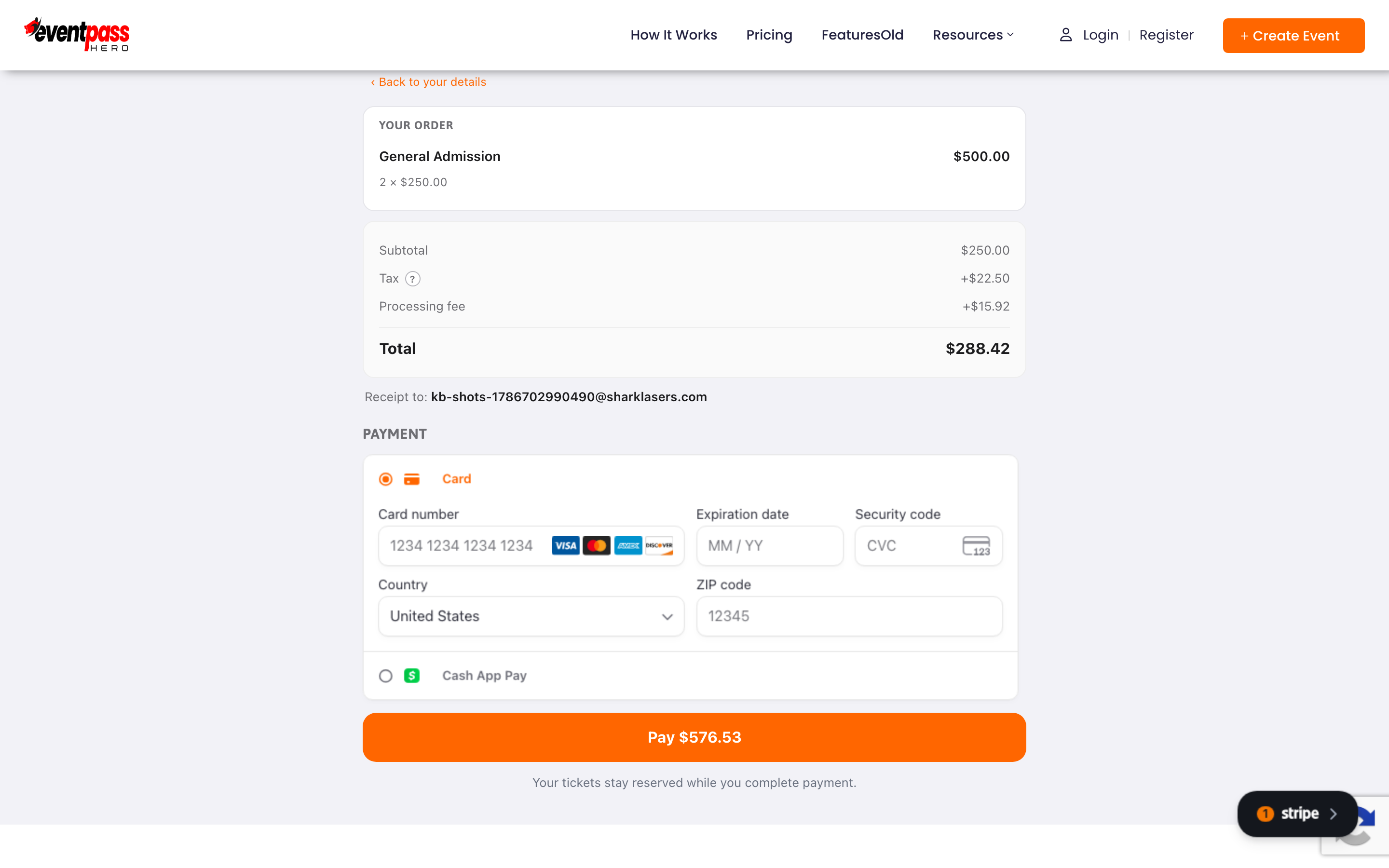
- 6. Under Payment, enter your card number, expiration date, security code, and ZIP code, then click Pay. Payments are processed securely by Stripe. Depending on the event, you may also see Apple Pay, Google Pay, Cash App Pay, or Buy Now, Pay Later options.
- 7. That's it — the Order Complete page confirms your purchase, and your order confirmation email with QR-code tickets is sent to the address you entered.

How long do I have to check out?
When you add tickets to the cart, they're reserved for you for about 10 minutes — a countdown timer at the top of the cart shows the time remaining. If the timer runs out before you pay, the tickets are released for other buyers and you may need to start again.
Troubleshooting
- The event says Stripe setup isn't complete — the organizer hasn't finished their payment setup yet. Contact the event host (their email is shown in the message) or try again later.
- Your card is declined — see Checkout troubleshooting.
- No email after paying — check your junk/spam folder first, then see Where are my tickets?
Last updated 2026-08-14 · All FAQs & video tutorials