

Where Are My Tickets?
Your tickets are emailed to you automatically the moment your order completes. Look for an email from EventPassHero with the subject Ticket Order Success and your order number — it contains your QR-code tickets, a View your tickets button, an Apple Wallet pass, and a calendar file for the event. If you don't see it, the steps below cover every way to get your tickets back.
Check your email (including spam)
Search your inbox for "EventPassHero" or your order number. The email goes to the address you typed at checkout — a typo there is the most common reason tickets seem missing. It can also land in your junk/spam folder, so check there before anything else.

Reopen them from the confirmation page
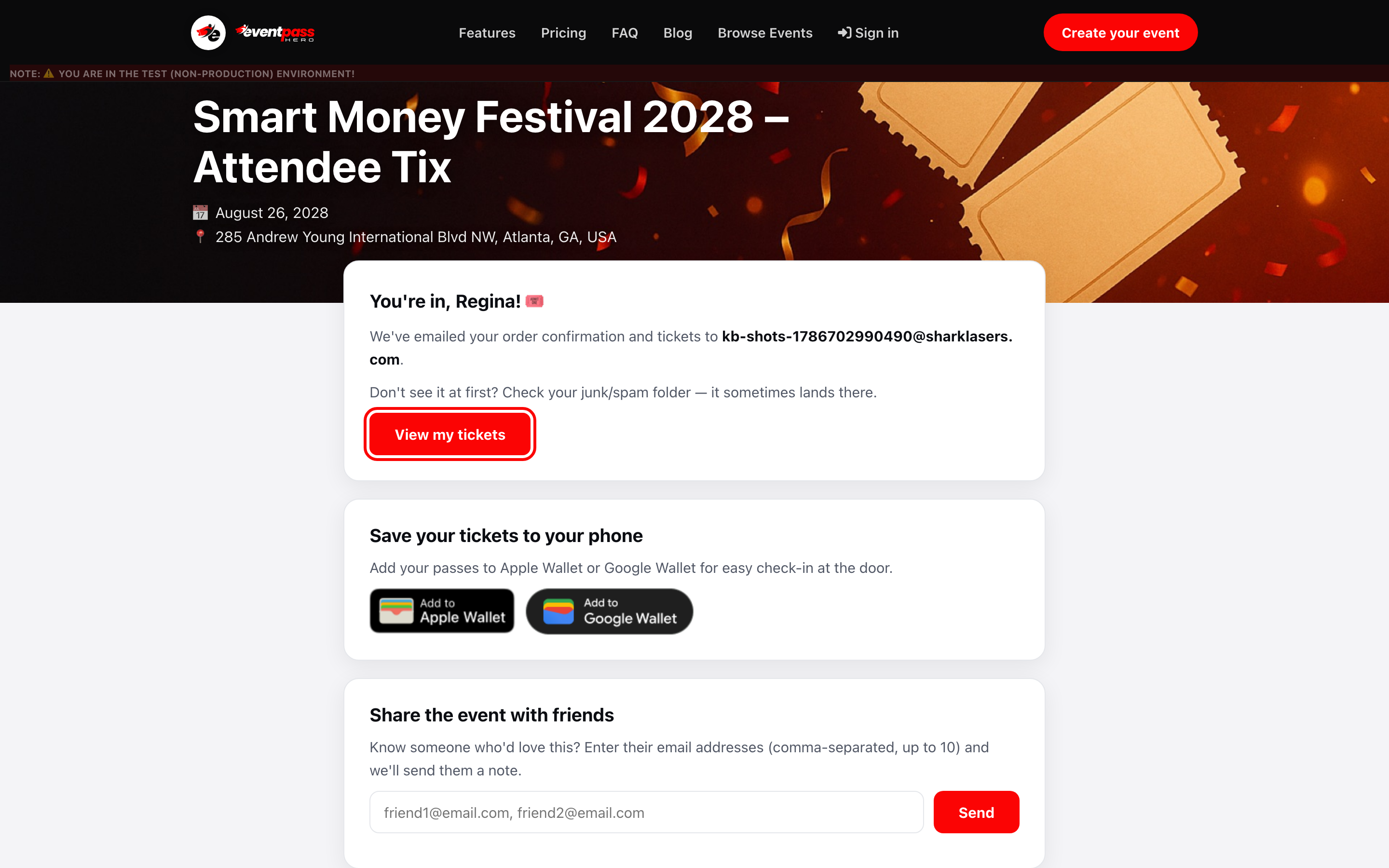
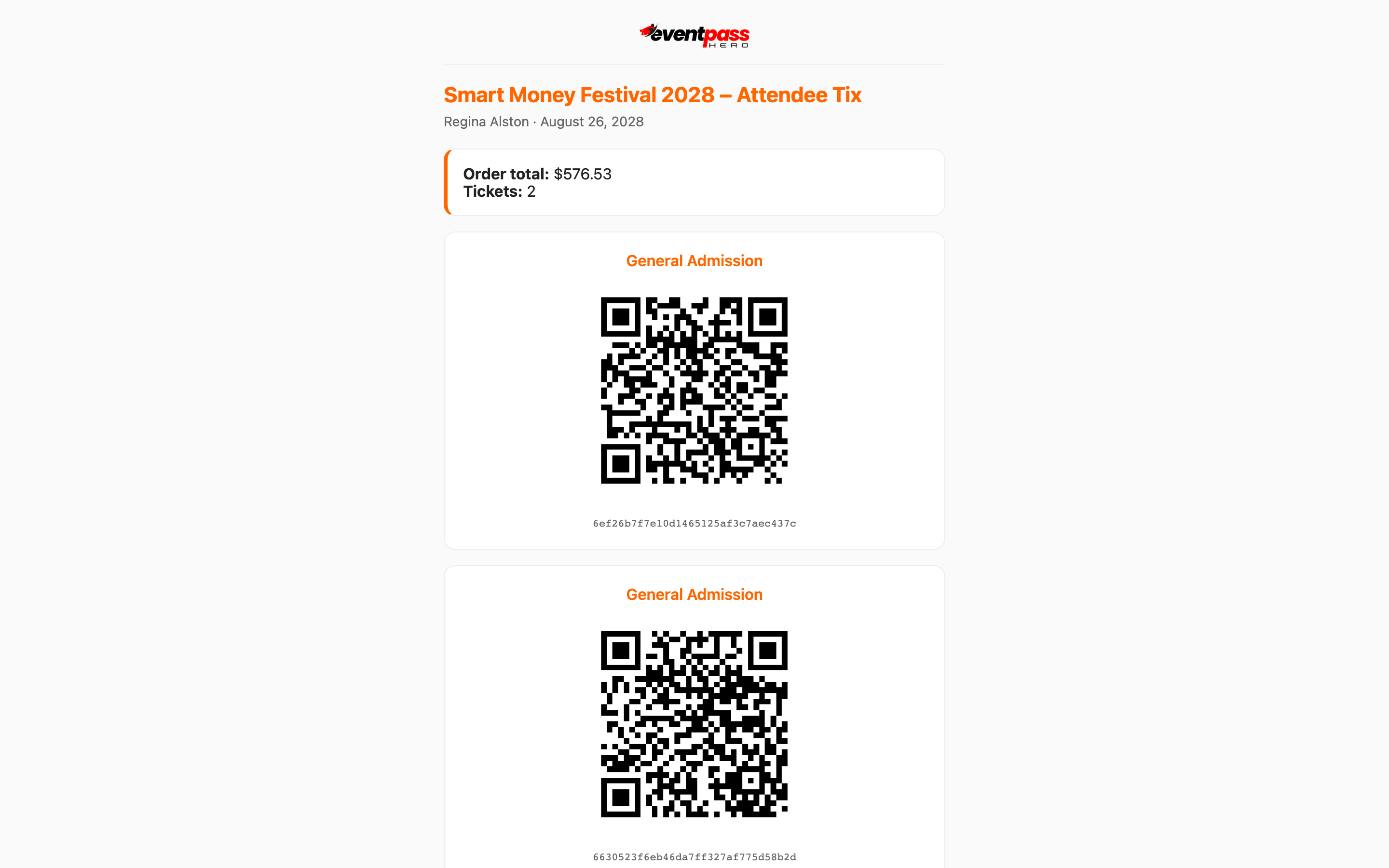
If you still have the Order Complete page open (or the link from your email), click View my tickets. Your tickets open in the browser with their QR codes — they scan at the door straight from this page, and you can optionally download them as a PDF.
Resend them from the event page
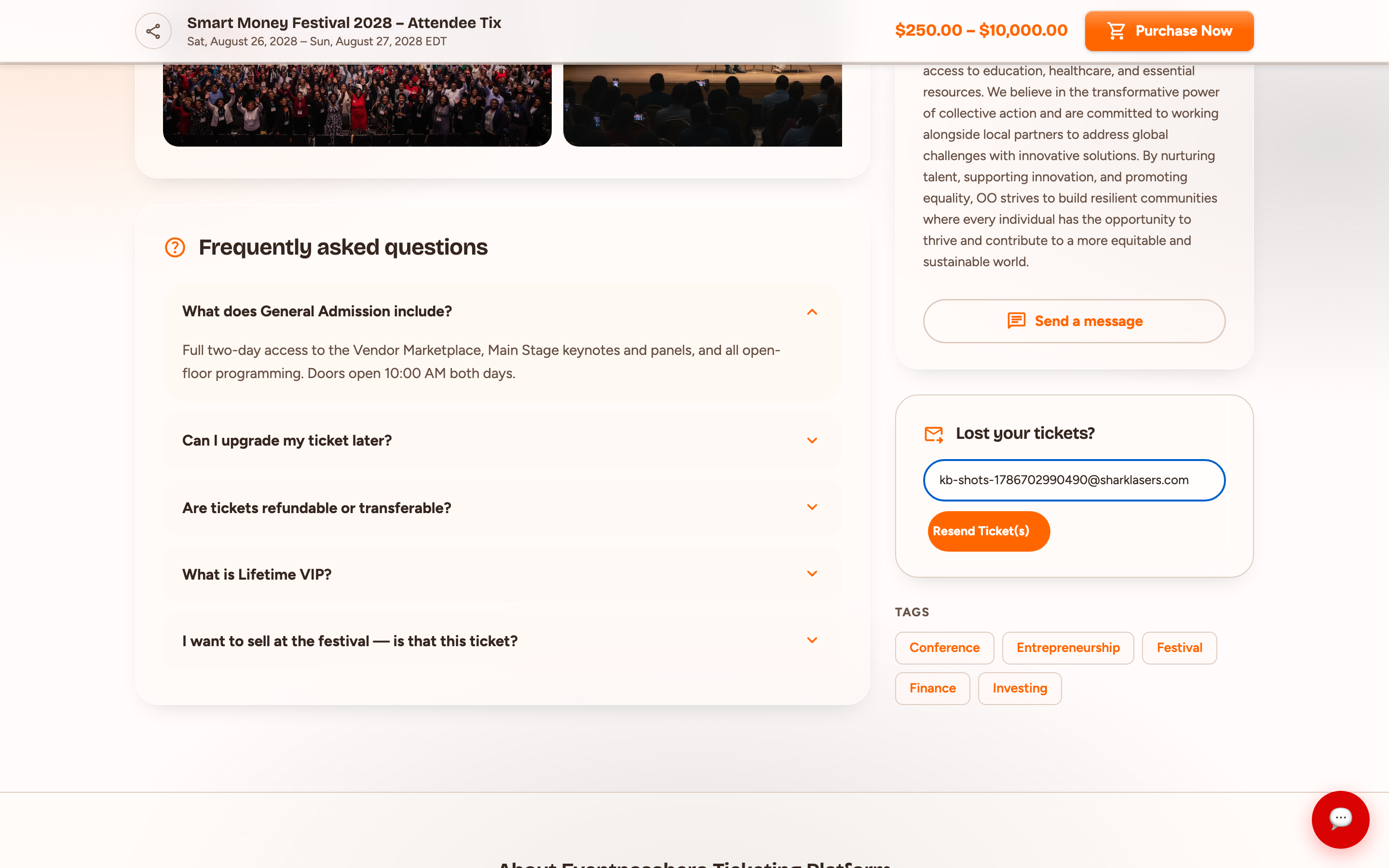
Go back to the event's page on EventPassHero and find the Lost your tickets? card. Click I Lost My Ticket(s), enter the email address you used at checkout, and click Resend Ticket(s). Your tickets are emailed to you again.
See them in My Tickets (signed in)
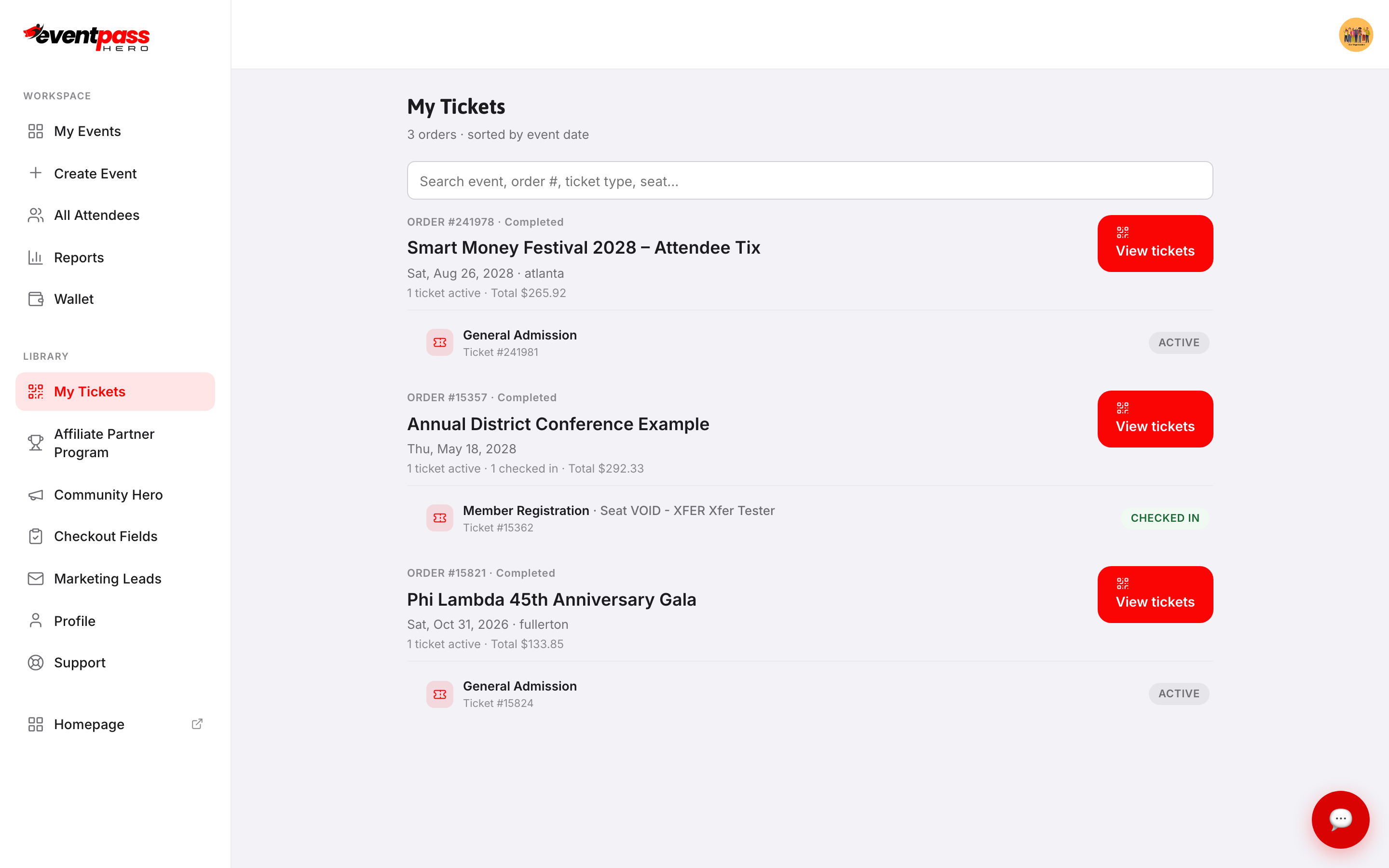
If you have an EventPassHero account with the same email, sign in at eventpasshero.com and open My Tickets. Every order is listed by event — click View tickets on any order to see the QR codes, download a PDF, add passes to Apple Wallet or Google Wallet, or transfer tickets to someone else.
If your seat was changed
If the organizer moved you to a different seat, the My Tickets page and the tickets you get from Lost your tickets? always show your current seat, and your QR code stays the same.
Troubleshooting
- The resend email never arrives — you may have used a different email address at checkout. Try any other addresses you use, and check spam for each.
- You bought through a friend or group member — the tickets went to whoever's email was entered at checkout. Ask them to forward the email or transfer your ticket to you.
- Still stuck — contact the event organizer (their contact is on the event page), or reply to any EventPassHero email about your order.
Last updated 2026-10-11 · All FAQs & video tutorials