

How to Use a Promo Code
Got a discount code from the organizer, a sponsor, or an early-bird offer? Enter it in the cart before you check out — the discount is applied to your order total right away, so you always see the final price before paying.
Step-by-step
- 1. Open the event's cart and select your tickets under Select Your Tickets.
- 2. Find the promo code field between the ticket list and your order summary.
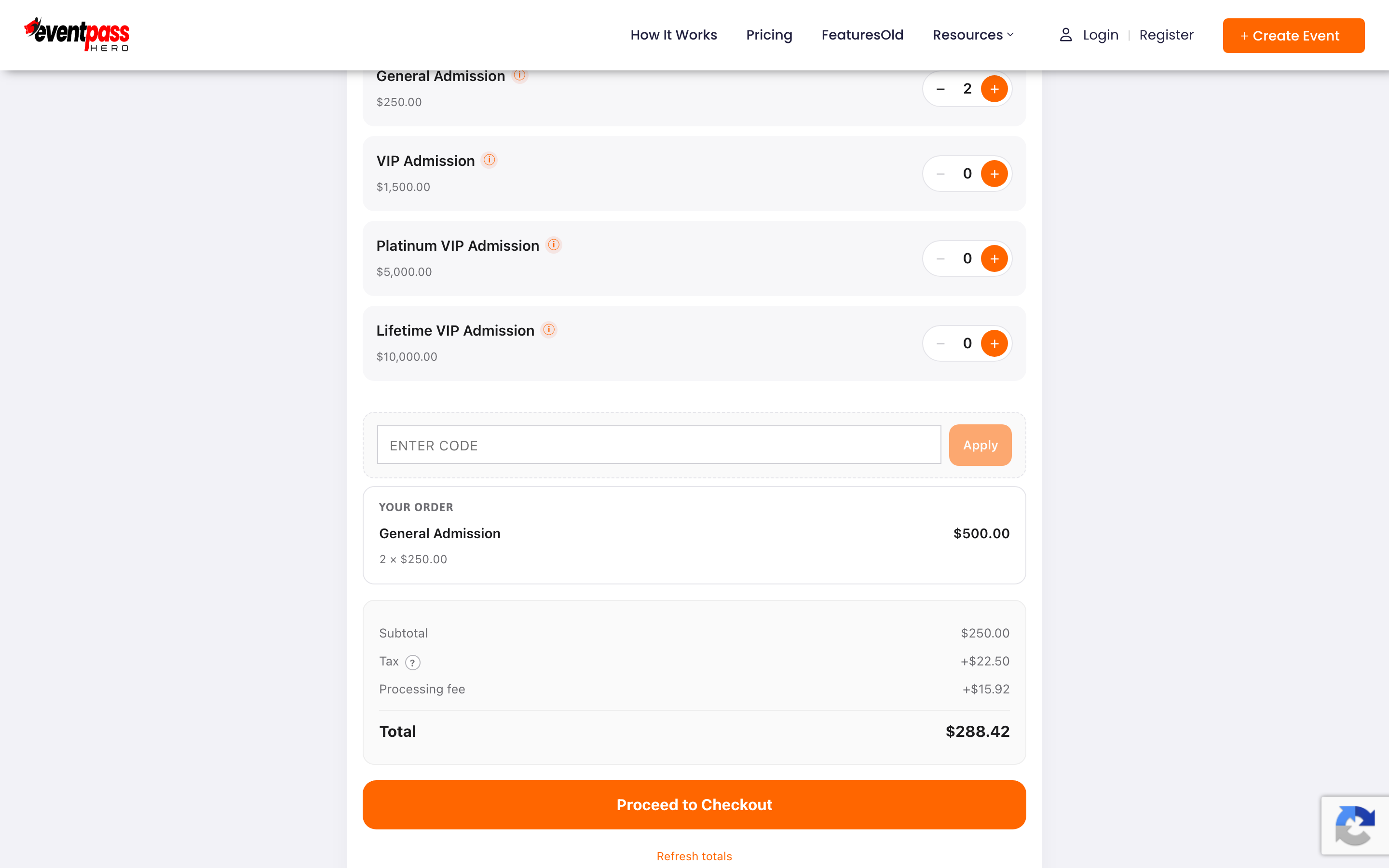
- 3. Type your code exactly as you received it and click Apply.
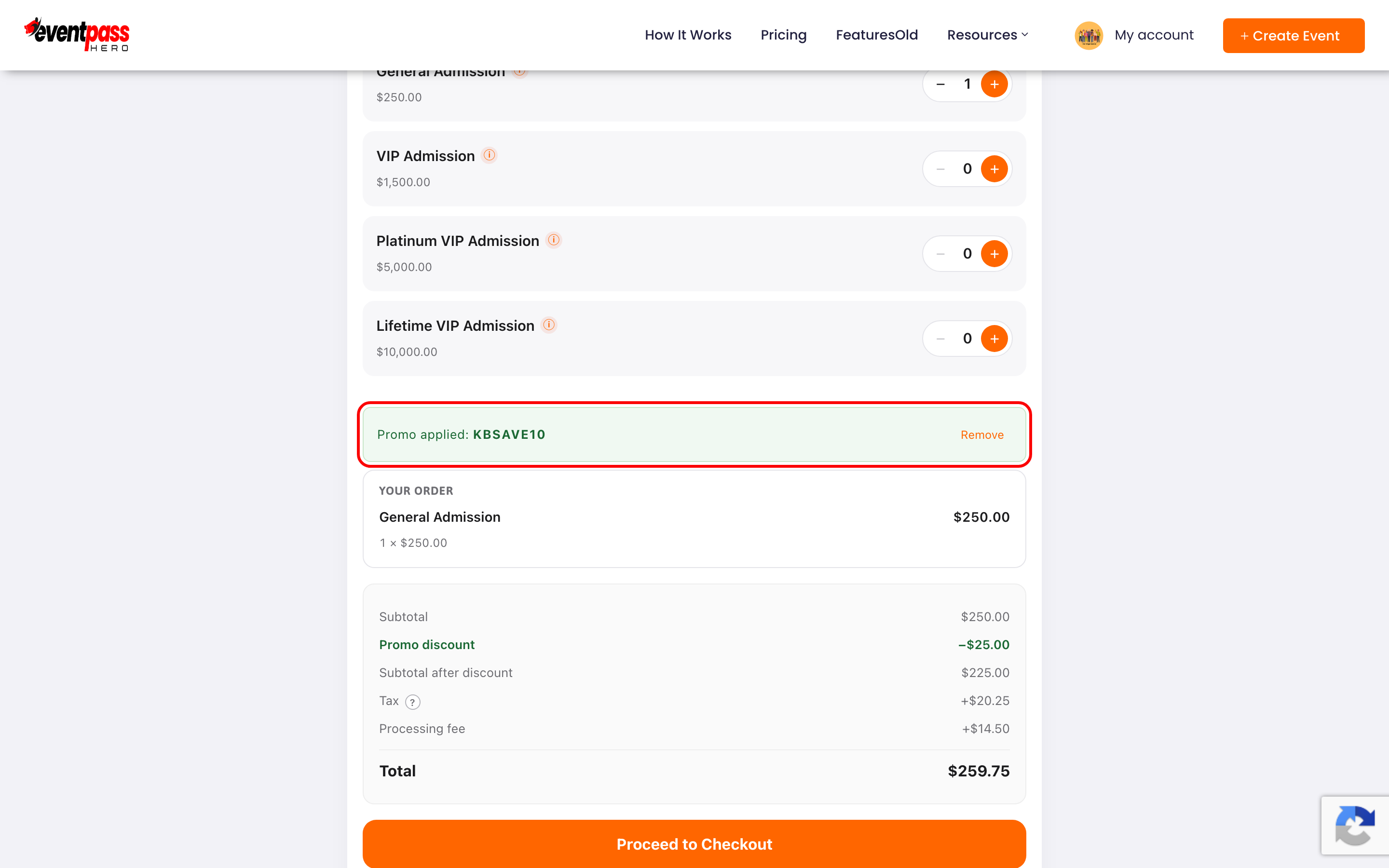
- 4. A green Promo applied banner confirms the code, and your order summary shows a Promo discount line with the new total. Continue to checkout as normal — the discounted total is what you'll pay.
Things to know about promo codes
- Codes are event-specific. A code from one event won't work on another — each organizer creates codes for their own event.
- Codes can be limited. Organizers can cap how many times a code is used and set an active date window, so a code can expire or run out.
- Codes can be ticket-specific. Some codes apply to every ticket type; others only discount specific ones (for example, general admission but not VIP).
Troubleshooting
- "That code isn't valid for this event." — the code doesn't belong to this event, has a typo, isn't active yet, or has expired. Re-copy the code exactly (no spaces) and confirm which event it was issued for.
- The code applied but the price didn't change on some tickets — the code likely covers specific ticket types only. Check with whoever gave you the code.
- The code stopped working — usage-capped codes can run out. Contact the organizer to ask for an alternative.
Last updated 2026-08-14 · All FAQs & video tutorials