

Pick Your Seat on the Interactive Venue Map
For events with reserved seating — galas, banquets, theaters, stadium sections — you don't just buy a ticket, you pick exactly where you'll sit. The cart shows a visual map of the venue; tap the table or seat you want and it's locked to your order. No spreadsheets, no double-booking, and your seat prints right on your ticket.
Step-by-step
- 1. On the event's cart, choose your ticket under Select Your Tickets using the + stepper. For table tickets you'll see the full-table price (for example, a "Premium Full Table – Seats 8" bundle).
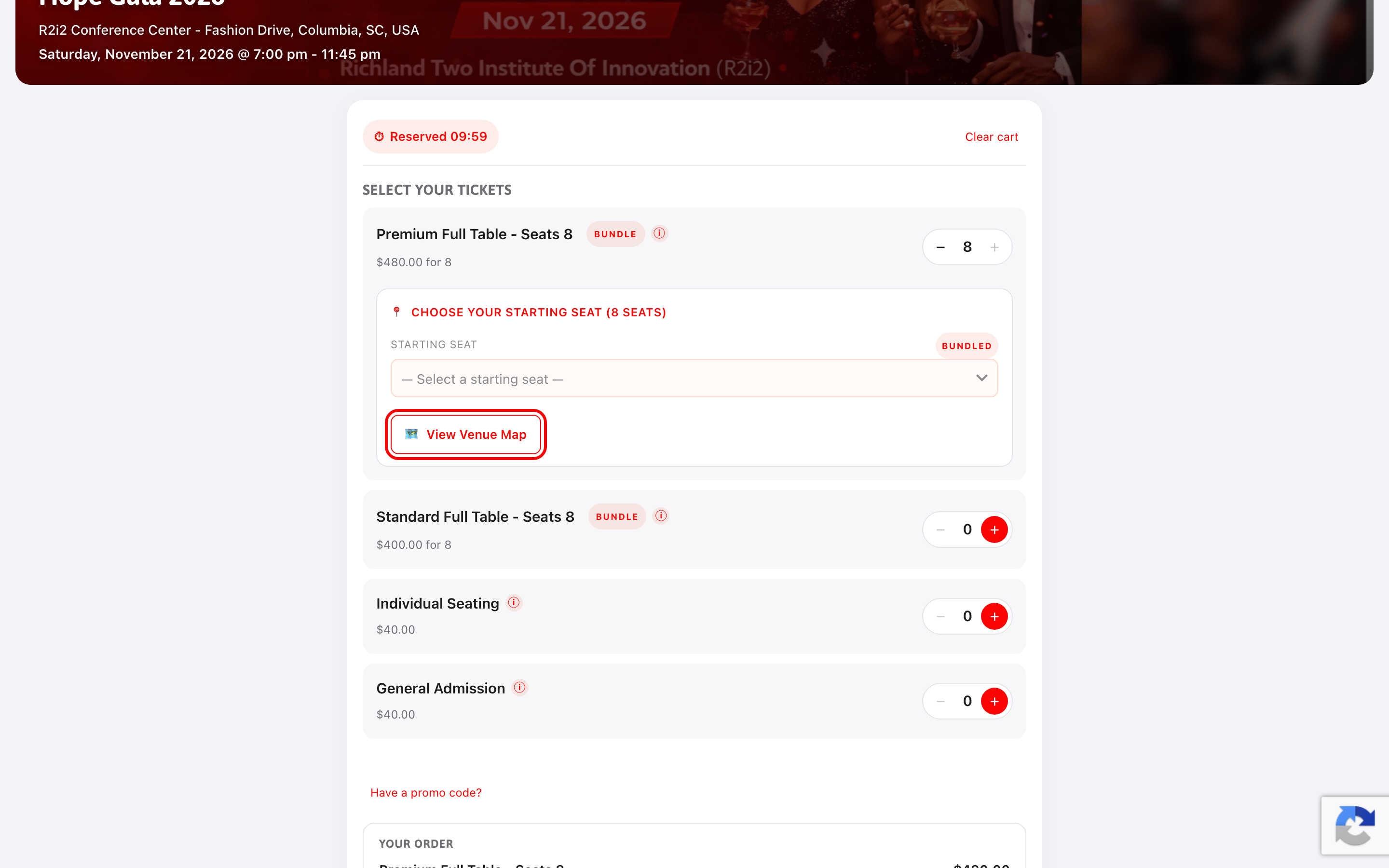
- 2. When your selection needs a seat, the seat picker appears — click Choose seats on map (highlighted below).
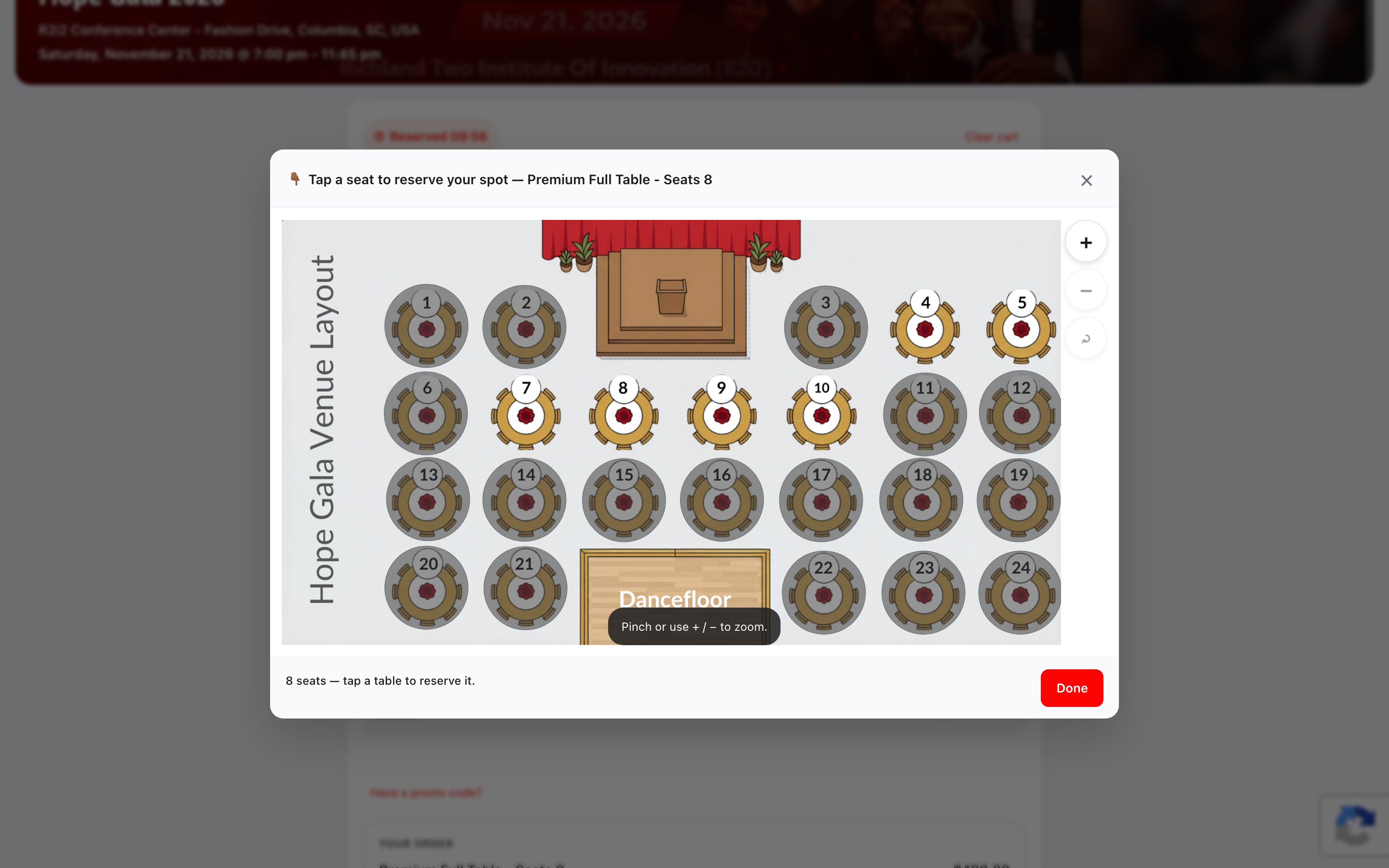
- 3. The venue map opens. You'll see the whole room — tables, stage, dance floor — with available spots selectable. Pinch or use + / − to zoom.
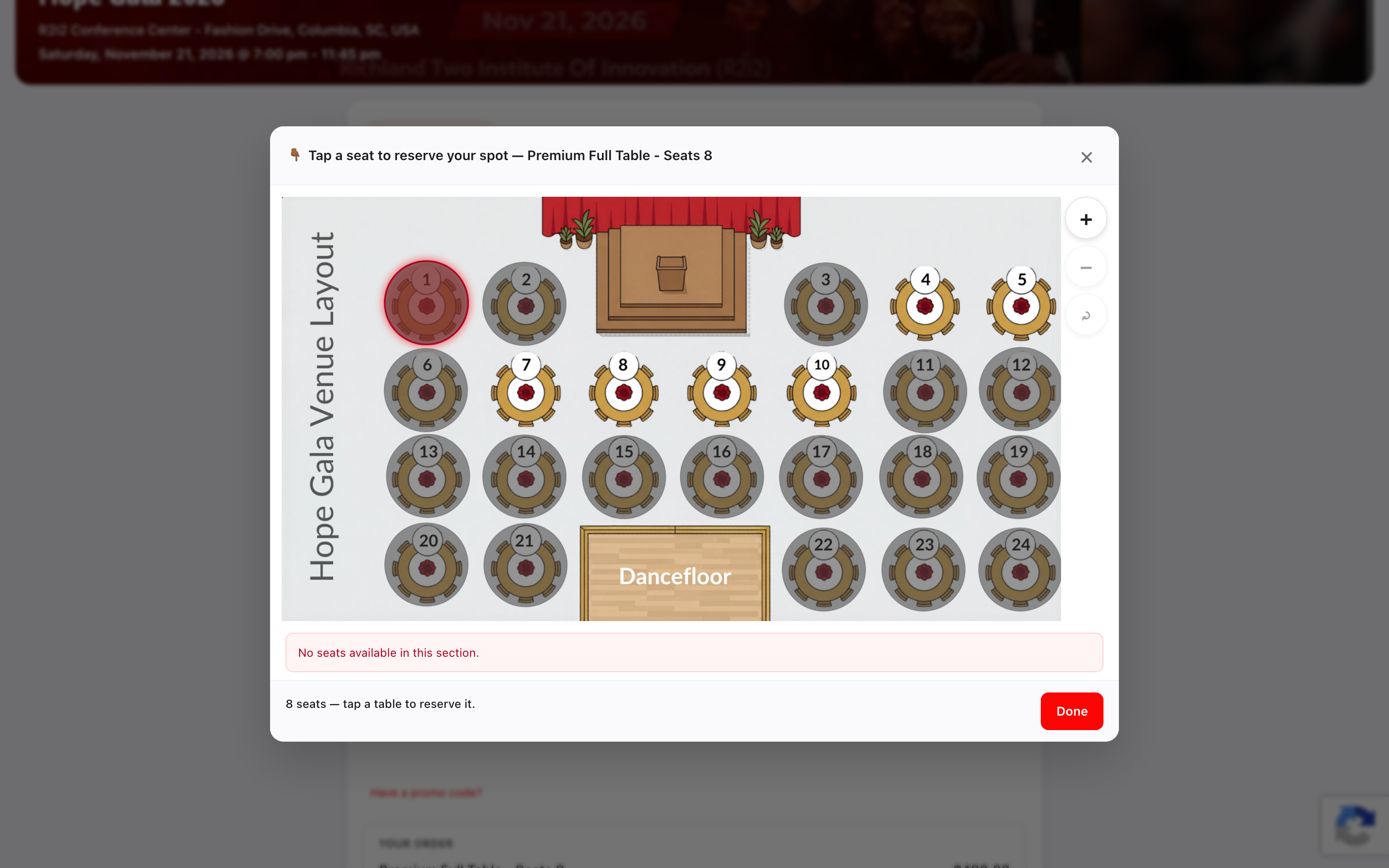
- 4. Tap the table or seat you want. For a full-table bundle, tapping a table reserves all of its seats; for individual seats, tap each seat you're buying.
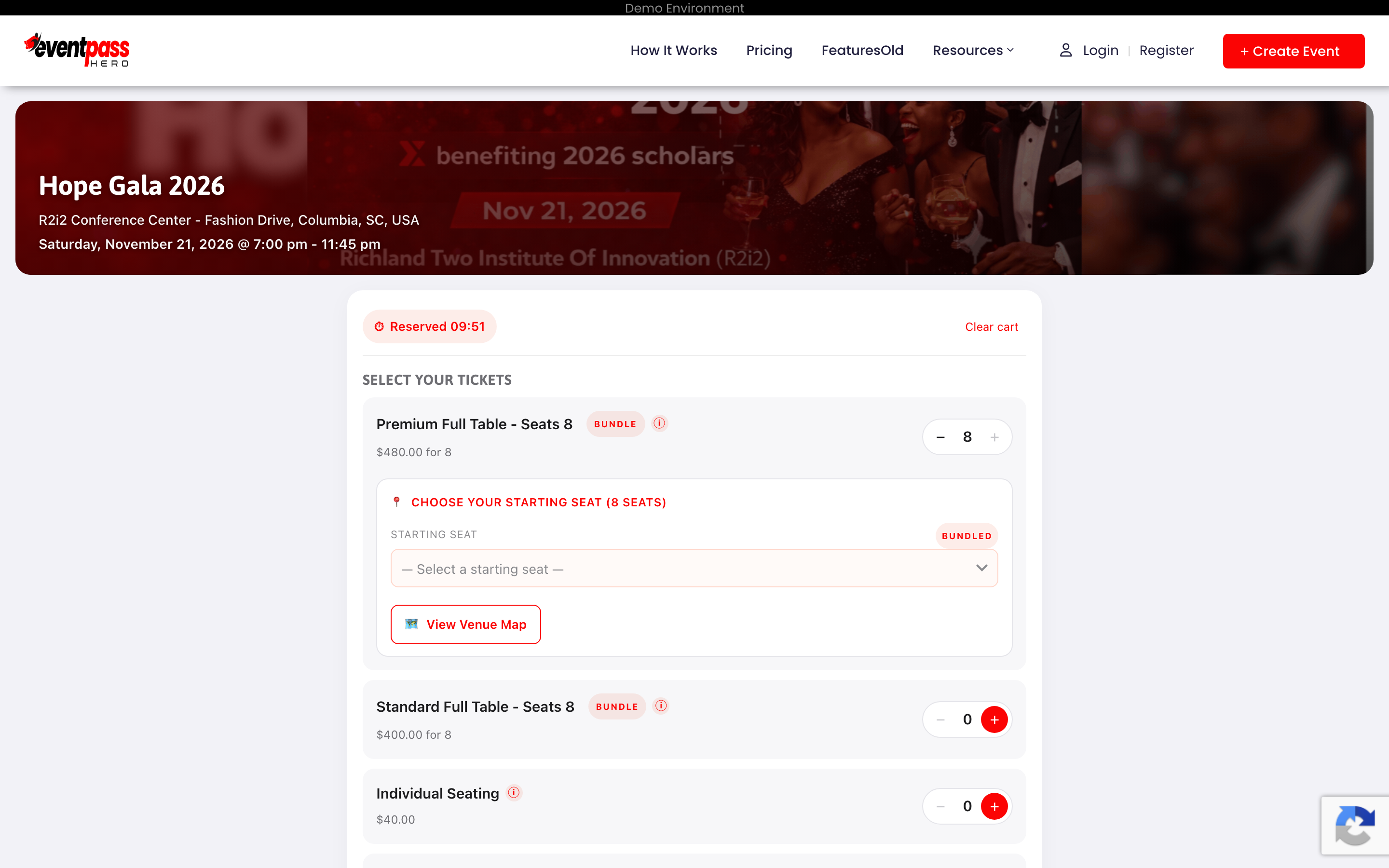
- 5. Click Done. Back in the cart, your selection shows the exact seat codes reserved for you.
- 6. Continue with Proceed to Checkout as usual — see How to buy tickets.
Big venue? You might pick a section instead
At stadiums and other large venues, some tickets skip seat-by-seat picking: you tap a section on the map (or choose one from a dropdown) and the best available seats are picked for you — side-by-side in one row whenever possible. Before you confirm, a small card shows how many seats are left in that section and exactly which seats you'd get (for example, "Row C, Seats 12–14"); tap Sit in this section to take them. If your group's seats can't all be side-by-side, you're told up front, and you can always switch to a different section with Choose a different section.
Grayed-out seats
Seats that appear unavailable on the map are already sold or held by other buyers. Remember your own cart holds seats for about 10 minutes — if the countdown expires, your picks are released.
Where do I see my seat afterward?
Your seat or table code is printed on each ticket — in your confirmation email, on the QR ticket page, and on wallet passes. On event night, staff can direct you straight to it.
Troubleshooting
- The map button doesn't appear — that ticket type doesn't use seat selection (general admission), or seats are auto-assigned by the organizer for that type.
- The table you want is taken — someone else completed checkout first, or holds it in an active cart. If a hold expires, the table reopens — try again in a few minutes.
- Need to change seats after buying — contact the organizer; they can reassign your seat and email you the updated assignment.
Last updated 2026-09-07 · All FAQs & video tutorials