

Manage Your Organizer Profile and Account
Everything about your account lives on one screen: Profile in your dashboard sidebar, under LIBRARY. It holds your identity, photo and bio, social links, sign-in details, password, and your Stripe payout connection. Each card saves separately, so click the save button inside the card you edited.
Step-by-step
- 1. Sign in and click Profile in the sidebar.
- 2. Edit the fields in the card you want to change.
- 3. Click that card's own save button — Save changes, Save bio, Save links, Save referrer, or Update password.
Your name and contact details
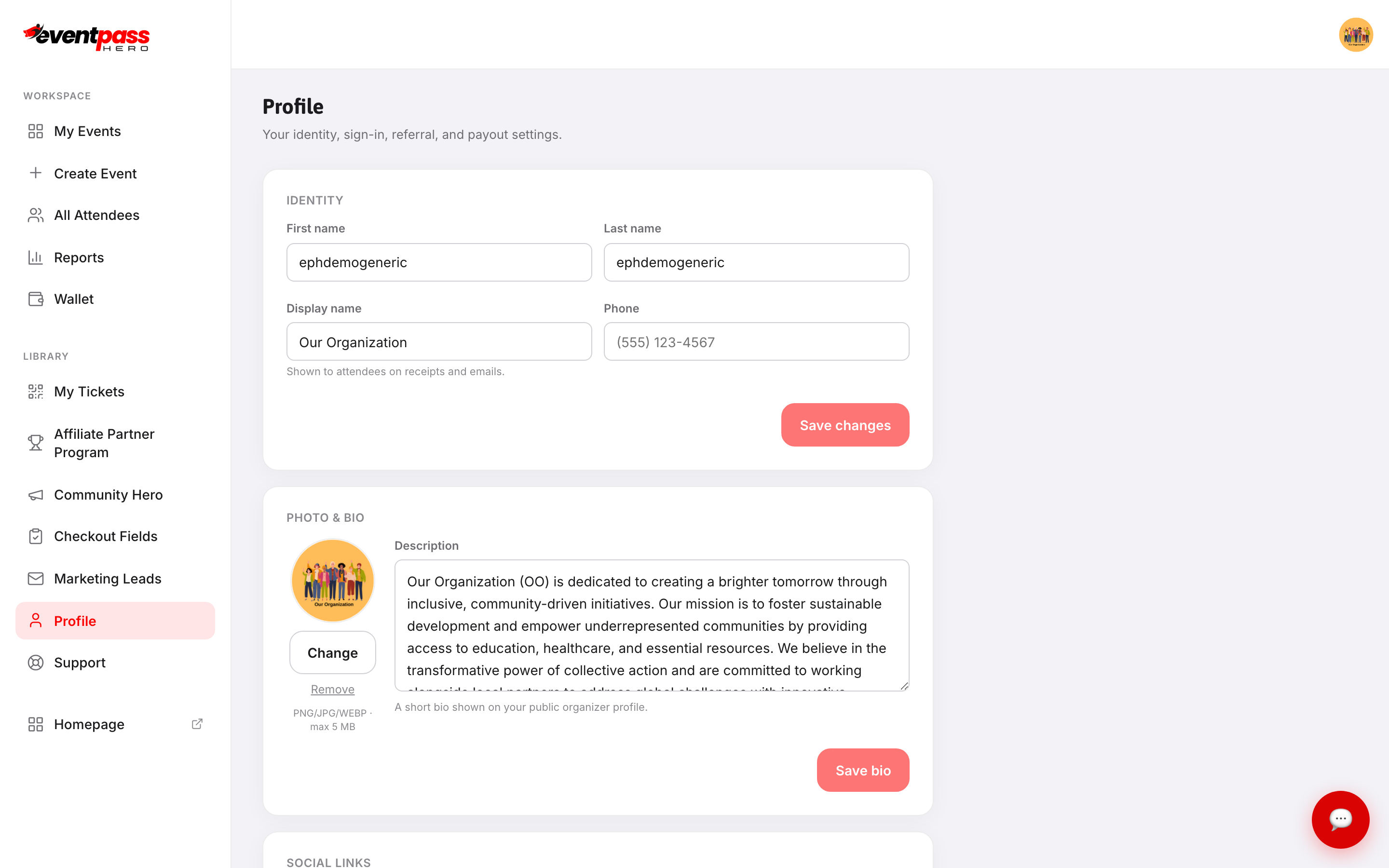
IDENTITY holds your first name, last name, Display name, and phone. Display name is the one that matters publicly — it's shown to attendees on receipts and emails, so use the name you want buyers to recognize (usually your organization, not your personal name).
PHOTO & BIO is your public organizer profile. Use Change to upload a photo (PNG, JPG, or WEBP, max 5 MB) or Remove to clear it. The Description is a short bio shown on your public organizer profile.
Social links
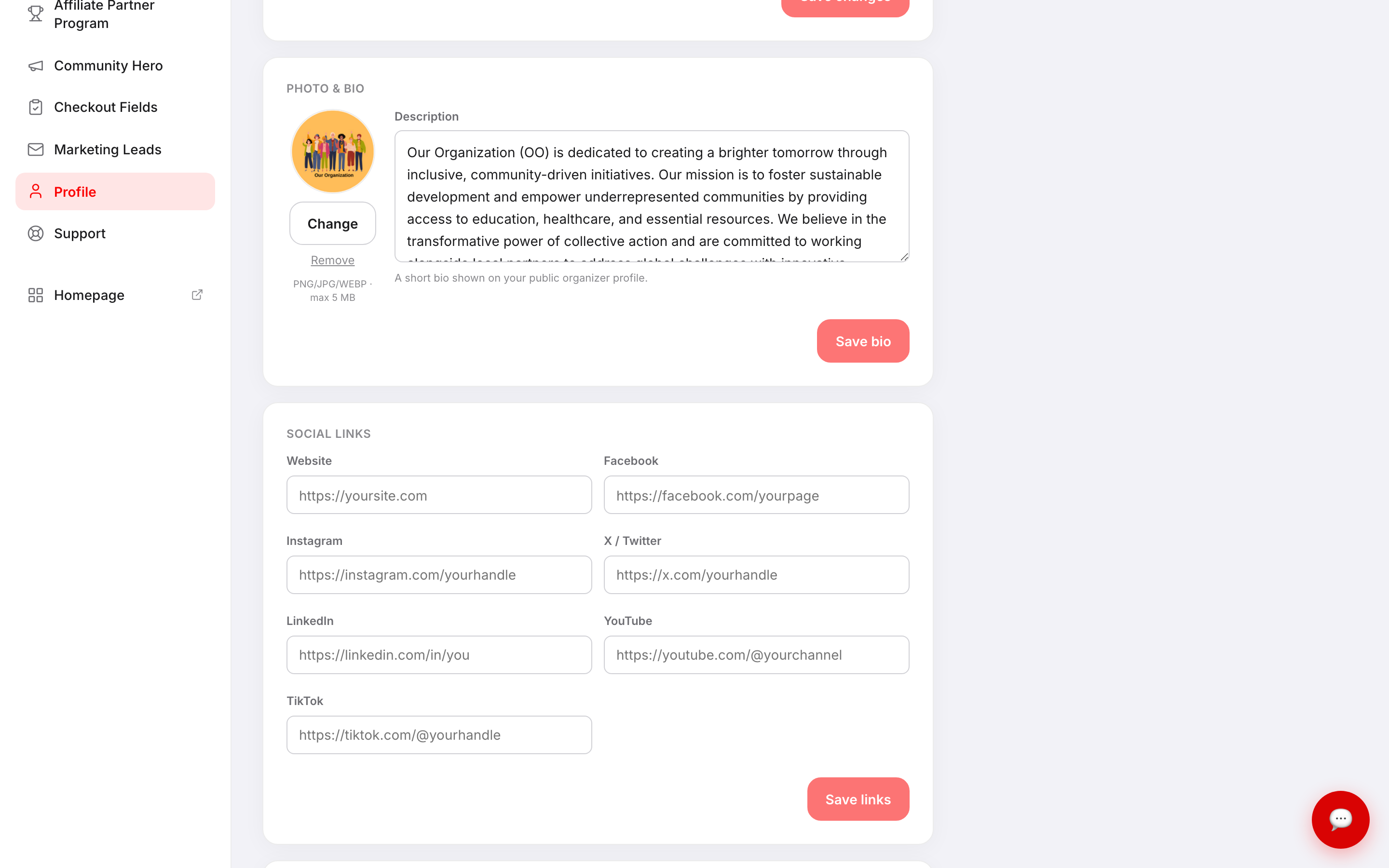
Add your Website, Facebook, Instagram, X / Twitter, LinkedIn, YouTube, and TikTok, then click Save links. Leave any you don't use blank.
Sign-in, referral, and password
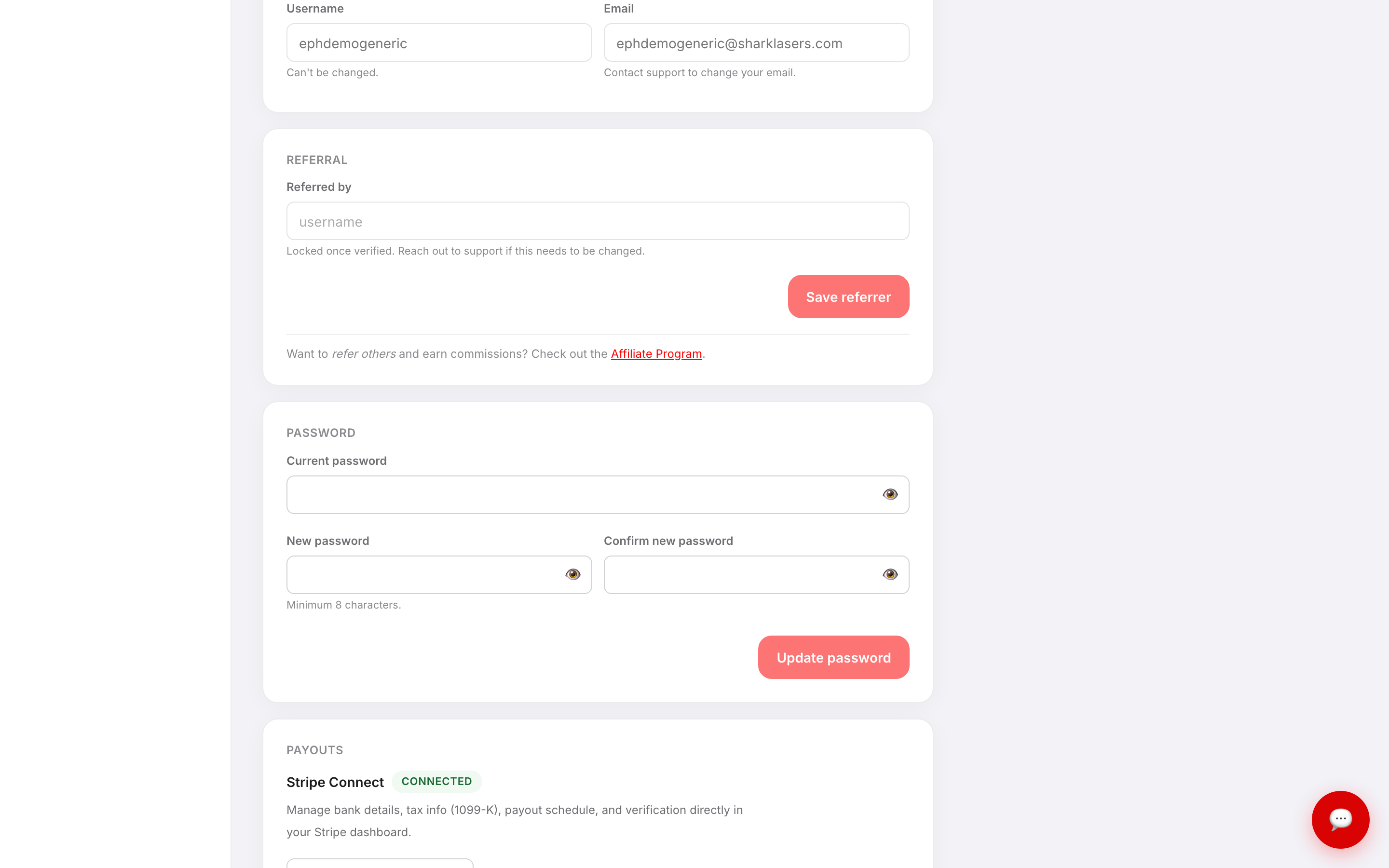
SIGN-IN shows your username and email for reference. Your username can't be changed, and email changes have to go through support so we can verify the account.
REFERRAL shows who referred you. Once it's verified it locks, and support has to change it. If you want to refer others and earn commissions, that's the separate Affiliate Program.
PASSWORD takes your current password plus a new one (minimum 8 characters) typed twice, then Update password.
Payouts
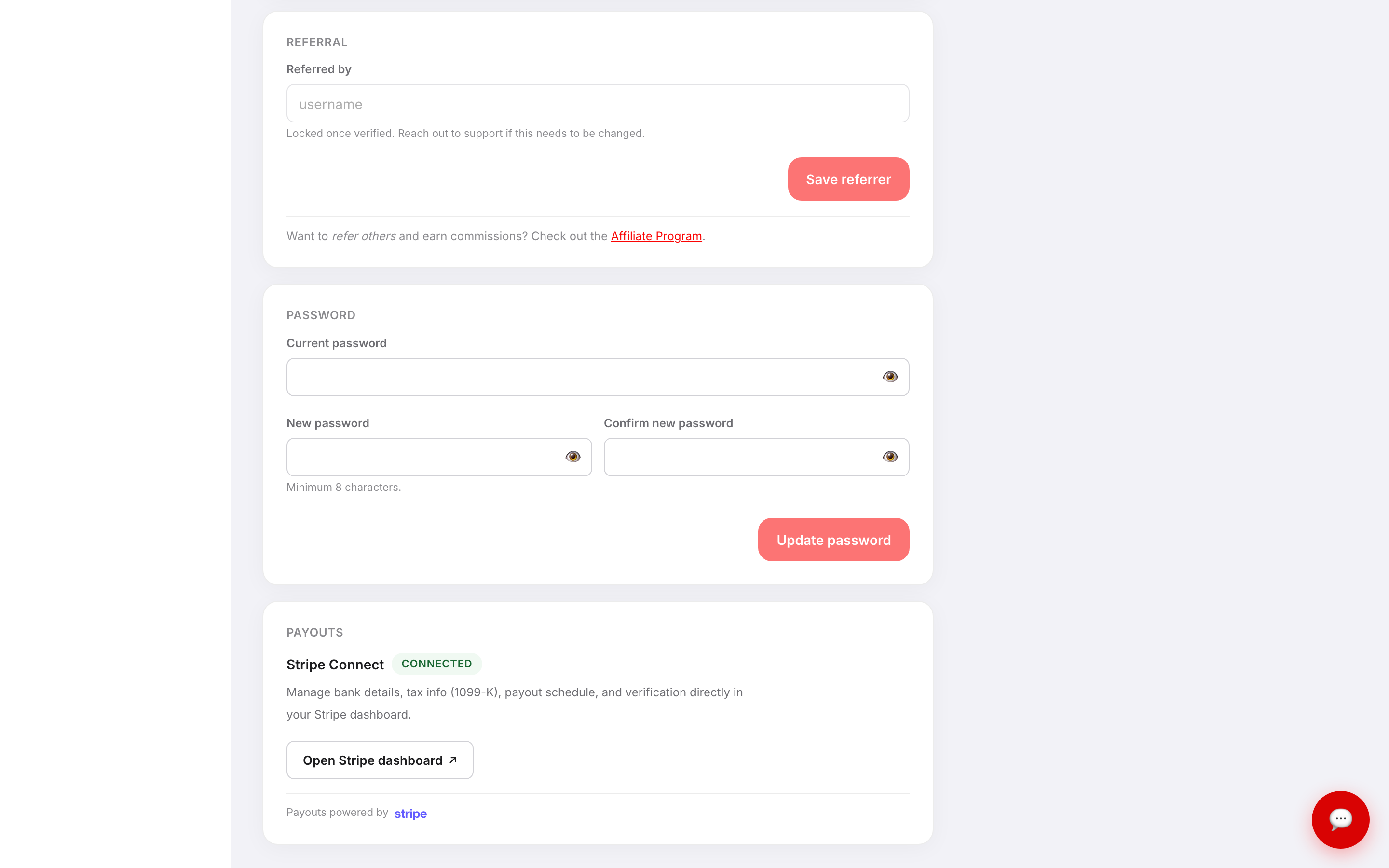
PAYOUTS shows your Stripe Connect status. Open Stripe dashboard ↗ takes you into Stripe, where your bank details, tax info (1099-K), payout schedule, and identity verification live — EventPassHero never stores your banking details. Payouts run daily, and funds typically clear in about two business days.
Troubleshooting
- I clicked save but a different section reverted — each card saves independently. Editing your bio and clicking Save changes in IDENTITY won't save the bio; use Save bio.
- I need to change my email address — contact support from the Support screen. It can't be changed from Profile.
- My username is wrong — usernames are permanent. Support can help you decide the best path if it's a real problem.
- "Referred by" won't accept a change — the field locks once the referral is verified. Ask support if it needs correcting.
- My password won't update — you need your current password, a new one of at least 8 characters, and an exact match in Confirm new password.
- PAYOUTS doesn't say CONNECTED — your Stripe setup isn't finished. Open Wallet and complete Stripe's checklist before selling paid tickets.
Last updated 2026-08-15 · All FAQs & video tutorials