

Become an Organizer on EventPassHero
Hosting your own event starts with a free account. One EventPassHero account works for both attendees and organizers — if you've bought tickets before, you're already halfway there, and you can switch roles anytime. There are no monthly fees and no contracts; you only ever pay per-ticket fees when you actually sell.
Create your account
- 1. Go to eventpasshero.com and click Sign Up (or Create an account on the sign-in page).
- 2. Fill in the form: your email (entered twice), a username, your first and last name, and phone number. Agree to the terms and click Register.
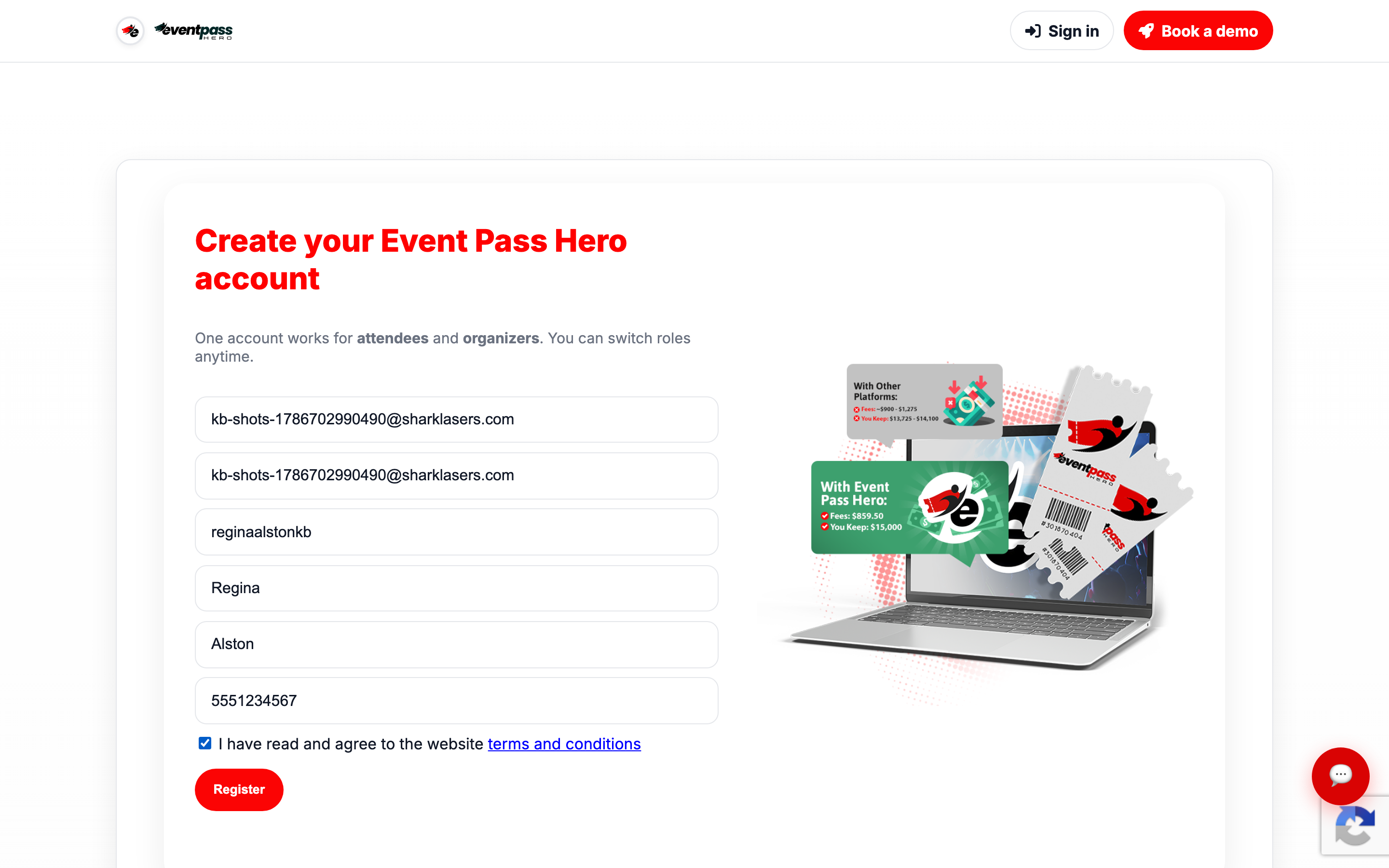
- 3. Complete sign-in with your new credentials at eventpasshero.com — if you ever need to set or reset your password, use Forgot password on the sign-in page and follow the email link.
Already buying tickets with an account?
Sign in with the account you already have. The same login serves both sides of EventPassHero: as an attendee you'll see My Tickets; as an organizer you get the full dashboard. You can switch roles anytime — no second account needed.
Your organizer dashboard
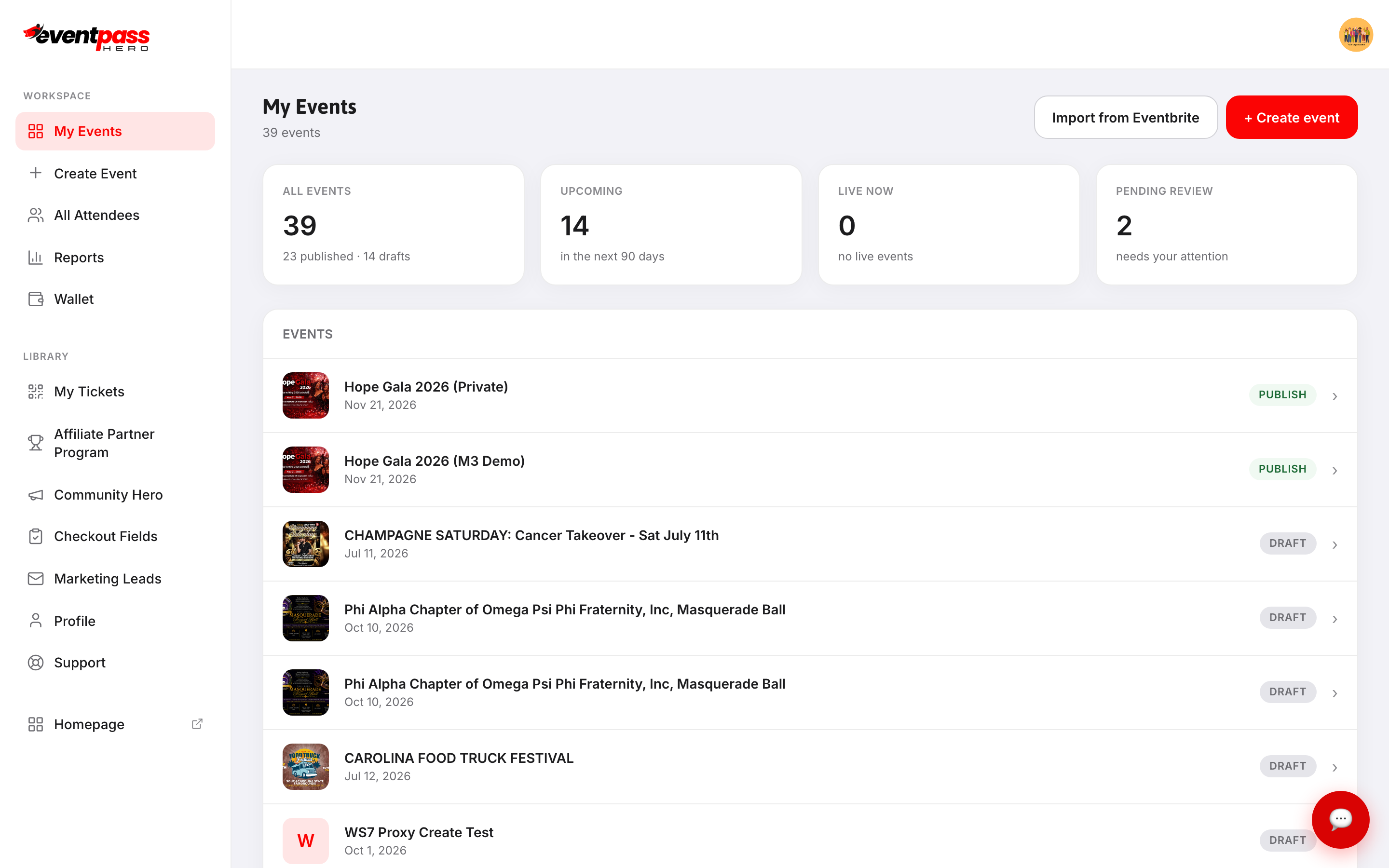
Once signed in, your dashboard is home base. The Workspace sidebar gives you My Events, Create Event, All Attendees, Reports, and Wallet; the Library section adds My Tickets, the Affiliate Partner Program, Checkout Fields, Marketing Leads, your Profile, and Support.
Your first two moves
- 1. Create your first event — a guided 3-step setup. See Create your first event.
- 2. Connect Stripe so ticket revenue lands in your bank account. See Connect Stripe and get paid.
Troubleshooting
- Registration is rejected as spam — the sign-up form screens for abusive networks; VPNs, shared hotspots, and disposable email domains can trigger it. Use your regular connection and a real email address, or contact support for help.
- You can't sign in — use Forgot password on the sign-in page; the reset email arrives within a couple of minutes (check spam).
Last updated 2026-08-14 · All FAQs & video tutorials