

Your Member Sales Toolkit — Sell With Your Personal Link
Your organization runs on its members — and your personal link is how you power the goal your organizer set. When your organizer adds you to the event's roster, you get a hero code, a personalized link, and your own dashboard. Every ticket bought through your link is credited to you automatically. Share it anywhere; the dashboard shows your sales climb in real time.
Your personal dashboard
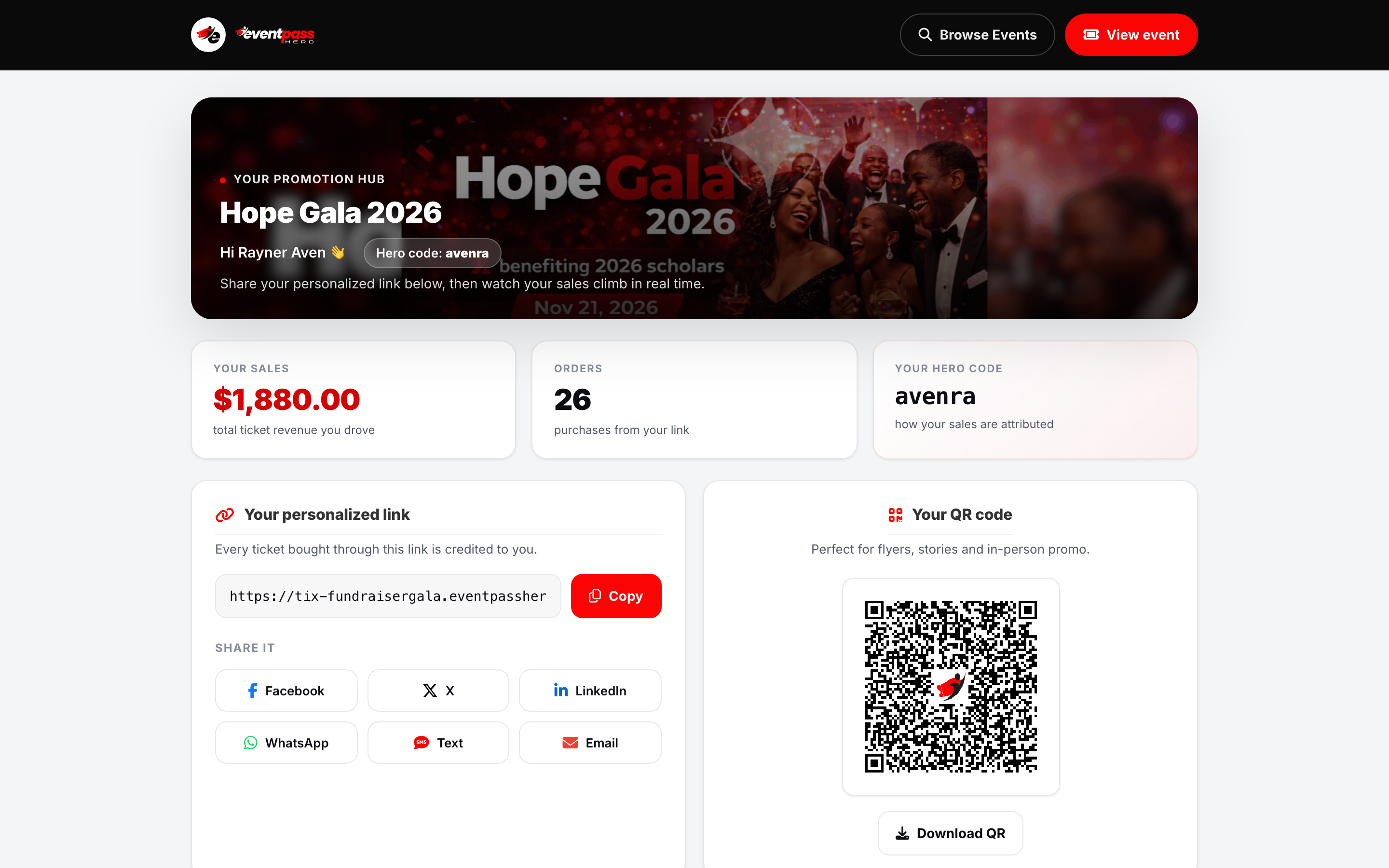
Your organizer sends you your personal link (they can export every member's link in one click). Opening your dashboard shows your promotion hub for the event: your name, your hero code, Your sales (total ticket revenue you've driven), and your Orders count.
Share your link everywhere
The Your personalized link card is the heart of the toolkit:
- Copy the link and paste it into a text, group chat, or email signature.
- One-tap share buttons for Facebook, X, LinkedIn, WhatsApp, Text, and Email.
- Your QR code — download it for flyers, stories, and in-person promo. Anyone who scans it lands on the event through your link.
- Email it to your friends — enter emails and the system sends them a personal invite credited to you.
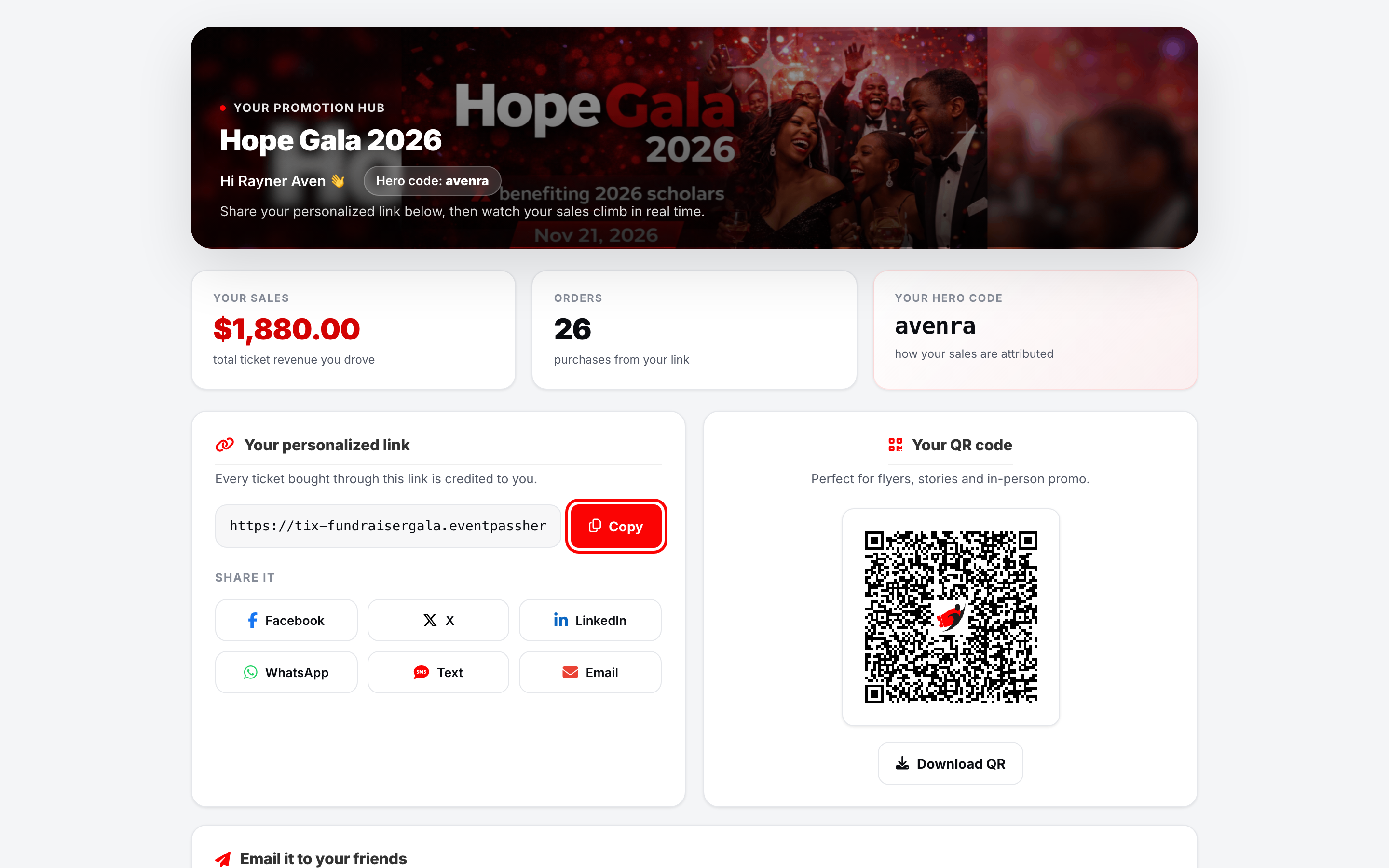
Every purchase made through your link or QR code credits you automatically — buyers don't need to do anything special. Check the Incentives & rewards card too: some organizers post prizes or updates for top sellers there.
Track your sales
The Sales over time chart shows your daily ticket revenue, and Your sales lists every purchase you've driven — date, amount, and buyer name, most recent first. You'll also get an email the moment someone buys through your link.
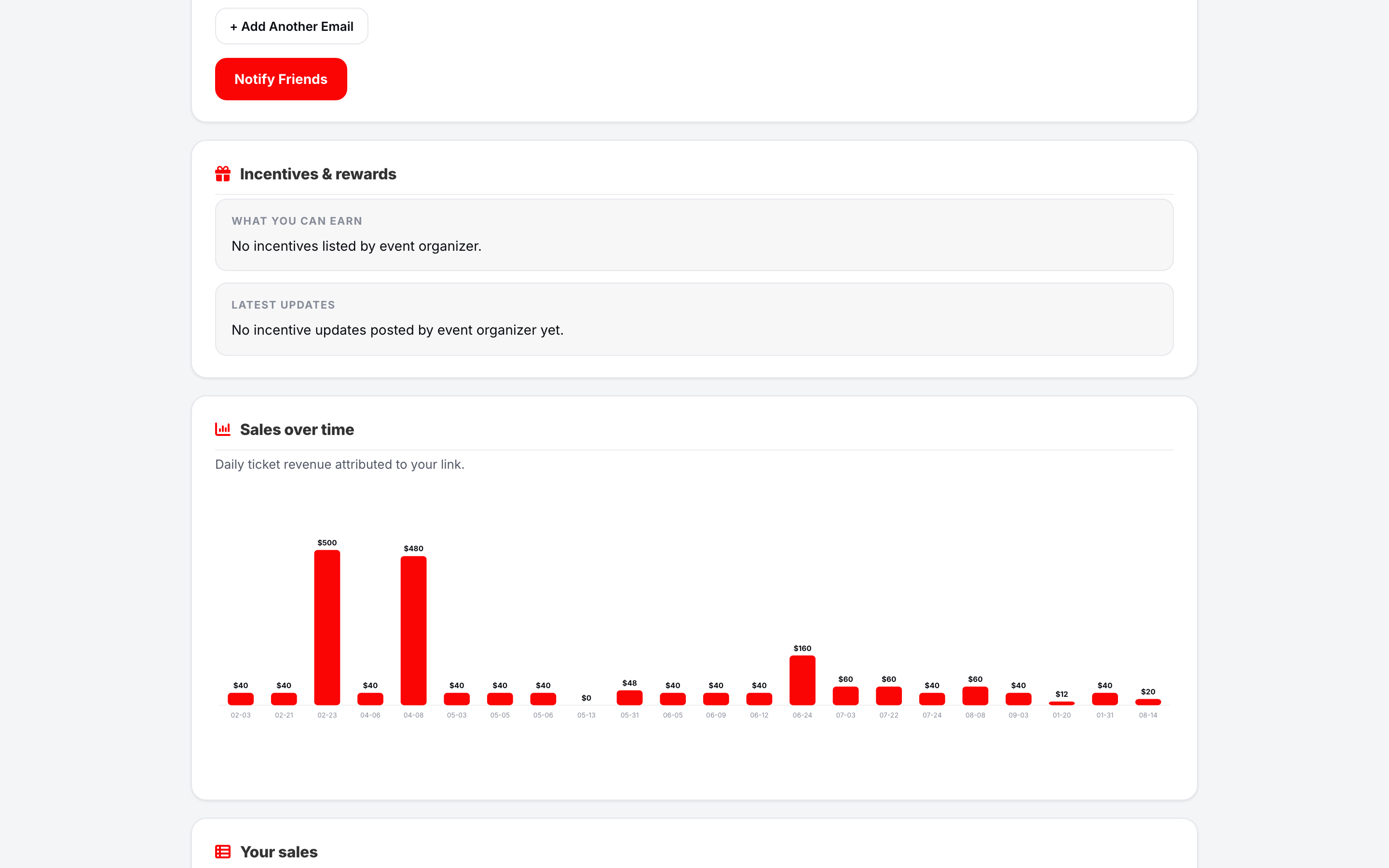
Your organizer sees the same totals in the event's Member Accountability Report — who's hit the goal and who's still working — so your dashboard number and the official standings always agree.
Troubleshooting
- A sale you drove isn't showing — the buyer must complete checkout after arriving through your link (credit sticks for 14 days). If the event asks "Referred by member" at checkout, they should pick your name.
- You lost your link — ask your organizer; they can re-export every member's tracking link, or resend yours.
- Your total differs from a friend's screenshot — totals update in real time as orders complete and refunds are excluded; refresh your dashboard.
Last updated 2026-08-14 · All FAQs & video tutorials