

Buying Tickets Through a Member's Link
Got an event link or QR code from a friend, chapter member, or someone promoting an event? Buy your tickets through it and the sale is credited to them — many organizations set sales goals for their members, so using their link is a real way to support them. Your tickets, your seats, and your price are exactly the same as buying any other way.
Step-by-step
- 1. Open the link they sent you (or scan their QR code). It lands on the normal event page — you'll see the event details and the registration button as usual.
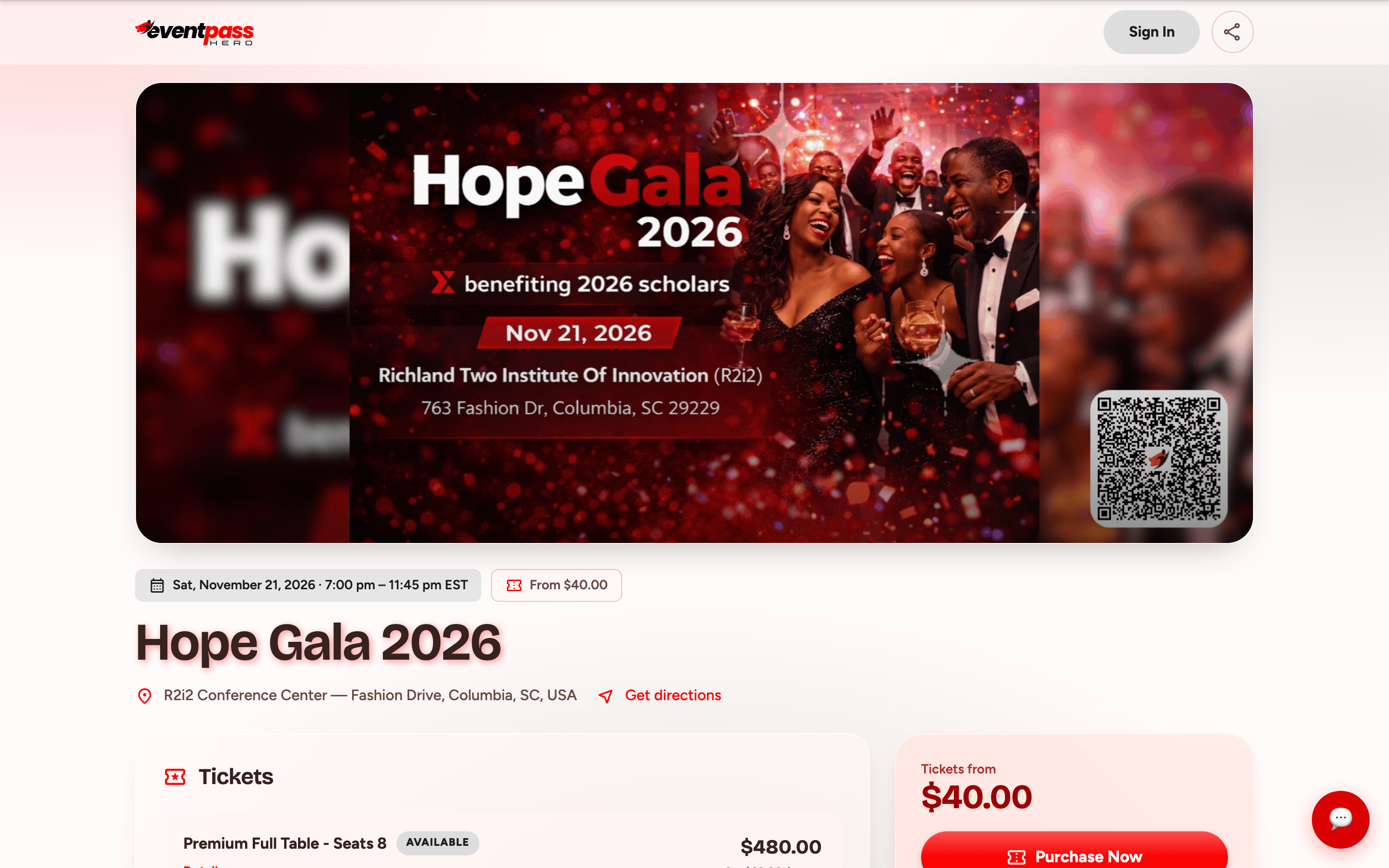
- 2. Pick your tickets (and seats or table, if the event has a seat map) and proceed to checkout as normal.
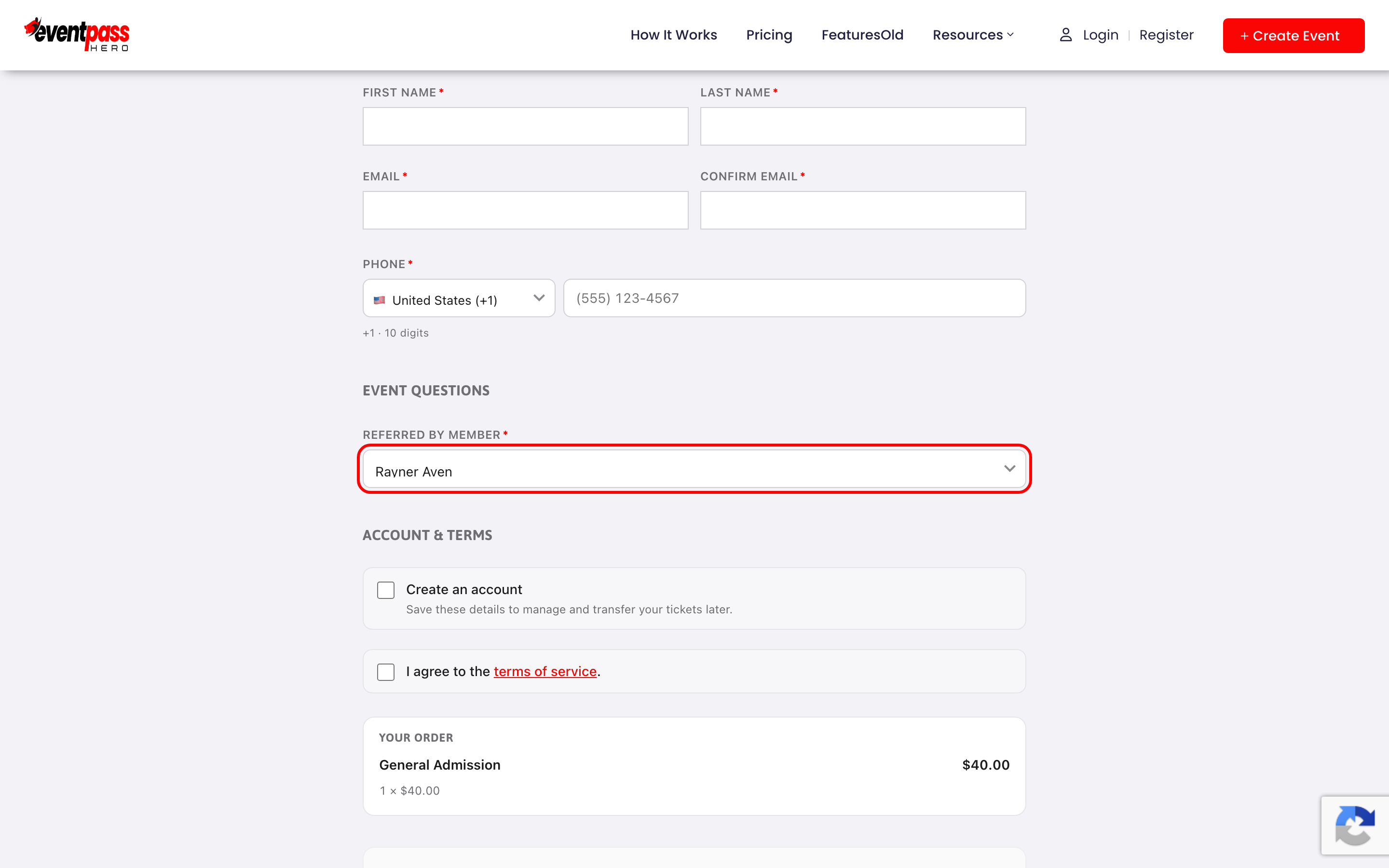
- 3. If the event asks Referred by member under Event Questions at checkout, pick the name of the person who sent you the link. That guarantees their credit.
- 4. Pay and you're done. Your QR-code tickets arrive by email instantly, same as any purchase.
How the credit works
Arriving through the member's link tags your visit, and the credit sticks for 14 days — so even if you come back later to finish the purchase, the sale still counts for them. The member gets notified of the sale and sees it on their dashboard; the organizer's report updates automatically. Nothing about your order changes: no extra cost, no different tickets.
Buying for a group
Buying a table or several tickets? The whole order credits the member whose link you used. If seats belong to different people, you can transfer individual tickets to them afterward from the My Tickets page — see the transfer guide below.
Troubleshooting
- You forgot to use their link — if checkout shows the Referred by member question, picking their name credits them even without the link. Otherwise the organizer can reassign credit; ask your friend to check with them.
- The link opens the event but looks ordinary — that's correct. Member links open the standard event page; the tracking works quietly in the background.
- You want to support a member on a different event — links are per event. Ask them for their link for that specific event.
Last updated 2026-08-14 · All FAQs & video tutorials