

Transfer a Ticket to Someone Else
Bought tickets for friends, or can't make it and want to pass your seat along? You can transfer any active ticket to another person from My Tickets. The recipient gets an email with a one-click Accept Transfer button, and the ticket becomes theirs — with their name on it.
Before you start
- Transfers require an EventPassHero account — sign in at eventpasshero.com with the same email you used at checkout. If you checked Create an account during checkout, you're already set.
- You'll need the recipient's first name, last name, and email address.
Step-by-step
- 1. Sign in and open My Tickets from the sidebar.
- 2. Find the order and click View tickets.
- 3. In the ticket view, click Transfer tickets.
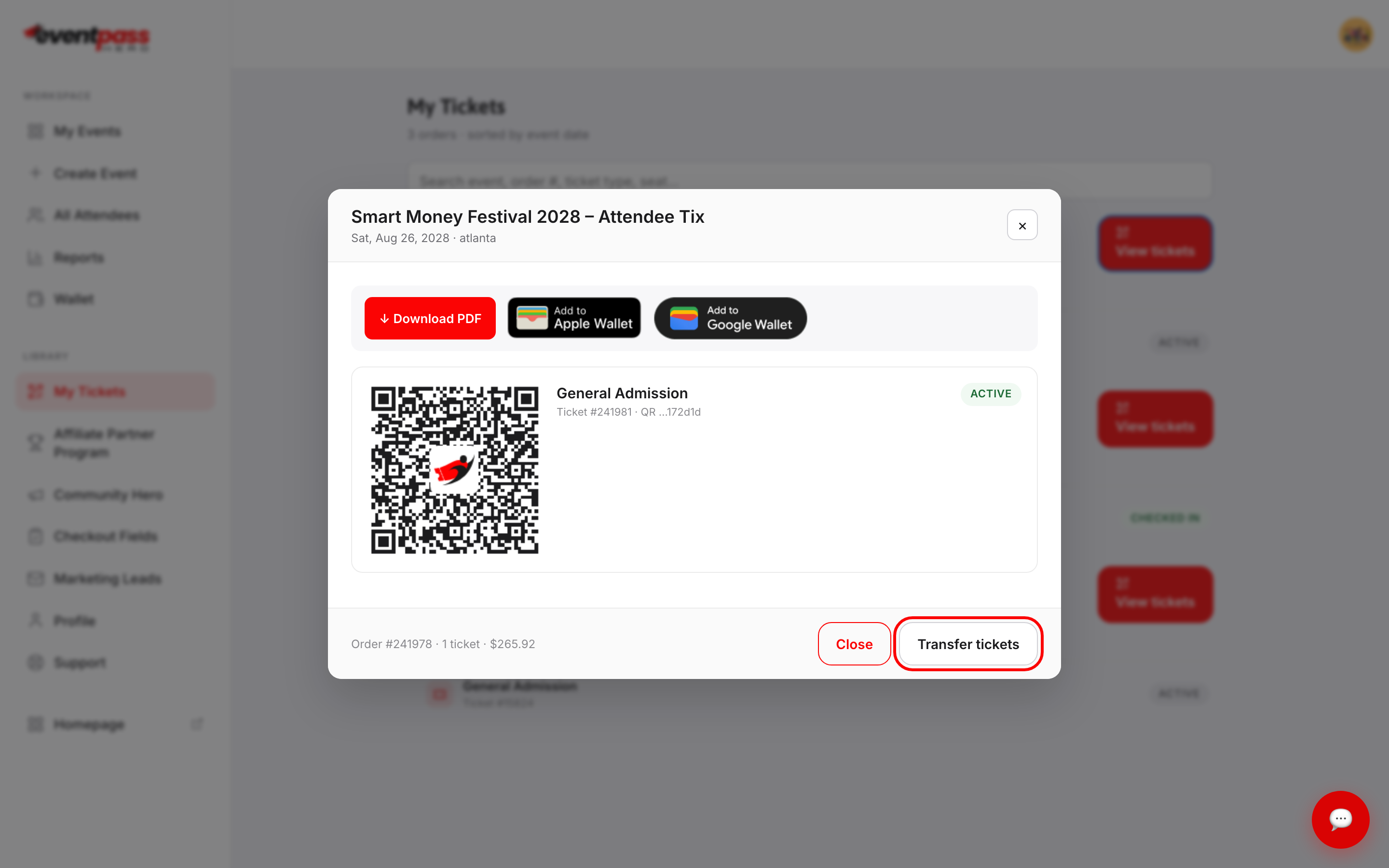
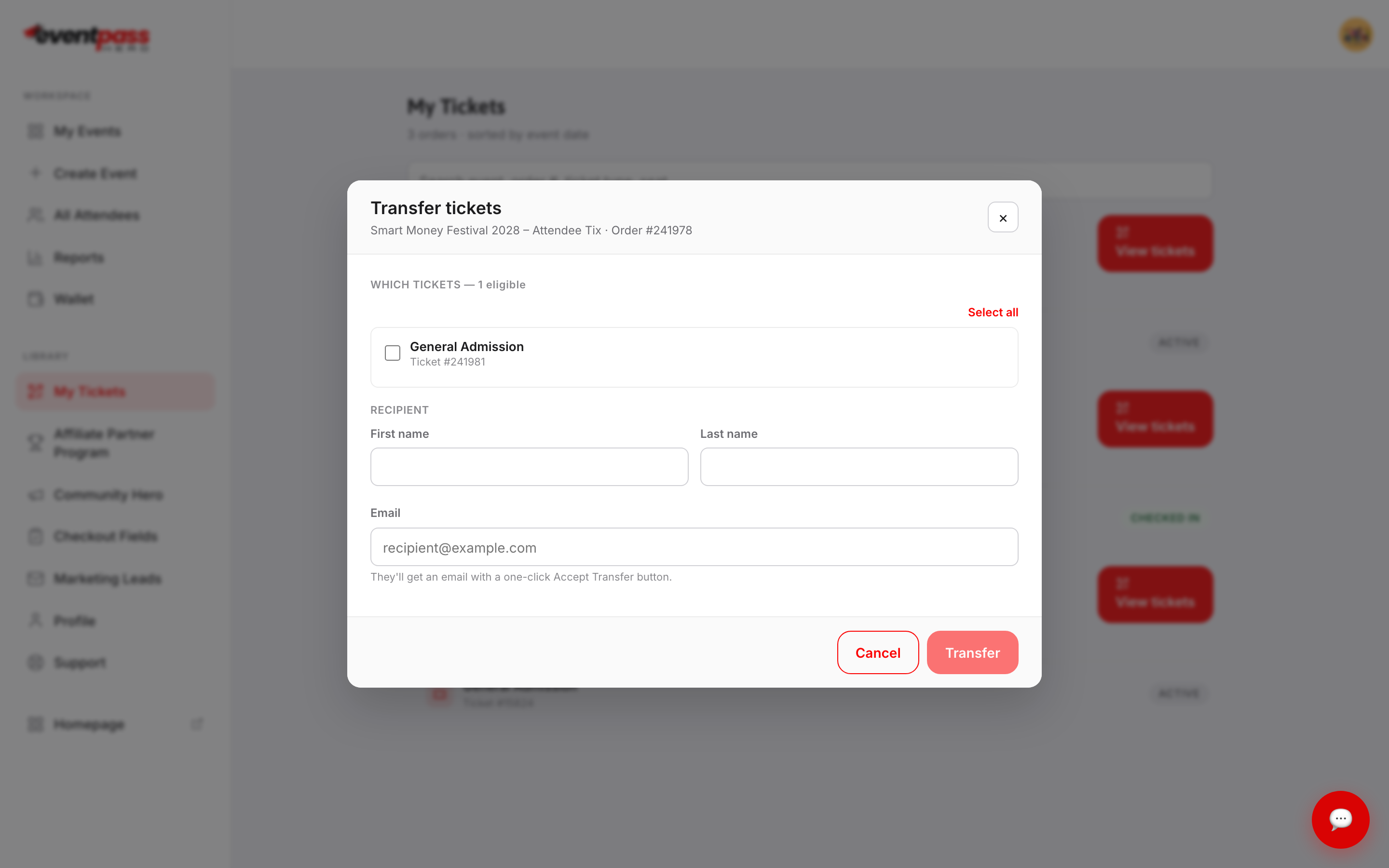
- 4. In the Transfer tickets dialog, check the tickets you want to send (or Select all), then enter the recipient's first name, last name, and email.
- 5. Click Transfer. The recipient gets an email with a one-click Accept Transfer button.
What happens after I transfer?
Once the recipient accepts, the ticket belongs to them — their name is on it, and their copy of the QR code is the valid one for check-in. If the event uses assigned seating, the seat goes with the ticket.
Troubleshooting
- No Transfer button — you're viewing tickets from the emailed link without being signed in. The public ticket page says "Sign in to EventPassHero to access or transfer your tickets" — sign in first, then open the order from My Tickets.
- The recipient didn't get the email — have them check spam, and double-check the address you entered. You can see the ticket's status in your order view.
- Tickets marked "final sale" — per the organizer's policy, ticket sales are usually final, but tickets remain fully transferable to another attendee.
Last updated 2026-08-14 · All FAQs & video tutorials