

Issue a Refund
Refunds are painless: pick the order, choose a reason, confirm. Everything happens on your event's Cancellations screen — cancelling an order voids its tickets, kicks off an automatic Stripe refund to the buyer's original payment method, and emails the buyer a cancellation notice with your reason. Buyer-initiated refund requests land on the same screen for your approval.
Step-by-step
- 1. Open your event and click Cancellations under Attendees. Every order is listed with its total, status, and payment method.
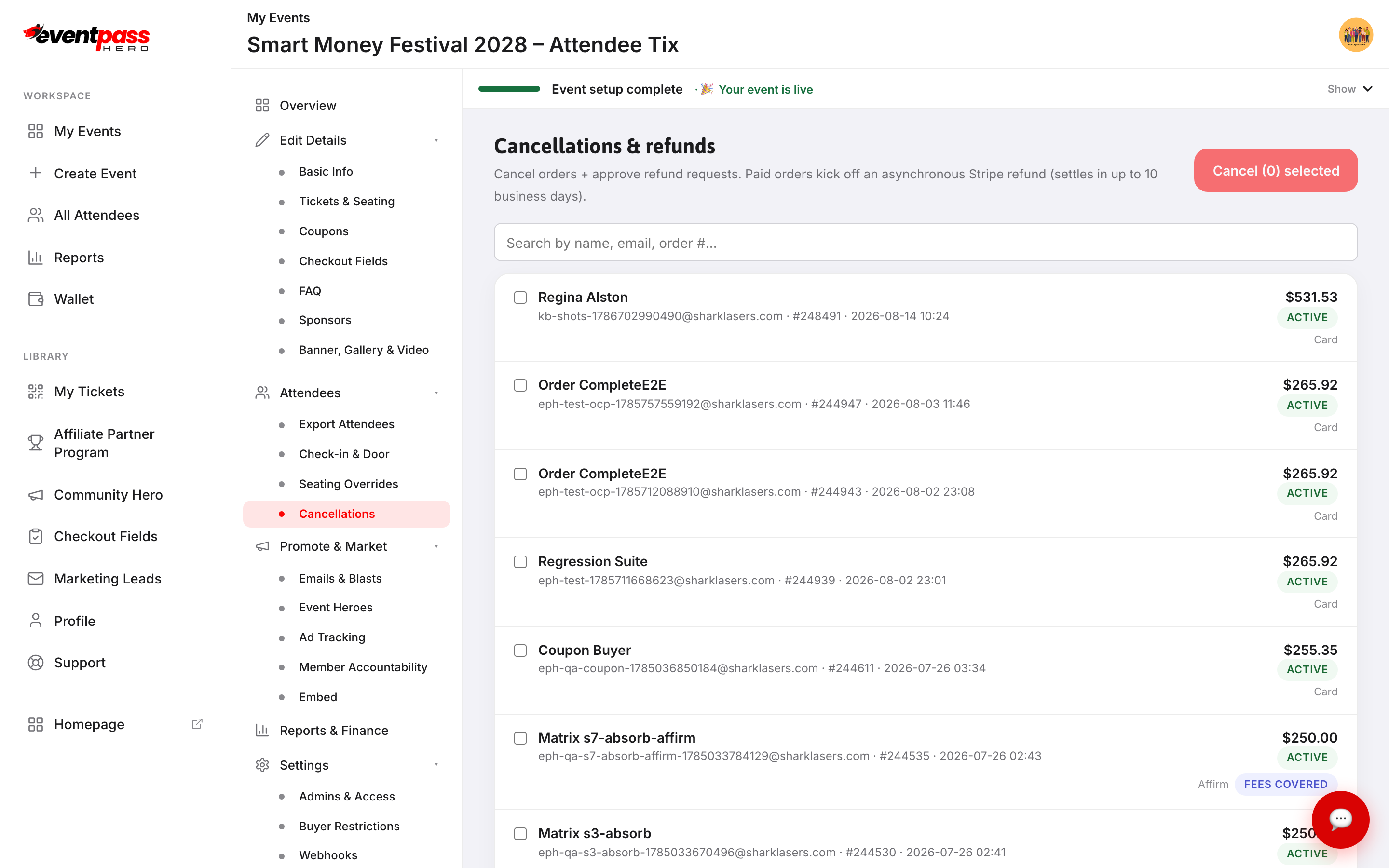
- 2. Find the order — search by name, email, or order number — and tick its checkbox. You can select several orders at once.
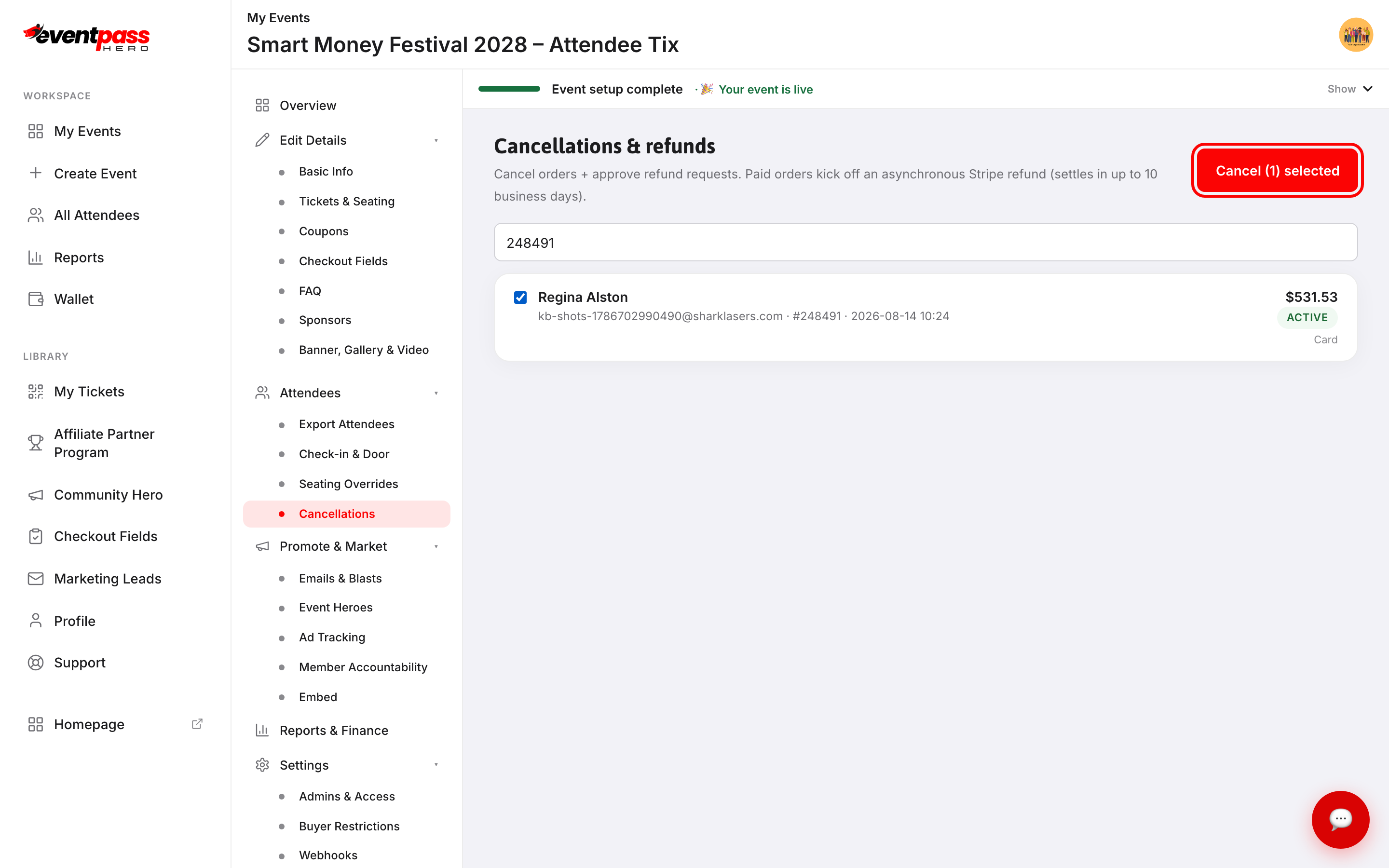
- 3. Click Cancel (1) selected.
- 4. The confirmation dialog shows the refund amount and asks you to choose a reason — Event Cancelled, Event Postponed, Event Didn't Match Description, Customer Bought Wrong Item, or Customer Changed Mind. The buyer sees this reason in their cancellation email.
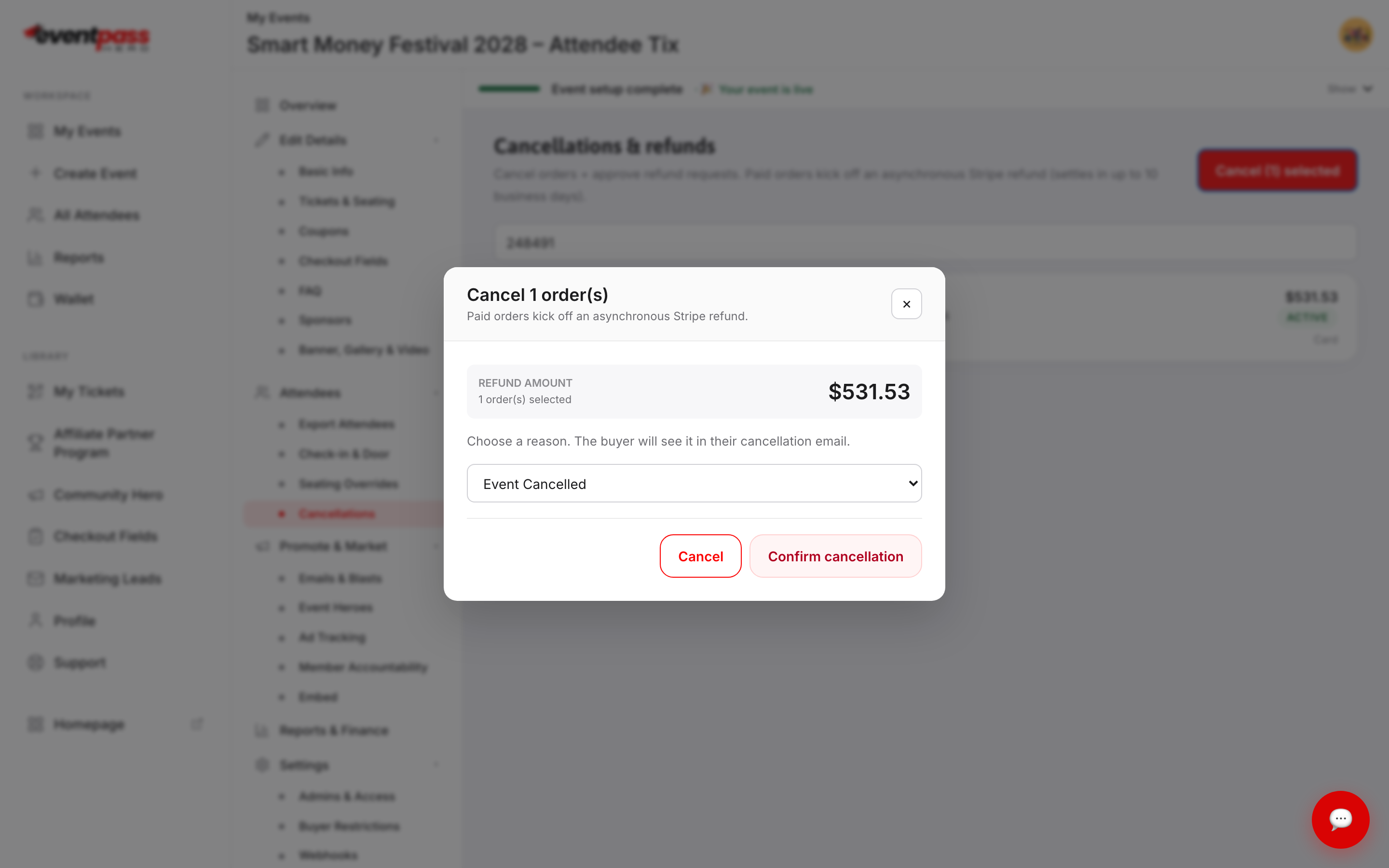
- 5. Click Confirm cancellation. The tickets are voided immediately and the Stripe refund processes asynchronously.
What happens after you confirm
The order's status changes to REFUND PROCESSED once the refund is issued, with your reason recorded on the row. The money returns to the buyer's original payment method — refunds settle in up to 10 business days, depending on the card issuer. Refunded amounts are excluded from your net sales in Reports & Finance, and if the money was already paid out to you, the clawback is netted against a future payout (visible in Wallet → Payout reconciliation).
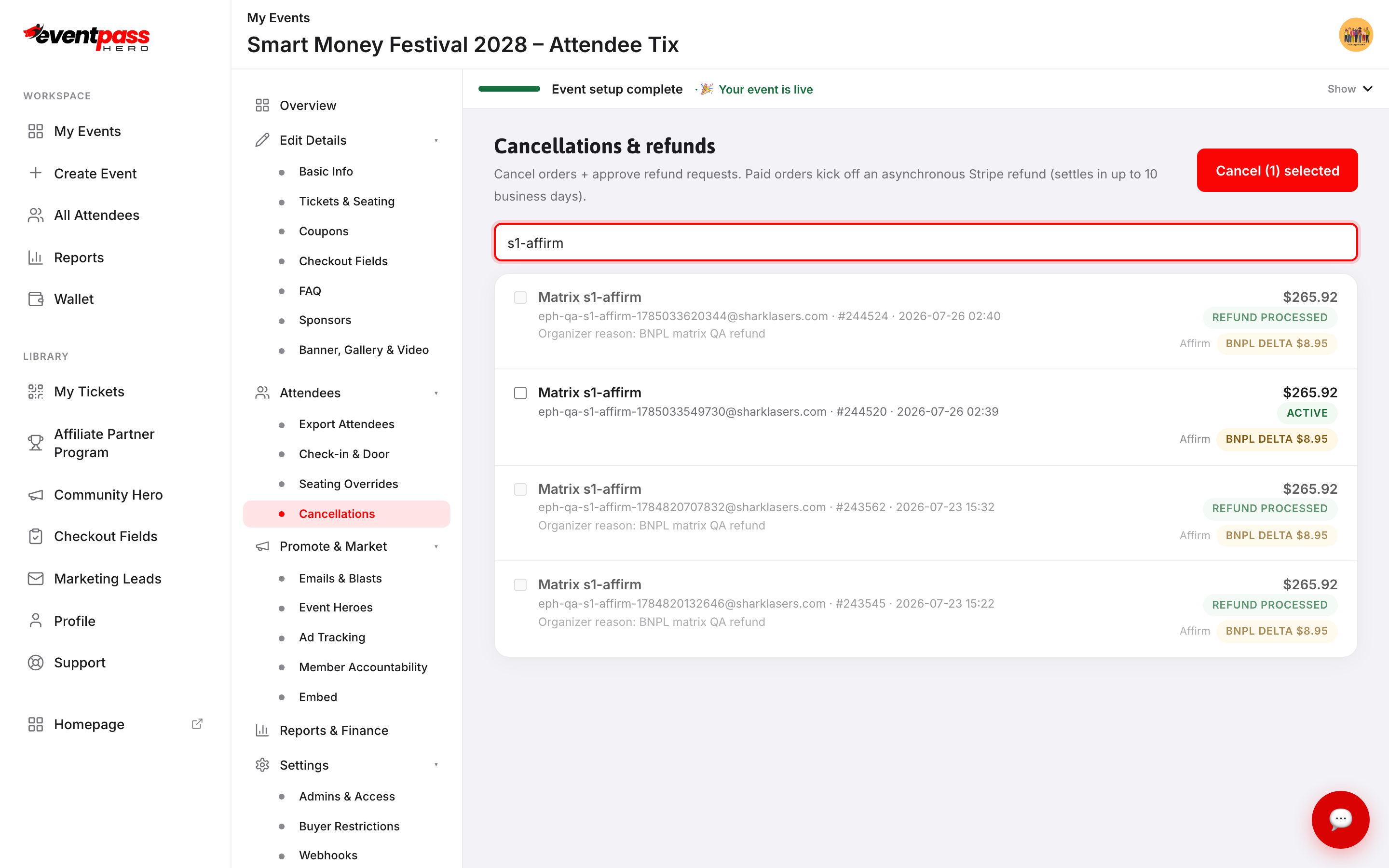
Refunds on Buy Now, Pay Later orders
Orders paid with Affirm, Klarna, or Cash App Afterpay are refunded back through the provider, which cancels or adjusts the installment plan and returns anything already paid — typically within 5–7 business days. The provider controls that timeline.
Troubleshooting
- The buyer says the money hasn't arrived — Stripe refunds can take up to 10 business days to settle depending on the bank. The REFUND PROCESSED status confirms it was issued on EventPassHero's side.
- You cancelled the wrong order — the refund can't be pulled back. The buyer can simply purchase again.
- A free order — cancelling a free order just voids the tickets and emails the buyer; there's no payment to refund.
Last updated 2026-08-14 · All FAQs & video tutorials