

Add Admins and Check-in Staff
You don't have to run your event alone. The Admins & Access screen (under Settings in your event's sidebar) grants two levels of access: authorized administrators, who can fully edit and manage the event, and check-in staff, who can only scan tickets at the door. Each is added by email. The same screen holds your Check-In App login and the recipients of the daily executive report.
The two roles
- Authorized administrators — co-organizers with full edit access to this event: tickets, pricing, attendees, reports, everything.
- Event check-in staff — door helpers who can scan tickets through the Check-In App. They can't edit your event, see financials, or issue refunds.
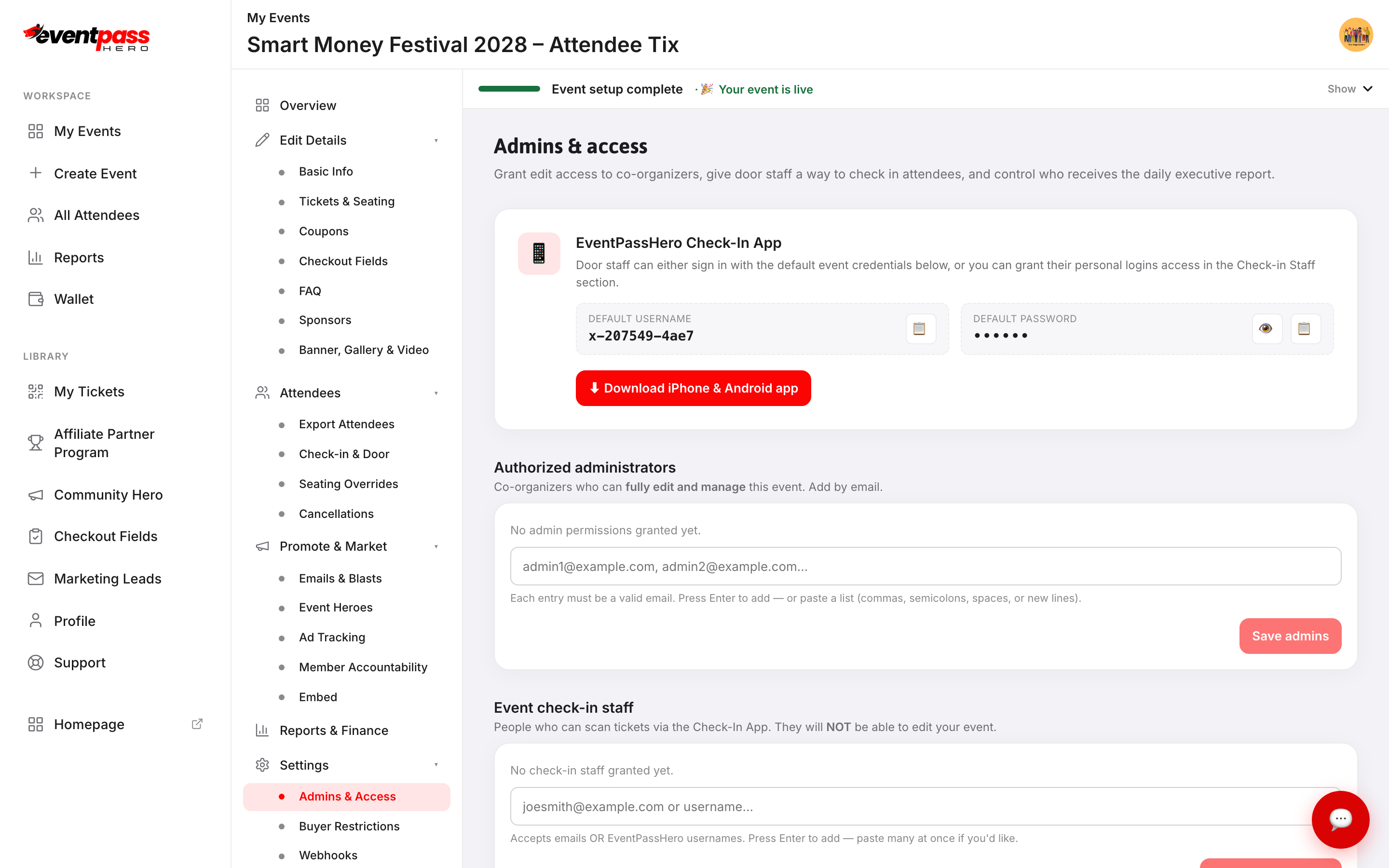
Step-by-step
- 1. Open your event and click Admins & Access under Settings.
- 2. Under Authorized administrators, type each co-organizer's email and press Enter — or paste a whole list (commas, semicolons, spaces, or new lines all work). Click Save admins.
Everyone you add gets an email invitation automatically. If they already have an EventPassHero account, the email has a sign-in link that lands them on your event; if they don't, it has a registration link with their email pre-filled. Once they sign in, they have full organizer access to your event — nothing to configure on their end.
- 3. Under Event check-in staff, add door staff by email or EventPassHero username the same way. Click Save check-in staff.
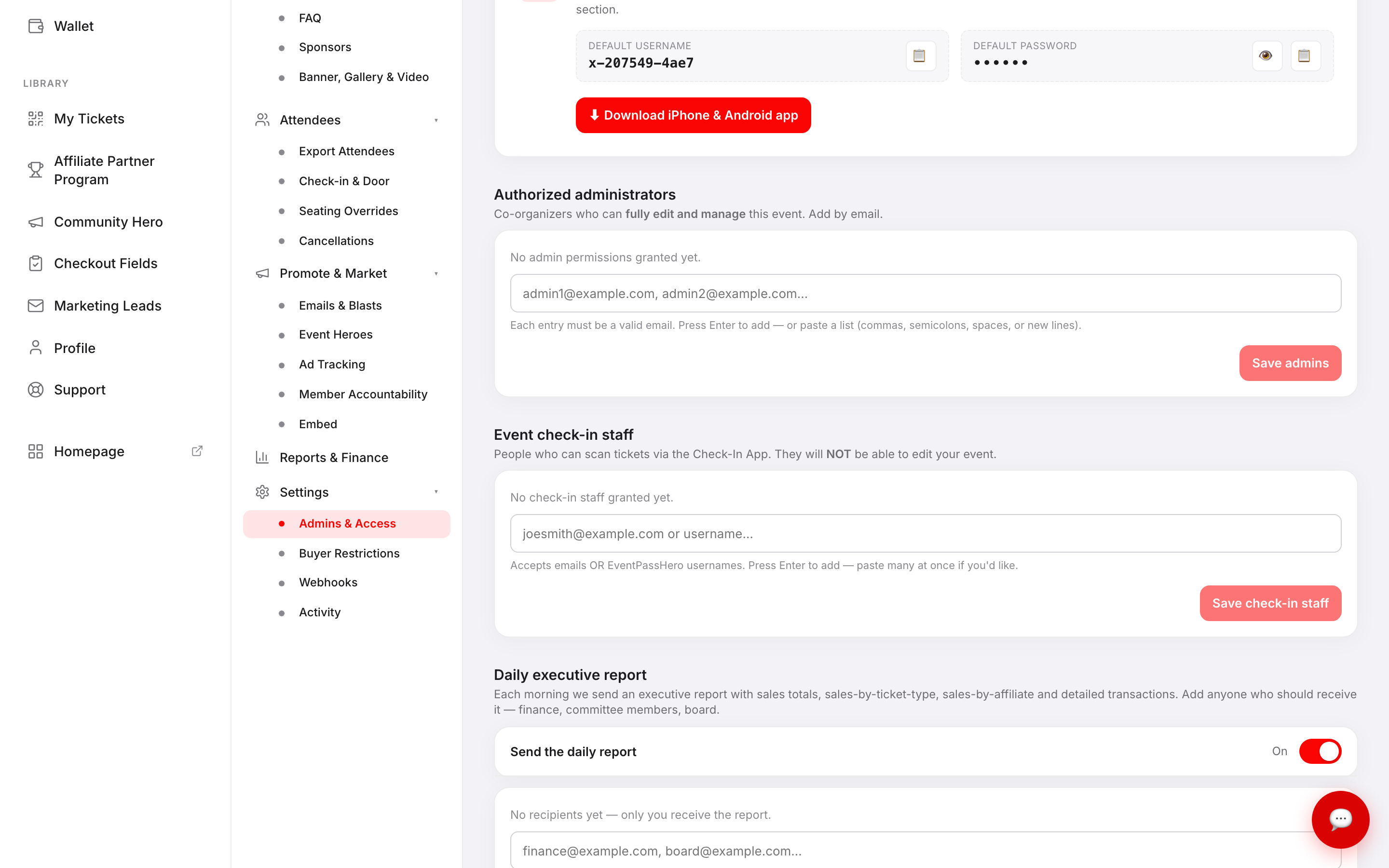
Door staff can sign in to the Check-In App two ways: with their own account (after you add them here), or with the default event credentials shown in the EventPassHero Check-In App card at the top of the screen — handy for volunteers without accounts. The card also links the iPhone & Android app download.
The daily executive report
Each morning EventPassHero sends an executive report with sales totals, sales by ticket type, sales by affiliate, and detailed transactions. Under Daily executive report, switch Send the daily report on and add anyone who should receive it — finance, committee members, your board. Paste a list straight from a spreadsheet and it's split for you. Click Save report settings.
This is the way to keep leadership informed without giving them edit access: recipients get the numbers by email and never touch event settings.
Troubleshooting
- A co-organizer can't edit the event — confirm their email is listed under Authorized administrators (not check-in staff) and that you clicked Save admins. Then have them check their inbox (and spam folder) for the invite email and sign in with the exact email address you added — access is tied to it.
- Door staff can see too much — anyone who should only scan belongs in Event check-in staff. Remove them from the administrators list.
- After the event — remove staff entries and save. Access ends immediately.
Last updated 2026-09-07 · All FAQs & video tutorials