

Event day does not happen at a desk. It happens at the door, by the stage, halfway across the parking lot with a walkie in one hand and somebody’s uncle asking where will-call is. That’s exactly where the EventPassHero event organizer app lives — in your pocket, with your sales, your attendees, and your check-in line all one thumb away.
If you’ve ever sprinted back to a laptop in the box office to look up a ticket, this one’s for you. Here’s what the app puts in your hand.
One event organizer app, every event in one list
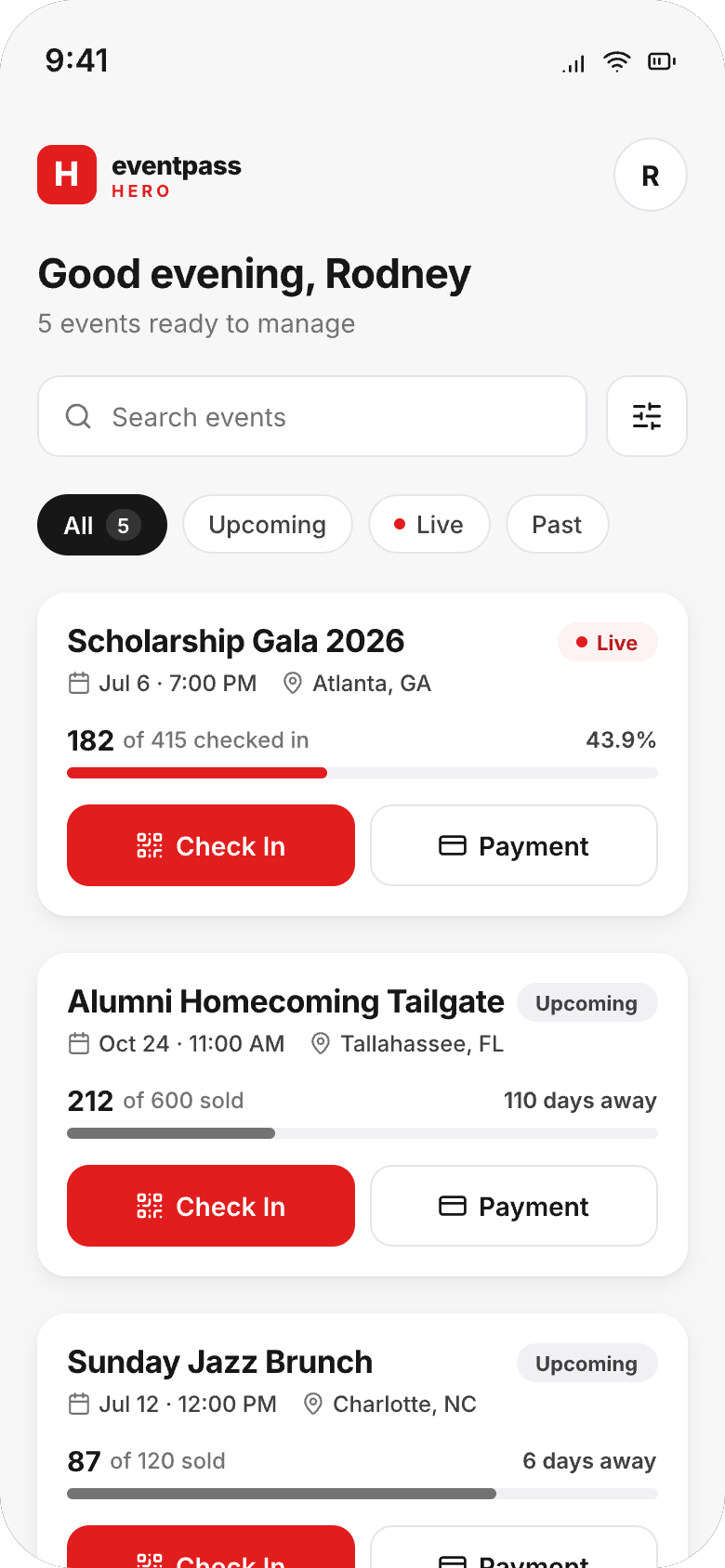
Open the app and you’re looking at all of your events at once: what’s live right now, what’s coming up, what’s already in the books. Each event card shows the vitals at a glance — tickets sold, days away, and for live events a check-in progress bar ticking upward in real time. That “182 of 415 checked in” line isn’t decoration; it’s your door, quantified, while you’re still walking the room.
Search and filters (All, Upcoming, Live, Past) keep the list manageable whether you run two events a year or two a month. Tap any event and you’re inside it.
The door, handled: scan, search, check in
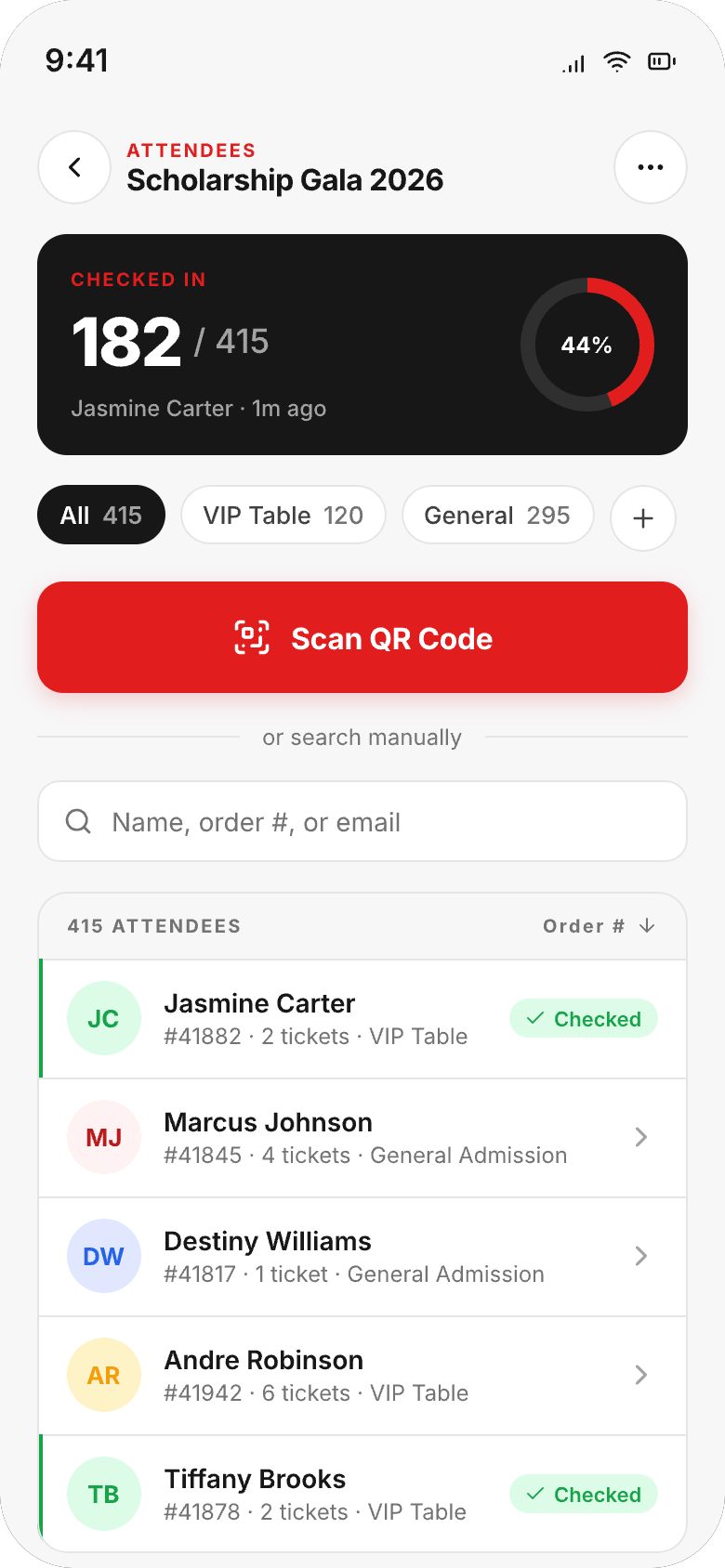
Inside an event, the Attendees screen is mission control for your entrance. A big red Scan button opens the camera and QR tickets fly through — scan, green check, next. Above it, the check-in card keeps score: how many are in, how many are coming, what percentage of your room has arrived.
And here’s the part your volunteers will love: your scan-only check-in staff get scanning access without full admin rights. The fraternity brother working the door can scan all night without ever seeing your revenue, your reports, or your settings. You decide who scans and who manages — the app respects the difference.
When somebody’s phone dies (because somebody’s phone always dies)
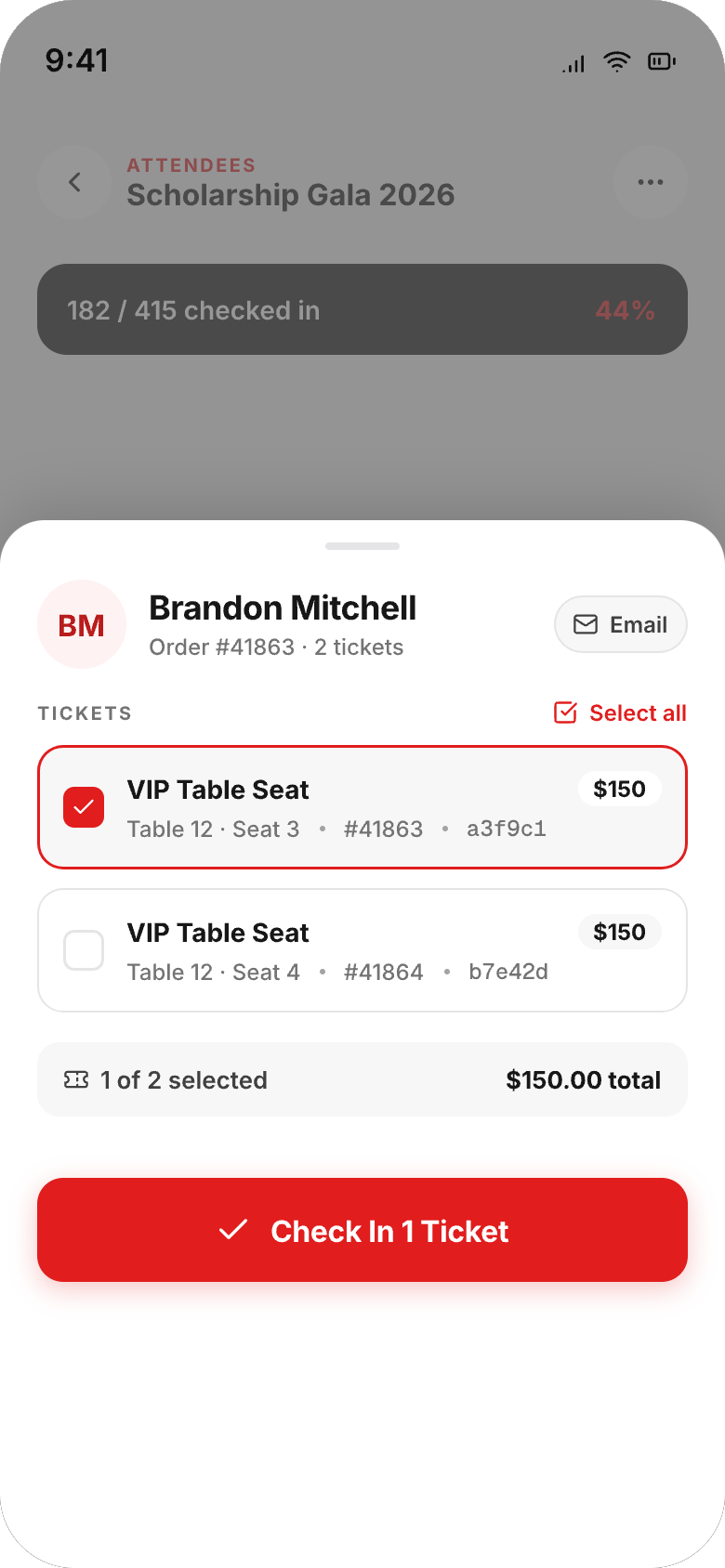
It’s 9:40 p.m. and a guest is at the door with a dead phone and no ticket to show. No drama: search their name, email, or order number, open their ticket detail, and tap Check In right from their record. You can even see their order at a glance — which tickets, which seats, what’s already been used — so a party of two where one person arrived early sorts itself out in seconds.
A dead phone at the door shouldn’t cost anyone their night — or you your check-in line.
Keep an eye on sales from anywhere
The app isn’t just for the night of. Weeks out, those same event cards tell you how your upcoming events are selling — tickets sold against capacity, days remaining — from the grocery store line, the group chat, wherever. When the Sunday jazz brunch hits 87 of 120 sold with six days to go, you’ll know it the moment you glance at your phone, not the next time you sit down at a laptop.
QR ticket scanning Live check-in count Search any attendee Manual check-in Scan-only staff access
Common questions
Can my door staff use the app without seeing my financials?
Yes. Add them as scan-only check-in staff and they get exactly what the door requires — the scanner and check-in — with no access to your sales numbers, reports, or event settings. Full admin rights stay with the people you choose. It’s the difference between handing someone the keys and handing them the clicker.
What happens if an attendee’s phone dies?
Look them up by name, email, or order number in the attendee search, open their ticket detail, and check them in manually with one tap. Their record shows every ticket on the order and which ones are already used, so even a split group checks in cleanly.
Does scanning work offline?
No — scanning needs a live internet connection to validate each ticket and keep every device’s count in sync. The practical playbook: test the venue’s Wi-Fi ahead of time and bring a phone hotspot as backup. With a solid connection, scans are quick and the line keeps moving.
Can I watch sales without opening my laptop?
That’s half the point of the app. Every event card shows tickets sold and days away for upcoming events, and live check-in progress once doors open. For deeper analysis — exports, refunds, order-level detail — your full dashboard is there when you’re back at a desk.
How many events can I manage from the app?
All of them. The home screen lists every event on your account — live, upcoming, and past — with search and filters to jump straight to the one you need. Organizers juggling a full season of parties, galas, and game days see everything in one scroll.
Related reading
- A tour of the organizer dashboard
- Team roles: admins, scan-only staff, and board recipients
- Event reports, refunds, and exports
The bottom line
Your event doesn’t wait for you to find a desk, and now it doesn’t have to. The EventPassHero organizer app puts your sales, your attendees, and your door in your pocket — scan tickets, search anyone, check in the dead-phone guest, and watch the room fill up in real time while you’re actually in the room.
Ready to run event day from your pocket? Create your event and your door team is minutes from scanning, or book a quick demo and we’ll show you the app on a live event.

Raise More Money With Less Stress.
Sell more tickets. Stay in control. Built for organizations that move the community.
Start selling tickets →