

Every treasurer knows the moment. The event’s over, the room was packed — and then someone asks the real question at the next board meeting: so how much did we actually make? If your answer is “let me dig through some emails and get back to you,” this post is for you. EventPassHero gives you clean event sales reports — the full revenue picture, event by event, seller by seller.
Good numbers aren’t a nice-to-have for a fundraiser. They’re how the board approves next year’s budget and how you prove — to donors, to leadership, to the IRS — that the money was handled right. So we built the money side of EventPassHero for the people who have to answer for it.
Event sales reports that answer the board’s questions
Open your dashboard and the whole picture is right there: gross revenue, tickets sold, refunds issued, and net proceeds — broken out by event. Running a spring gala, a summer day party, and a fall scholarship dinner? Each one gets its own clean line, so you’re never blending three events into one confusing lump sum.
And because EventPassHero tracks who sold what, you can see the numbers seller by seller, too. Which chapter member moved the most tickets, which affiliate or community hero drove the most revenue — it’s all attributed, not guessed at.
A fundraiser you can’t measure is a fundraiser you can’t defend at the next board meeting. Clean numbers are peace of mind.
Gross & net per event Seller-by-seller attribution Refunds tracked Clean exports
Refunds — full or partial — right from the dashboard
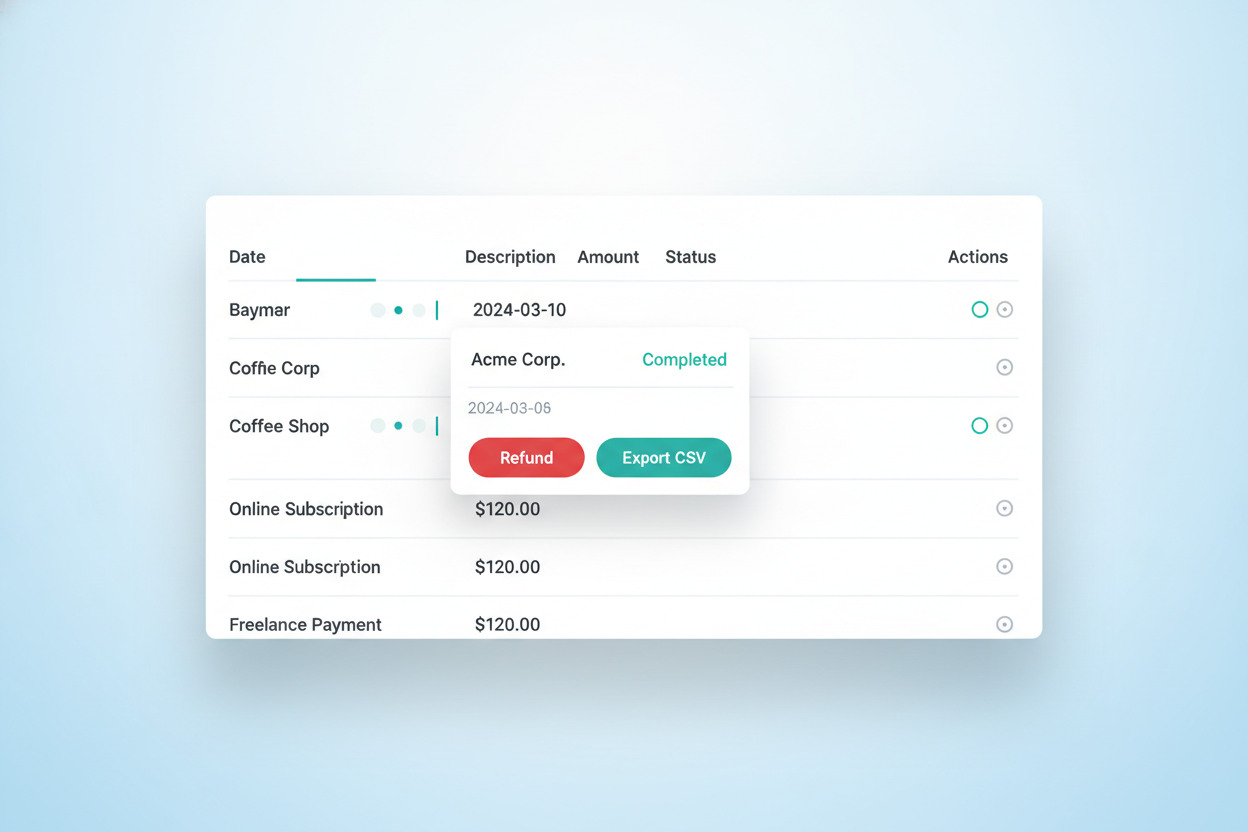
Sometimes a guest can’t make it. Sometimes you sold a $150 table seat and need to knock $25 off for a mix-up. Either way, you handle it yourself, from the same dashboard where you watch your sales. Issue a full refund or a partial refund, and the money goes back to the buyer’s original payment method automatically — no chasing bank details, no side transactions to reconcile later. Every refund is logged against the event and reflected in your totals, so your net proceeds always tell the truth.
Disputes and chargebacks, handled through Stripe — no EPH dispute fee
Occasionally a buyer disputes a charge with their card company. It happens, and it doesn’t have to rattle you. When a chargeback comes in, Stripe charges a $30 dispute fee — and EventPassHero automatically compiles and submits your counter-evidence — the order record, the QR ticket, the check-in scan — to fight it on your behalf. You don’t upload anything by hand.
Tax time: your 1099-K comes through Stripe
Here’s a question that keeps finance-minded organizers up at night: who sends the tax form? Because Stripe is the payment processor, a 1099-K is issued through Stripe when your revenue meets IRS reporting thresholds. You don’t request it from EventPassHero — the reporting flows through the same processor that’s moving your money, which keeps it clean and in one place, exactly where an auditor would expect to find it.
Failed transactions don’t count against you
A card gets declined. A checkout gets abandoned halfway. The important part: a failed transaction is not a sale, so it never counts against your fees and never muddies your reports. You’re only ever charged on money that actually changes hands.
Full & partial refunds
Refund an entire order or just a portion, back to the original payment method, from your dashboard.
Disputes fought for you
Stripe charges a $30 dispute fee; EventPassHero auto-submits your counter-evidence. No EPH fee on top.
1099-K through Stripe
When IRS thresholds are met, a 1099-K is issued through Stripe, the payment processor.
Failed = not counted
Declined or abandoned transactions never hit your fees or your reports.
Clean exports for the books
When it’s time to hand something to your accountant, your board, or the org’s national office, you don’t screenshot a dashboard — you export. Pull your transactions and attendee data out of EventPassHero into a clean file, every order and refund and dollar attributed, and drop it straight into your bookkeeping or a shareable report. Close-out that used to take a weekend takes a few clicks.
Common questions
How do refunds work on EventPassHero?
You issue refunds yourself from your event dashboard — either a full refund of the whole order or a partial refund of any amount. The money is returned to the buyer’s original payment method automatically, and the refund is logged against the event so your net totals stay accurate.
What happens with disputes and chargebacks?
If a buyer files a chargeback, Stripe charges a $30 dispute fee, and EventPassHero automatically compiles and submits your counter-evidence — the order record, QR ticket, and check-in scan — to fight it on your behalf. You don’t upload anything by hand, and EventPassHero charges no dispute fee of its own on top of Stripe’s.
Who sends my 1099-K tax form?
Because Stripe is the payment processor, a 1099-K is issued through Stripe when your revenue meets IRS reporting thresholds — so you don’t request it from EventPassHero, and the reporting stays in one place for your books.
Do failed transactions cost me anything?
No. A declined card or an abandoned checkout is not a sale, so it never counts against your fees and never appears in your event sales reports. You’re only charged on real, completed transactions.
Can I export my sales data for accounting?
Yes. You can export your transactions and attendee data into a clean file that drops straight into your bookkeeping or a board report — with every order, refund, and seller attribution included.
Related reading
- Get paid in 2–3 days with Stripe payouts
- Member accountability: who’s actually selling
- Team roles: admins, door staff & board access
The bottom line
Your money deserves numbers you can trust. EventPassHero gives you event sales reports that show the full picture — gross, net, refunds, and who sold what — plus dashboard refunds, disputes fought for you (Stripe’s $30 fee, no EPH surcharge), a 1099-K issued through Stripe at IRS thresholds, and clean exports for the books. That’s close-out clarity your board can actually rely on.
Ready to see your numbers clearly? Create your event and watch the reports build themselves as tickets sell, or book a quick demo and we’ll walk through reports, refunds, and exports together.

Raise More Money With Less Stress.
Sell more tickets. Stay in control. Built for organizations that move the community.
Start selling tickets →