

The lineup is locked, the flyer is fire, and you have exactly one shot to turn a room full of maybes into a sold-out night. The trouble is, most organizers hand that moment to a patchwork of tools — one app for tickets, another for the seating chart, a separate Mailchimp bill for the emails — and hope it all holds together. It usually doesn’t.
EventPassHero puts the whole show in one place. Concert ticketing with real reserved seats, a passcode-gated presale for your day-ones, wallet passes and fast QR check-in at the door, and built-in email and SMS to fill every empty seat — all run from a single dashboard. Here’s how it fills the room.
Concert ticketing with reserved seats fans actually want
Fans will pay more for a seat they chose than a spot they got stuck with. With EventPassHero, buyers open a real interactive map of your venue at checkout and tap the exact seat they want — front row, aisle, the corner of the balcony with the best view. They see what’s open, what’s taken, and where they’ll be before they pay. It’s the same confidence people expect from a big-arena ticket, now on your show.
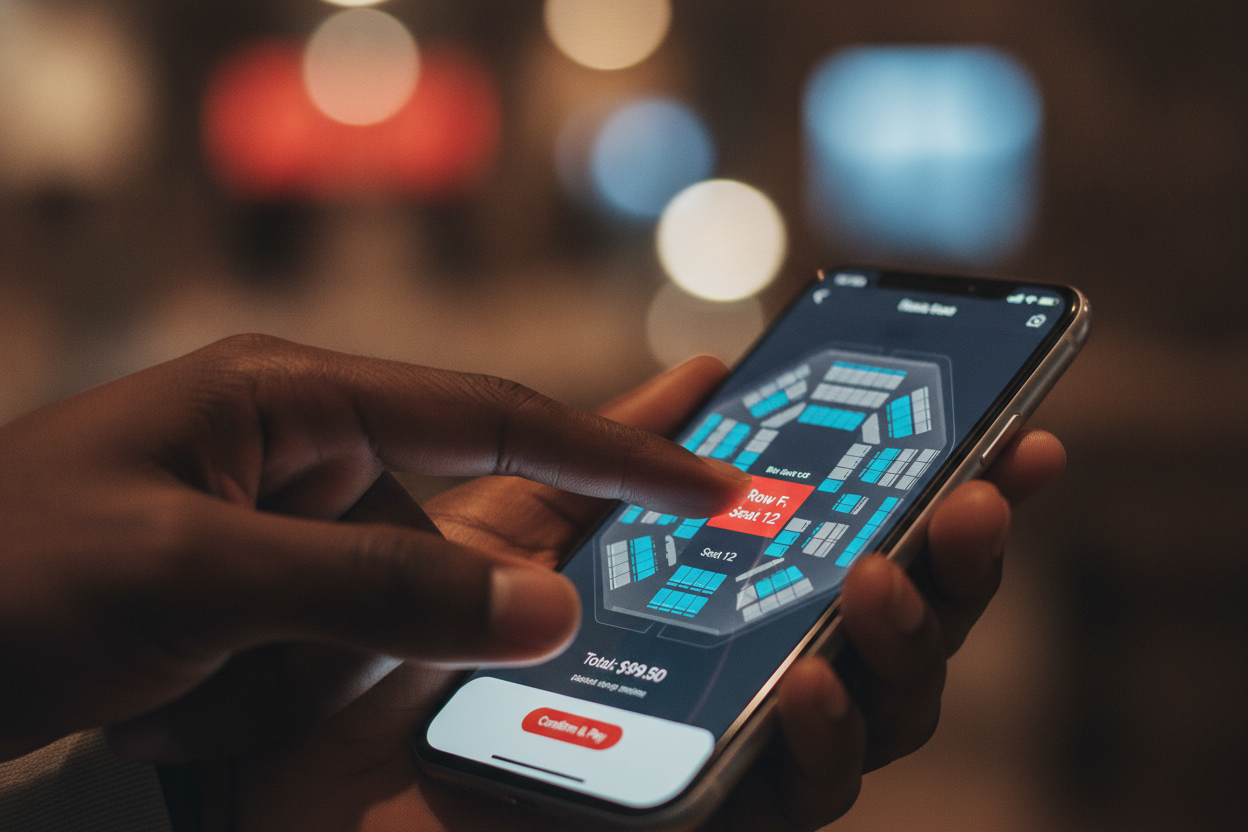
You decide how it works, per ticket type. Let general-admission buyers self-select, and keep VIP, pit, or comp seats auto-assigned where you want them. And because the map is a general selectable layout, “premium” spots — the first three rows, the box, the rail — can be priced as their own higher ticket type. Buy a group block and each guest enters their own name and email, so every person gets their own QR ticket with the seat printed on it.
Self-select seats Auto-assign per ticket type Premium priced seats Per-guest QR tickets
A presale that rewards your real fans
Nothing builds momentum like an on-sale that starts before the general public gets in. On EventPassHero you can gate a ticket behind a passcode — a private code you drop to your mailing list, VIP circle, or street team — so only the people who have it can buy during the presale window. You can also restrict purchases to a specific member email list, perfect for a fan club or alumni block.
Pair that with tiered pricing — early-bird, general, day-of, VIP — and coupons or promo codes (percentage or flat, with usage caps, expiry dates, and limits by ticket type) and you’ve got every lever you need to move tickets at exactly the right moment.
Email and SMS that fill the room — no separate Mailchimp
This is the part that quietly sells the most tickets, and it’s built right into the same dashboard. Everyone who bought is already in the system, so your outreach lives where your tickets do — no CSV exports, no third-party login, no separate marketing invoice.
Run the whole on-sale as one conversation with your fans:
- Announce the on-sale to your list the moment tickets go live.
- Send presale codes to your VIPs and superfans before general access opens.
- Remind ticket-holders the day before — doors, parking, set time — over SMS, the channel people actually read.
- Follow up after with a thank-you, photos, and first dibs on the next show.
And it’s not a blast to everyone. EventPassHero lets you segment your audience — by ticket type and by buyer status — so VIP-seat holders get white-glove instructions while people who haven’t bought yet get the reminder that gets them off the fence. The right message, to the right group, from the same place you sell the tickets.
The tickets don’t sell themselves — your list does. So keep the list, the seats, and the send button under one roof.
Retarget the fans who almost bought
Some fans click, browse the seat map, and drift off before checkout. You can win a lot of them back. EventPassHero supports Meta Pixel (and Google Tag), so warm visitors and past buyers can be retargeted with ads on Instagram and Facebook — a gentle nudge in the feed that brings the almost-buyers back to finish the sale.
At the door, and after the show
When doors open, every ticket lives in the buyer’s Apple Wallet or Google Wallet, and your team scans them in fast with QR check-in in the organizer app. (One honest note: check-in needs a live connection, so if your venue’s signal is shaky, keep a phone hotspot on standby.) A logged-in ticket holder can also transfer a ticket to a friend’s name and email themselves — no support ticket required.
Then the money moves the way it should. Your payouts land in 2–3 business days via Stripe Connect — no waiting until the event is over, no minimum, no payout request. And if you brought on promoters, Hero Affiliates gives each one a personal tracking link so you can see whose hustle drove which sales (it’s tracking and attribution, not automatic commission checks).

Common questions
Can fans pick their own seats when buying concert tickets?
Yes. EventPassHero shows buyers a real interactive map of your venue at checkout, and they tap the exact seat they want. You can allow self-selection for some ticket types and auto-assign others — you set the rule per ticket type, so VIP or comp seats stay exactly where you place them.
How do I run a presale before the general on-sale?
Gate a ticket behind a passcode and share that private code with your mailing list, VIPs, or street team so only they can buy during the presale window. You can also restrict purchases to a specific member email list, then open general on-sale to everyone when you’re ready.
Is email and SMS marketing really built in?
It is. Email and SMS run from the same dashboard that sells your tickets, and your buyers are already in the system — no exports and no separate Mailchimp bill. You can segment your sends by ticket type and buyer status so the right message reaches the right fans.
When do I get paid for concert ticket sales?
Payouts land in 2–3 business days via Stripe Connect — no waiting until the show is over, no minimum, and no payout request to file. EventPassHero’s fee is 2.75% + $1.49 per ticket, with Stripe’s processing (2.9% + $0.30) charged separately and no markup.
Do fans get their tickets in Apple or Google Wallet?
Yes. Every ticket can be saved to Apple Wallet or Google Wallet as a QR pass, and your team scans people in fast with QR check-in in the organizer app. Check-in needs a live internet connection, so plan a phone-hotspot backup if your venue’s signal is weak.
Related reading
- Interactive seating explained: how self-select seat maps work
- Built-in email & SMS marketing, with no separate Mailchimp
- Coupons & promo codes: presale perks and early-bird deals
The bottom line
Selling out a concert isn’t luck — it’s reserved seats your fans want, a presale that rewards the loyal, and outreach that actually reaches them. EventPassHero gives you all three in one place, then pays you in 2–3 days and shows you exactly who drove the sales. No stitched-together stack, no separate marketing invoice, no drama at the door.
Ready to fill the room? Create your event and turn on reserved seating, or book a quick demo and we’ll map your venue and set up your presale together.

Raise More Money With Less Stress.
Sell more tickets. Stay in control. Built for organizations that move the community.
Start selling tickets →