

Here’s a truth every organizer learns the hard way: the entrance line is the thirty minutes that make or break your event. Get it right and your guests walk in feeling like VIPs before they’ve even found their table. Get it wrong — a stalled line, a frazzled volunteer, a guest who swears they paid — and that frustration follows people all the way to their seats.
The door is the first thing your guests touch and the last thing most platforms think about. We built the EventPassHero Organizer App the other way around — door-first. It runs on iOS and Android, and it handles QR scan-in, at-the-door sales, Tap to Pay, line-filtering by ticket type, and live attendee lookup, all from a phone already in your pocket.
Scan, green check, next guest
The core loop is exactly as simple as it should be: a guest holds up their digital ticket, your staffer scans the QR code, the app flashes a confirmation, and they’re in. No clipboard, no printed manifest, no scrolling a spreadsheet while a line stacks up behind one confused volunteer.
Across thousands of events, our QR codes hit a 98% first-scan success rate. The rare miss is almost always a physical thing — a dim phone screen, a smudged camera lens — not a broken ticket. And for those, there’s a built-in safety net: pull up the guest by name or email in the live attendee lookup and check them in manually in a couple of taps. The line never stops.
A great entrance isn’t about fancy hardware. It’s about never making a paying guest feel like a problem to be solved.
Separate lanes for separate crowds
Not every guest should go through the same door. Your VIPs shouldn’t wait behind general admission. Your sponsors deserve a clean, fast lane. Your members-only crowd needs to be checked against the right list. The Organizer App lets you set up separate check-in lanes, scoping each scanner device to a specific subset of ticket types.
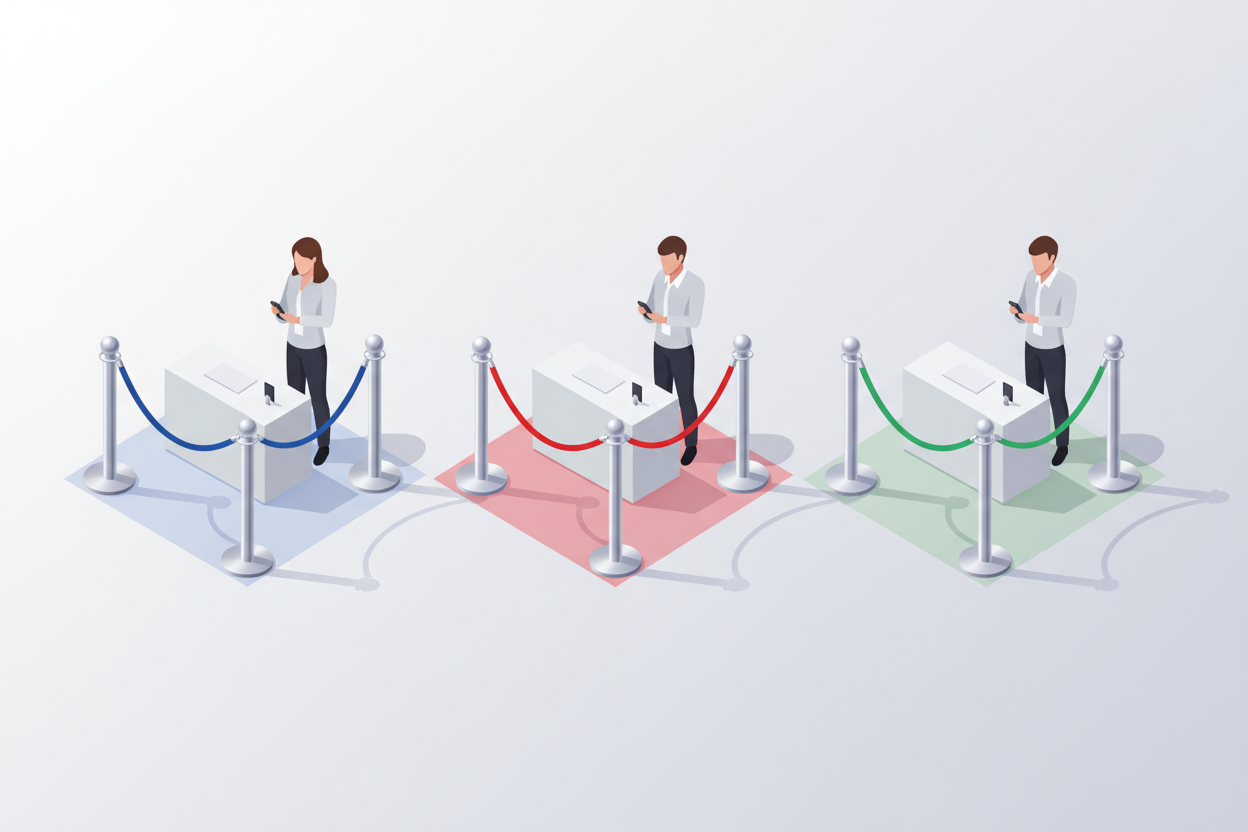
Point one phone at the VIP entrance and it only accepts VIP tickets. Point another at the main door for general admission. The result is faster lines, fewer mix-ups, and an entrance experience that feels intentional instead of improvised.
VIP lane GA lane Sponsor lane Members-only lane Per-device scoping
Know your signal before the rush
Here’s the honest version: real-time check-in needs a real connection. Every scan, every walk-up sale, and every live attendee lookup talks to the platform the instant it happens — so a solid Wi-Fi or cellular signal at the door is non-negotiable. And venues are exactly where signal likes to disappear: thick-walled banquet halls, basements, metal-roofed expo centers, the far corners of a festival field.
That’s why the Organizer App has a built-in signal-strength detector. Before doors open, walk each scanning spot with the app and watch the meter. Strong signal? You’re set. Weak? Move the check-in table a few feet, switch the device to cellular, or fire up a hotspot — and confirm you’re back in the green before the first guest arrives.
Give door staff exactly what they need — and nothing more
The person scanning tickets at the door doesn’t need to see your revenue, touch your settings, or have the power to issue refunds. So they don’t. The Organizer App supports scan-only staff permissions: invite door volunteers who can check people in but can’t see financials, change event configuration, or process refunds.

It’s the kind of control that lets you staff the door with anyone you trust to be friendly, without handing over the keys to your whole operation. And when the night’s over? Revoke their access in one click. The temporary helper is temporary by design.
Sell at the door — into the same books
Plenty of your best sales happen at the door. The friend who decided last minute, the walk-up who saw the line and wanted in. The Organizer App turns every door staffer into a register. Walk-up sales through the app use the exact same ticket types and seating as your online checkout — same prices, same inventory, same seats — and they flow straight into the same reports.
That last part matters more than it sounds. There’s no separate “door cash” pile to reconcile, no second system to cross-check. Whether a ticket sold online three weeks ago or at the door three minutes ago, it lands in one clean set of numbers. With Tap to Pay, your staffer’s phone becomes the card reader — no extra hardware to buy, charge, or lose.
Built for the way your night actually runs
Door duty isn’t a tidy, predictable thing. People show up in clusters, plans change, the VIP arrives at the GA door, a guest swears they already paid. The Organizer App is built for that reality — not a demo-day ideal.
One scan, in seconds
98% first-scan success, with name and email lookup for the rare miss.
Lanes that fit your tiers
Scope each device to VIP, GA, Sponsor, or members-only tickets.
Check your signal first
A built-in signal-strength detector confirms each lane is connected before doors open.
Door sales, one ledger
Walk-up sales use the same tickets and seats and land in the same reports.
The bottom line
Your guests judge the whole event by how the door felt. A line that moves, staff who can help without fumbling, a walk-up sale handled in seconds, and a connection you confirmed was solid before the first guest arrived — that’s the difference between a crowd that arrives stressed and one that arrives ready to celebrate. The EventPassHero Organizer App is how you deliver it, from a phone you already own.
Ready to open the door the right way? Create your event and download the Organizer App, or book a quick demo and we’ll walk you through check-in day before it arrives.

Raise More Money With Less Stress.
Sell more tickets. Stay in control. Built for organizations that move the community.
Start selling tickets →